

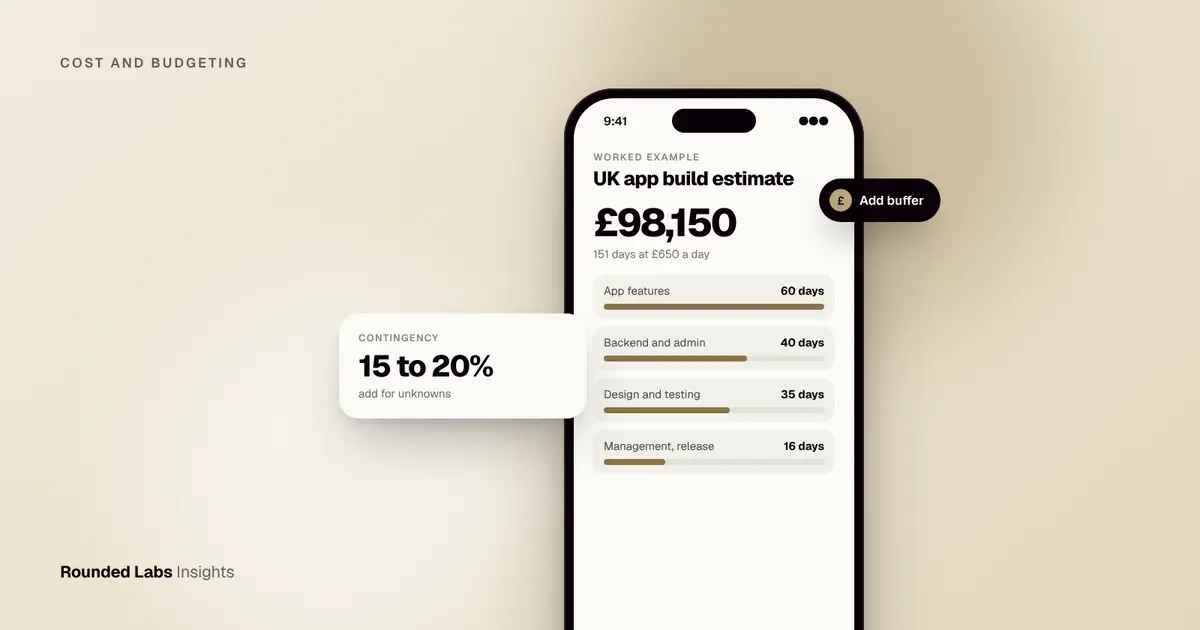
To estimate an app budget, list the features you need, size each one in days of effort, multiply by a realistic day rate for the team and region you will use, then add design, testing, project management, a 15 to 20% contingency and the first year of running costs. This method gets you within roughly 30% of a real quote, which is enough to decide whether the idea is affordable and to judge the quotes you receive.
We estimate app projects every week for clients in the UK, US and Europe, quoting in pounds, dollars and euros. This guide shares the method we use, simplified so you can do it yourself in an afternoon with a spreadsheet. All rates and costs in it are market estimates, not quotes. When we price a real project, we work to a fixed price agreed before development starts, and projects typically run from £30,000 to £250,000+; see the pricing page. A day rate is used here as a planning tool, because it is the clearest way to compare different regions and suppliers on equal terms.
Key facts
- Typical day rates (market estimates, not quotes): UK senior studio £500 to £850; US agency $900 to $2,000; Western European agency €700 to €1,200.
- Design usually adds 10 to 20% of development effort; testing 15 to 25%; project management 10 to 15%.
- Always add 15 to 20% contingency, and more if the requirements are unclear or the technology is new.
- Budget 15 to 25% of the build cost each year for maintenance from year two.
- Exchange rates move: fix your currency in the contract, and ask suppliers to quote in the currency you earn in.
- A self-made estimate lands within about 30% either way. A paid discovery phase narrows that to roughly 10 to 15%.
Why estimate before you ask for quotes?
Most founders approach agencies with one question: “How much will it cost?” The honest answer without any preparation is “somewhere between £20,000 and £500,000”, which helps nobody. A supplier can only give a tight number when you give them a clear scope, and you can only judge their number when you have your own rough figure to compare with.
An estimate of your own does four jobs.
- It tells you whether to proceed. If your rough figure is £180,000 and your funding is £40,000, you have saved yourself weeks of meetings and can move straight to cutting scope.
- It sharpens your brief. Writing features down and sizing them exposes the vague parts. A line you cannot size is a line you have not thought through.
- It gives you a benchmark. When three quotes arrive at £45,000, £110,000 and £310,000, your estimate shows which are realistic for your scope and which suppliers have misunderstood it. See App development quotes compared for why prices range so widely.
- It protects your negotiation. You can ask sensible questions: “Why is testing 8% in your quote when we expected about 20%?”
The method below is deliberately simple. It will not replace a supplier’s detailed estimate, but it will keep you out of the two common traps: underestimating by leaving out the work around the code, and overestimating by asking for everything in version one.
Step 1: How do you list your features?
Write each feature as something a user can do, grouped by screen or journey. For example, for a booking app:
- Sign up and log in (email and Apple or Google sign-in)
- Browse services and staff
- Book, reschedule and cancel
- Pay by card, Apple Pay or Google Pay
- Receive reminders by push notification
- View booking history
- Admin: manage services, staff, calendar and refunds
Keep it to version one. Everything you would like later belongs on a separate list called “version two”, and the discipline of separating the two lists is worth more than any spreadsheet formula. How to write an app specification (free template) has a free specification template, and How to choose features for version one shows how to decide what makes the cut. If you are unsure what a first version is, read What is an MVP?.
A rule for writing features
Describe each feature in the form “a [type of user] can [do something] so that [outcome]”. “Users can pay” is vague. “A customer can pay by card, Apple Pay or Google Pay and receive an emailed receipt” is sizeable. If a feature could be built in three different ways at three different prices, add a note saying which one you mean.
Include the invisible features
Beginners list what users see and forget what keeps the app running. Add these lines every time:
| Invisible feature | Why it is easy to forget |
|---|---|
| Admin panel | Someone must manage content, users and refunds without editing a database |
| Notifications and emails | Reminders, receipts and password resets are real work |
| Analytics and crash reporting | You cannot improve what you cannot see |
| Account deletion and data export | Required by app stores and privacy law in many countries |
| Settings, help and legal screens | Terms, privacy policy, contact and support routes |
| Roles and permissions | Staff, managers and customers rarely have the same rights |
| Error and empty states | Every list needs a “nothing here yet” screen and a “something went wrong” screen |
Step 2: How do you size each feature?
Give each feature a size and convert it to days of effort. The ranges below are market estimates for a mid-level team building a typical business app. They include development and the developer’s own testing, but not the work around the code, which comes in step 3.
| Size | Example | Typical effort |
|---|---|---|
| Small | Static content screen, settings toggle | 1 to 2 days |
| Medium | Login with social sign-in, profile editing | 3 to 6 days |
| Large | Payments, booking logic, chat | 8 to 15 days |
| Extra large | Real-time tracking, complex integrations, offline sync | 15 to 30 days |
Add separate lines for the backend and admin panel if your app needs them; they are often 40 to 60% of total effort. App feature costs: login, payments, chat and maps lists typical costs for common features, and What is a backend as a service? explains the option of using a ready-made backend to cut effort.
Worked sizing for the booking app
| Feature | Size | Days (mid-point) |
|---|---|---|
| Sign up and log in with Apple or Google | Medium | 5 |
| Browse services and staff | Medium | 5 |
| Booking, rescheduling and cancelling | Large | 12 |
| Payments with Apple Pay and Google Pay | Large | 10 |
| Push reminders | Medium | 4 |
| Booking history | Small | 2 |
| Profile and settings | Small | 2 |
| Onboarding and help screens | Small | 2 |
| Analytics, crash reporting, account deletion | Medium | 4 |
| Other app screens and polish | Medium | 14 |
| App total | 60 |
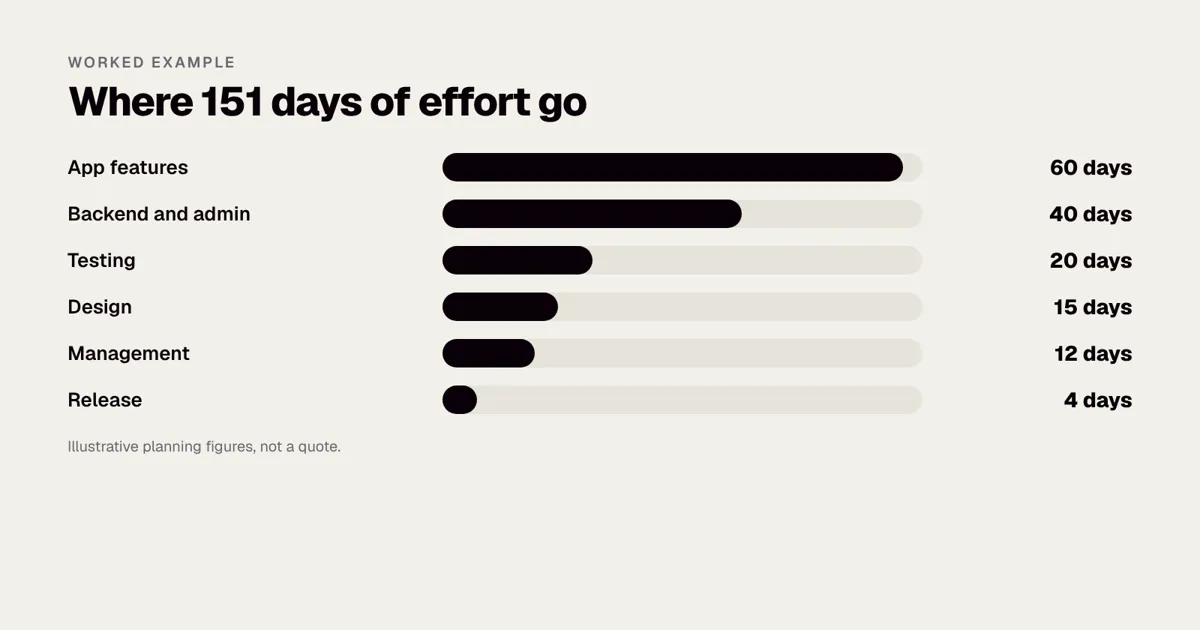
The backend and admin panel then add about 40 days: an API for services, bookings and users, payment webhooks, a staff calendar, refunds and reporting. That is 100 days of build before design, testing and management.
Use a three-point estimate for uncertain lines
When you are unsure about a feature, give three numbers instead of one: an optimistic case, a most likely case and a pessimistic case. A common weighting is (optimistic + 4 times most likely + pessimistic) divided by 6. For a feature you think is 6 days, but might be 4 or might be 14, the weighted figure is (4 + 24 + 14) / 6 = 7 days. The method pulls the estimate toward the realistic middle and gives you the spread, which is useful for sizing the contingency in step 5. Use it on the three or four biggest or riskiest lines, not on every small screen.
What makes a feature bigger than it looks
Watch for these multipliers, which turn a medium line into a large one:
- Two platforms. iOS and Android written separately roughly doubles app screens, while cross-platform code shares most of them. Native vs cross-platform: what it does to your budget explains the trade-off, and Flutter vs React Native in 2026 compares the two leading cross-platform tools.
- Third-party integrations. Each external system, such as a payment provider, CRM or booking engine, adds reading documentation, testing edge cases and handling failures. See What is an API integration?.
- Real-time behaviour. Live tracking, chat and collaborative editing are far harder than screens that load once.
- Offline use. Letting people work without a connection means storing and syncing data, which is among the costliest features. See How to make your app work offline.
- Regulated data. Health, financial and children’s data add security, consent and audit work.
- Many roles. Each additional user type adds screens, rules and tests.
- AI features. Costs depend on the model, data and safeguards. See How much does it cost to add AI to an app?.
Step 3: What work surrounds the code?
Code is only part of the effort. The table gives typical shares of development effort for the work around it.
| Item | Typical share of development effort |
|---|---|
| Discovery and design | 10 to 20% |
| Testing and QA | 15 to 25% |
| Project and delivery management | 10 to 15% |
| Release and store submission | 3 to 5% |
Discovery and design
Design covers user journeys, wireframes, visual design and an interactive prototype. For a small app it may be 10%; for a consumer app where first impressions drive adoption, 20% is more common. A design system, covered in What is a design system?, takes longer at the start but cuts effort later. Discovery, covered in What happens in a discovery phase, is the stage where risks are tested before build, and it often pays for itself by removing wasted features.
Testing and QA
Testing includes test planning, manual testing on real devices, automated tests for the riskiest flows, security checks and user acceptance testing. It is the line most often squeezed in cheap quotes and the one that costs most later when skipped. App testing explained: QA, UAT and beta testing covers the types.
Project and delivery management
Someone must run planning, demos, reporting, risk tracking and communication. On a small project this is a share of one person’s time. On a larger one it is a dedicated role. If a quote shows nothing for management, either the supplier has hidden it in other lines or nobody will be doing it.
Release and store submission
Preparing store listings, screenshots, privacy labels, review responses and the first production deployment takes a few days. If your app is likely to face scrutiny from Apple, read Why Apple rejects apps and the app launch checklist.
Step 4: Which day rate should you use?
The rates below are market estimates drawn from the wider industry, not quotes from any one supplier. Real quotes vary with seniority, scope and how a supplier prices. Many agencies, including us, work to a fixed price rather than a day rate, and a day rate here is simply a way to turn effort into money for planning.
| Team | Typical day rate |
|---|---|
| UK senior studio | £500 to £850 ($630 to $1,080, €580 to €990) |
| US agency, major city | $1,200 to $2,000 |
| US agency, smaller city | $800 to $1,300 |
| Western European agency | €700 to €1,200 |
| Eastern European agency | €320 to €640 |
| Offshore team | $200 to $400 |
Currency conversions here are rounded at roughly £1 = $1.27 and £1 = €1.16. They are illustrations only, so check current rates with the Bank of England or the European Central Bank before you plan. App development hourly rates explained explains what you get at each rate, and App development rates 2027: UK vs US vs Eastern Europe vs Asia compares regions in more depth.
Why a low day rate is not always a low price
A cheaper day rate buys cheaper effort, but not always cheaper outcomes. Three things erode the saving:
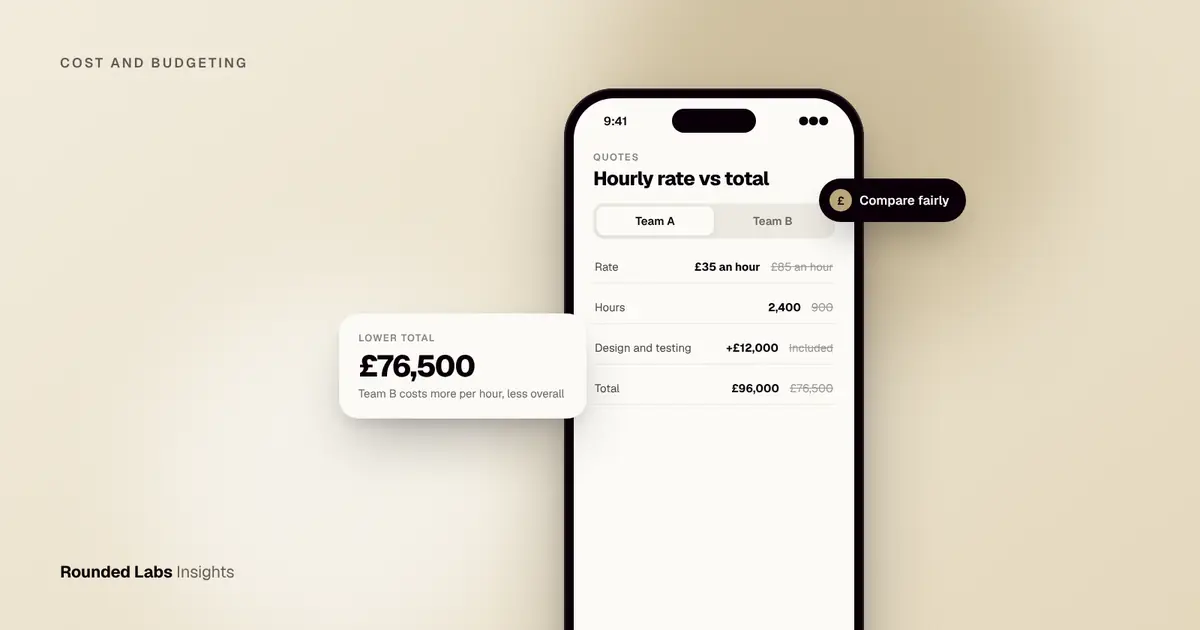
- Productivity. A senior team often needs fewer days for the same feature than a junior team, so a higher day rate can produce a lower total.
- Rework. If requirements are misunderstood across time zones or languages, the days to correct them are paid for at the same rate.
- Management overhead. A distributed team often needs more of your own time, which has a cost even when it does not appear on an invoice.
This is why you should compare total cost for the same written scope and not rates alone. UK vs offshore app development: an honest comparison and App agency vs freelancer vs in-house team set out the trade-offs.
Want a second opinion on your estimate? Send us your feature list and we will return a rough budget in your currency within a few days. Book a 30-minute call with a co-founder.
Step 5: How much contingency should you add?
Every estimate contains things nobody knew at the time. Contingency is the money you set aside for them, and it is a sign of a realistic plan, not a lack of confidence.
| Situation | Suggested contingency |
|---|---|
| Clear scope, familiar technology, repeat of a known pattern | 10 to 15% |
| Typical new app with a written specification | 15 to 20% |
| New technology, many integrations or unclear requirements | 20 to 30% |
| Early idea, no discovery done | Do discovery first |
Contingency is held by you, not given to the supplier up front. If the project finishes without using it, you keep it. If it is used, you should know why, which a fixed-price scope makes easier: changes are priced against a written baseline instead of drifting. How to manage scope changes without blowing the budget shows the process.
Step 6: What are the running costs?
The build is not the whole bill. Add a first-year running budget for:
- Store fees. At the time of writing, Apple’s developer programme and Google Play’s developer account have modest fees, and both stores take a commission on digital goods sold inside an app. Check the current terms on the official pages (Apple Developer Program and Google Play Console).
- Hosting and backend services. Cloud costs depend on usage. Compare the pricing pages of the providers you plan to use, such as AWS pricing or Firebase pricing.
- Third-party services. Payments, maps, email, SMS, analytics and AI each have fees that usually scale with use. A payment provider’s published fees are on its pricing page, for example Stripe pricing.
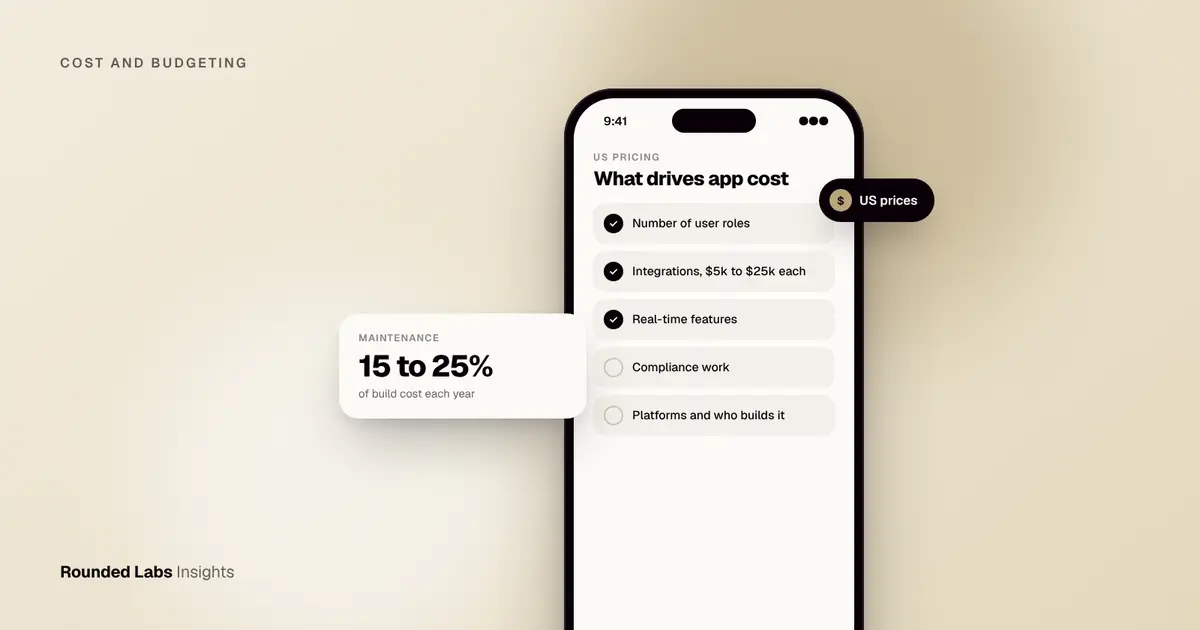
- Maintenance. From year two, budget 15 to 25% of the build cost each year for updates, bug fixes, operating system changes and support (App maintenance cost in the US: a yearly budget in dollars and App maintenance costs in the UK).
- Marketing and user acquisition. Not part of the build, but a real cost if you need users.
The hidden costs of building an app lists more, and The total cost of owning an app over five years shows how these add up over time.
What does a full worked example look like?
Take the booking app from step 1. It is a salon and wellness booking app for iOS and Android built with cross-platform code, a staff-facing admin panel and card payments.
| Item | Days |
|---|---|
| App features (from step 2) | 60 |
| Backend and admin panel | 40 |
| Design (15%) | 15 |
| Testing (20%) | 20 |
| Management (12%) | 12 |
| Release (4%) | 4 |
| Total | 151 days |
The percentages are applied to the 100 days of build, which is why design is 15 days, testing 20, management 12 and release 4. Now apply the day rate for each region.
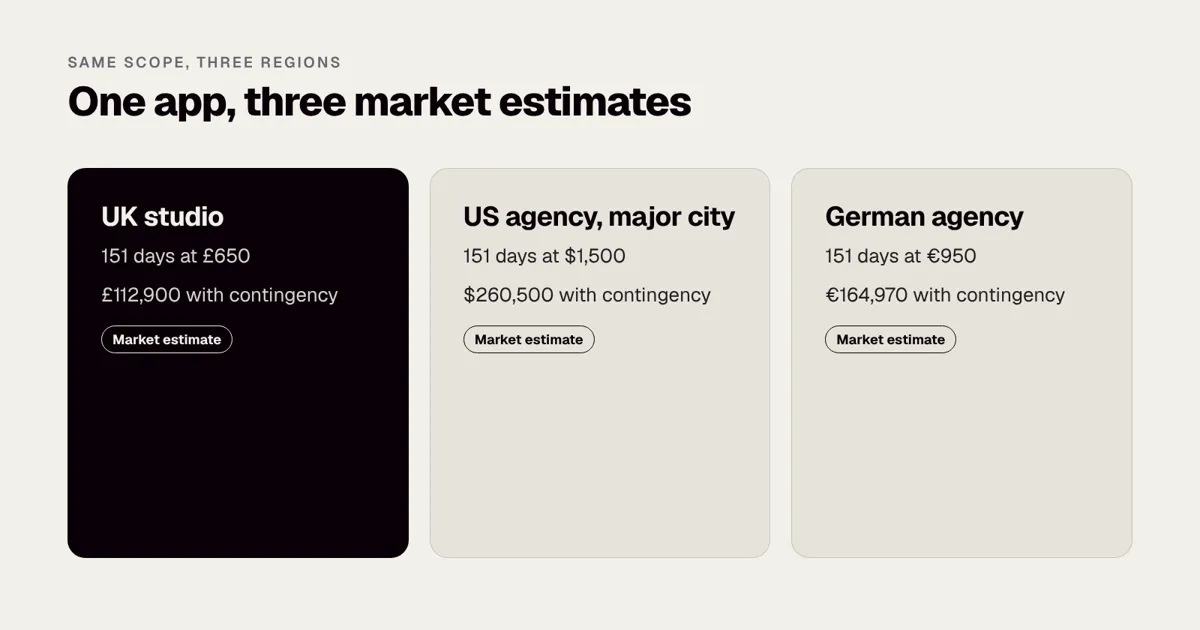
| Region | Day rate | Build cost | With 15% contingency |
|---|---|---|---|
| UK studio | £650 | £98,150 | £112,900 |
| US agency (major city) | $1,500 | $226,500 | $260,500 |
| German agency | €950 | €143,450 | €164,970 |
The same app costs very different amounts depending on who builds it. Converted at the rounded rates above, £112,900 is about $143,000 or €131,000, so the US figure here is well above the UK one. How much does it cost to build an app in the US? 2027 prices in dollars, App development cost in Europe and our UK cost guide give ready-made ranges by region, and How much does an MVP cost in the US? covers the smaller first-version case.
First-year budget for the same app
| Cost line | UK | US | Germany |
|---|---|---|---|
| Build with 15% contingency | £112,900 | $260,500 | €164,970 |
| Store fees and hosting, first year | £1,500 to £4,000 | $2,000 to $5,500 | €1,800 to €4,700 |
| Third-party services | £1,000 to £5,000 | $1,300 to $6,500 | €1,200 to €5,800 |
| Maintenance from year two (15 to 25%) | £14,700 to £24,500 | $34,000 to $56,600 | €21,500 to €35,900 |
Maintenance is calculated on the build cost before contingency. Treat these as market estimates; actual figures depend on traffic, the services you choose and how often you ship changes.
How do you convert between pounds, dollars and euros properly?
Estimating in one currency and converting at the end is the simplest approach, but three details matter.
- Use a consistent rate and write it down. Note the date and source, for example the ECB reference rate, so the estimate can be refreshed later. The rates here are rounded for illustration.
- Do not convert day rates mechanically between regions. A UK studio at £650 is not the same product as a US agency at $825. Different markets have different salary levels, overheads and expectations. Use the regional rate for the team you would actually hire.
- Decide who carries the exchange-rate risk. If you earn in dollars and pay in pounds, a move of 10% in the exchange rate changes the cost of a £100,000 project by about $12,700. Ask for the quote and invoices in your own currency, or agree a fixed rate in the contract, so the risk is not yours by default. Spreading payments across milestones also spreads the exposure.
Tax on top of the price
Quotes may or may not include tax, so ask. At the time of writing, UK suppliers charge VAT on services to UK customers, and the standard rate is listed on GOV.UK. Business-to-business services between countries are often invoiced without the supplier’s local VAT, with the buyer accounting for it under a reverse charge, particularly within the EU. In the US, sales tax on software services varies by state. These rules change and depend on your circumstances, so check with your accountant and the relevant tax authority.
How do you turn an estimate into a fixed price?
A day-rate estimate and a fixed price are not opposites. A good supplier estimates in days internally and then commits to a price for a written scope, taking on the risk of their own estimate being wrong. That is how our projects work: the price is agreed before development starts, and changes are handled as priced change requests against the agreed scope. Fixed price vs time and materials for app projects explains the difference and the situations where each fits.
For a fixed price to be meaningful you need three things:
- A written scope with features, platforms and what is out of scope.
- Acceptance criteria so both sides know when a feature is done.
- A change process so that new ideas are priced, not argued about.
If your scope is not yet clear, the cheapest way to get there is a short paid discovery. Our Mobile Product Discovery Sprint is £9,500 at a fixed price and ends with a prototype, a costed plan and a sharper budget range. How to validate an app idea before you spend £50k shows lighter ways to test demand first.
How do you check your estimate?
- Compare with regional cost guides. If your total is far outside the ranges for your type of app, find out why.
- Ask two or three suppliers for estimates on the same written scope. Give each the same document and the same questions.
- Read the gaps. If quotes are far below your estimate, ask what they left out. If far above, ask what they included that you did not.
- Test the biggest line. Pick the single largest feature and ask each supplier how they would build it and how many days it takes.
- Sanity check the ratio. In most business apps, design, testing and management together come to 35 to 60% on top of build effort. Quotes that show far less are probably incomplete.
20 questions to ask an app developer before you sign and What a good app development proposal looks like help you read what comes back, and How to choose an app development company in the UK has a wider checklist.
What if the budget is too high?
Cut scope before cutting quality. The usual levers, in the order we would try them:
- Launch on one platform or with cross-platform code. This is often the biggest single saving. iOS first or Android first? helps you choose.
- Move secondary features to version two. Wish lists, social sharing, loyalty and recommendations can all wait.
- Handle rare tasks manually through the admin panel instead of building screens for them.
- Use off-the-shelf services for authentication, payments, messaging and analytics instead of building them.
- Simplify design. Standard platform components cost less than custom animations.
- Phase the project. Build the core journey first, learn from real users and fund the next phase from evidence.
- Check funding. In the UK, some app projects can qualify for tax relief or grants, covered in R&D tax relief and Innovate UK funding. Eligibility depends on the work, so check the official guidance.
How to cut app development costs without cutting quality goes into more detail on each one.
How should you present the budget internally?
Show three numbers rather than one: a lean version (core journey only), the recommended version, and a full version with everything on the wish list. Give each a timeline and the main risks. Boards and investors find it easier to approve a clear range with options than a single figure that later turns out to be wrong. Include year-one running costs alongside the build so nobody is surprised after launch.
| Option | Scope | Build budget (UK, illustrative) | Timeline | Main risk |
|---|---|---|---|---|
| Lean | Core booking journey, one platform, manual admin | £55,000 to £70,000 | 3 to 4 months | Less appealing to first users |
| Recommended | Both platforms, payments, reminders, admin panel | £98,000 to £113,000 | 4 to 6 months | Integration surprises |
| Full | Adds loyalty, referrals, multi-location, analytics dashboard | £150,000 to £190,000 | 7 to 9 months | Scope creep and late learning |
For wider planning advice, How to plan an app budget for the next financial year, How to build a business case for a mobile app, How to get board approval for an app project and How to calculate app ROI cover what finance teams will ask next.
How do three different founders use this method?
These are illustrative scenarios, not clients, with market-estimate figures in each founder’s own currency.
A UK founder with a £60,000 budget
She wants a booking app for her clinics. Her first estimate comes to £113,000. Rather than abandon the idea, she cuts scope: one platform to start, no loyalty features, simple admin. The lean option lands near £65,000. She sets aside a further £9,000 for the first year of running costs and decides to run a short discovery first to confirm the number. She has used the estimate to make a decision, which is its entire purpose.
A US startup with $250,000 of seed funding
A founder in a major US city gets a $260,500 estimate for the full version. The money would be gone before launch and leave nothing for growth. They look at the regional comparison, ask a studio with a lower day rate for a quote on the same scope, and reduce the first release to the three features that prove demand. They hold 20% of the funding back for marketing and learning. See How much does an MVP cost in the US? for typical first-version budgets.
A German company with an internal tool
A mid-sized firm needs a staff app to replace paper checklists. The scope is smaller than the consumer example, but there are several integrations with internal systems. The team uses a three-point estimate on the integration lines and adds 25% contingency because the legacy systems are poorly documented. Their final budget is higher than a first guess, but the project finishes on plan. For more on the European market, see How much does an app cost in Germany? and Legacy software to SaaS for German Mittelstand companies.
How do you turn days of effort into a calendar timeline?
Days of effort are not the same as calendar days. A 151 day estimate does not mean one person works for 151 days and finishes at the end of that period, and it does not mean ten people finish in 15. Work has dependencies: design must lead build, testing follows features, and some tasks cannot be split. Timeline matters for budgeting because it decides how long you pay a team, how long you wait for revenue and how much the launch window costs you.
A rough conversion uses team size and parallel work.
| Team on the project | Effective output | 151 days of effort takes about |
|---|---|---|
| 2 people (one developer, one designer or tester part time) | About 1.5 effort days per calendar day | 20 to 22 weeks |
| 4 people (two developers, designer, tester or manager) | About 3 effort days per calendar day | 10 to 12 weeks |
| 6 people | About 4 effort days per calendar day, with coordination costs | 8 to 10 weeks |
These are rough planning figures. Adding people does not shorten a project in proportion, a point software teams have known for decades, because communication and dependencies grow with team size. Add time for client review and sign-off, which is often the longest delay: if you take a week to answer each design question, the schedule stretches whatever the team size. How long does it take to build an app? gives real timelines from our projects, and What happens in the first 90 days shows how the early weeks work. Our Waterstones project delivered an app, mobile site and eBooks API in 12 weeks, but that was a tightly scoped build with a clear brief, and your own timeline should come from your scope, not from someone else’s.
How does the estimate change for different kinds of project?
The five steps work for most projects, but the shape of the numbers shifts by type. Use this table to adjust your first pass.
| Project type | What changes in the estimate | Adjustment to consider |
|---|---|---|
| New consumer app | Design and polish matter more; marketing is a real cost | Design nearer 20%; add launch budget |
| Internal staff app | Fewer screens, more integrations, less visual polish | Design nearer 10%; larger integration lines |
| Marketplace | Three user groups, payments between them, admin tools | Add 30 to 50% to a single-sided app of similar size |
| Fintech or health app | Security, compliance, audit and partner integration | Testing nearer 25%; contingency 20 to 30% |
| App with AI features | Data preparation, model costs and safeguards | Add separate lines; costs may be usage based |
| Rebuilding a legacy app | Discovery of what the old app does, data migration | Start with an assessment before estimating |
| Updating an existing app | Cheaper if the code is sound, costly if not | Audit the code first |
For a marketplace, see How much does a marketplace app cost to build in the UK?. For a financial product, see How much does a fintech app cost in the UK?. For legacy work, Rebuild or refactor: what it costs to fix an old app explains why an assessment should come before any estimate. If you are weighing a rebuild against an assessment, our Legacy App Rescue Assessment is £6,500 at a fixed price and is designed to turn an unclear situation into a priced plan.
How do you estimate when you are still unsure what to build?
Sometimes you cannot list features because you have not decided what the product is. In that case a bottom-up estimate is false precision, and a top-down range is more honest. Use the regional cost guides to pick the range for your type of app, then treat that as a ceiling and work backwards: what can you build for that money that would test whether people want the product? The answer is usually a smaller first release than you imagined.
A practical sequence for an early idea is:
- Test demand cheaply. Interviews, a landing page and a clickable prototype cost a few thousand pounds at most and often change the idea. See How to validate an app idea before you spend £50k.
- Run a short discovery to produce a prototype and a costed plan, such as our fixed-price Mobile Product Discovery Sprint at £9,500.
- Build the smallest version that answers your riskiest question.
- Estimate the next phase using real data about what users do.
This sequence spends less before you know it is right, and each stage makes the next estimate tighter. The method in this guide then becomes a tool you use at each stage, not a one-off exercise.
What mistakes should you avoid when estimating?
| Mistake | Effect | Fix |
|---|---|---|
| Estimating only the screens | Budget misses 40 to 60% of the work | Add backend, admin, design, testing and management |
| Using one number | False precision | Use a range with a lean, recommended and full case |
| Skipping contingency | Overrun becomes a crisis | Add 15 to 20% and hold it yourself |
| Comparing day rates only | Cheap days hide slow delivery | Compare total cost for the same scope |
| Leaving out running costs | Surprise bills after launch | Add year-one costs and maintenance |
| Putting every idea in version one | The budget doubles | Keep a separate version two list |
| Ignoring currency risk | Margin disappears with exchange moves | Quote and pay in your own currency |
| Never revisiting the estimate | It becomes fiction | Update after discovery, design and each phase |
| Treating the estimate as a quote | Disappointment when real quotes differ | Remember the 30% tolerance |
What should you ask a supplier when you share your estimate?
An open conversation about your own figures is a good test of a supplier. Ask:
- Which of my features would you size differently, and why?
- What have I forgotten that you always include?
- What would you do first if my budget were 30% lower?
- Which parts of the scope carry the most uncertainty, and how would you reduce it?
- How is the price fixed, what is excluded, and how are changes handled?
- What running costs should I expect each month after launch?
- Who owns the code, accounts and designs at the end? See Who owns the code?.
A supplier who answers plainly, and does not simply tell you what you want to hear, is worth shortlisting. How to brief an app development agency shows how to package your estimate into a brief.
A spreadsheet layout you can copy
Open a sheet and set up these columns. It takes about an hour to fill in the first time.
| Column | Contents |
|---|---|
| A | Feature name |
| B | Version (1 or 2) |
| C | Size (S, M, L, XL) |
| D | Days, optimistic |
| E | Days, most likely |
| F | Days, pessimistic |
| G | Weighted days (D + 4E + F) / 6 |
| H | Notes and risks |
Below the features add rows for backend, admin, design, testing, management and release, using the percentages in step 3. Add a cell for your chosen day rate and a cell for contingency. The total is days times rate, times one plus contingency. Duplicate the sheet for each region, change only the rate, and you have a side-by-side comparison in your own currency in minutes. Add a final block for running costs. Save the first version and date it, so you can compare it with the supplier quotes and with the final cost when the project ends.
What should you do next?
- Write your version one feature list and a separate version two list.
- Size each feature and add the backend, admin and the work around the code.
- Choose one or two realistic regions and apply their day rates.
- Add contingency and a first-year running budget.
- Check the total against regional guides and, ideally, a short paid discovery.
- Ask for fixed-price quotes against the same written scope.
If you would like a view on your numbers, talk to a co-founder. We will tell you honestly whether the figure looks realistic and where we would cut or add. Our services page lists what we offer, and we have been building apps since 2007, including the Superdry app for a brand with 768 locations in over 100 countries.
Frequently asked questions
How accurate is a self-made app estimate?
Usually within 30% either way if you list features carefully and include the work around the code. A discovery phase with a development team narrows this to about 10 to 15%, because the scope, risks and design are written down. Treat the estimate as a planning range, not a promise.
Which currency should I budget in?
Your own. Ask suppliers to quote and invoice in your currency so exchange rate risk sits with them, or agree a fixed rate in the contract. If you must pay in another currency, add a small buffer and consider spreading payments across milestones.
Should I include VAT or sales tax?
UK businesses should add VAT to UK supplier quotes unless they can recover it. Cross-border business services are often invoiced without the supplier’s VAT, with a reverse charge applying in the EU. Sales tax on software varies by US state. Check with your accountant and the relevant tax authority.
How much contingency is normal?
15 to 20% for most projects, more for innovative or poorly defined work. Hold it yourself rather than letting the supplier absorb it into the price. If you do not use it, you keep it.
What costs do people forget?
Design, testing, project management, store fees, hosting, third-party services, legal documents and maintenance. The hidden costs of building an app lists them, and the first-year table above gives a starting point.
Is a day rate the same as what an agency will charge me?
Not necessarily. Many agencies quote a fixed price for a defined scope and use day rates only internally. Day rates are useful for planning and comparing regions, but the figure that matters is the total price for the written scope.
Can I use this method for an AI or fintech app?
Yes, with extra lines. AI features add model, data and safety work, and fintech apps add compliance, security and partner integration. Read the cost guides for AI features and fintech apps in the UK for the extra items, and use a higher contingency.
How often should I update the estimate?
After discovery, after design sign-off, before each phase of the build, and whenever scope changes. An estimate that is never updated stops being useful quickly.
Official sources and further reading
Talk it through with one of our co-founders. 30 minutes, no pressure.