

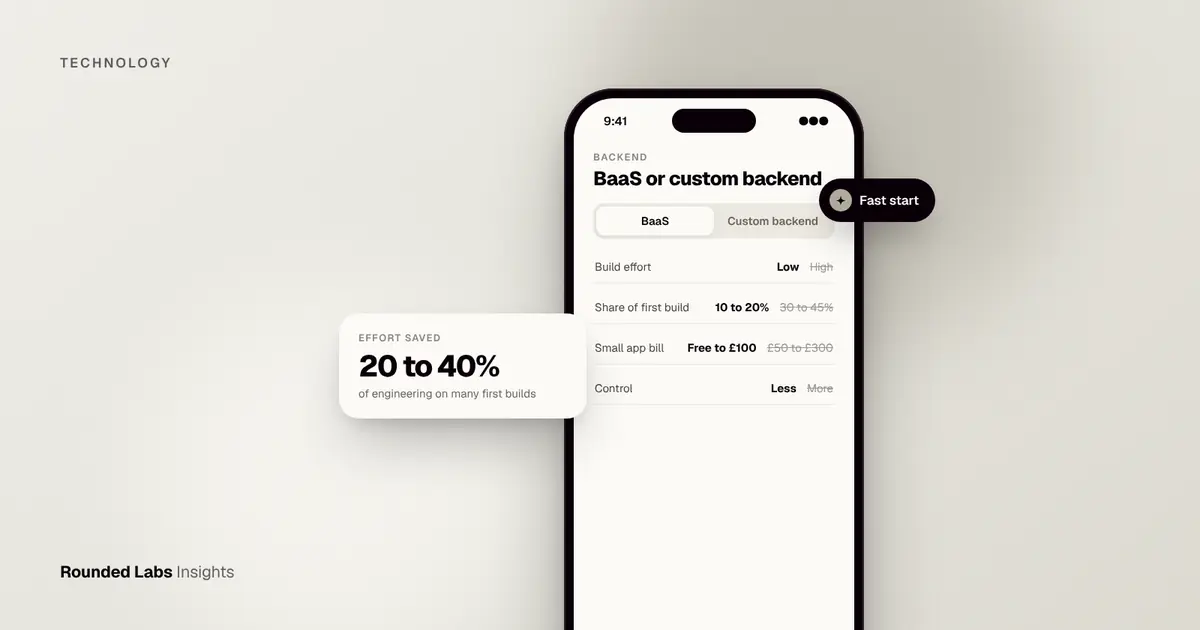
A backend as a service (BaaS) is a ready-made, hosted server layer that gives your app user logins, a database, file storage, push notifications and APIs without you building or running those servers yourself. Instead of writing months of backend code, your developers connect the app to a provider such as Firebase or Supabase. For many first versions this removes 20 to 40% of the engineering effort, in exchange for some lock-in and less control.
Every app we build needs a backend, from MoBank, the UK’s first mobile banking app, to Dabbl, an app for first-time investors. Whether to buy that layer or build it is one of the first decisions in our web and app development projects. This guide explains what BaaS is, what is inside it, what it costs in practice, how to choose a provider, and when a custom backend is the better choice. Cost and effort figures are market estimates, not quotes, and provider terms change, so check each provider’s own site before you decide.
Key facts
- BaaS bundles authentication, database, file storage, serverless functions and notifications behind one dashboard and one set of tools.
- The best-known options are Firebase (Google), Supabase (open source, built on PostgreSQL), AWS Amplify and Appwrite.
- BaaS usually suits prototypes, MVPs and apps with standard features. It suits less well apps with unusual rules, heavy data processing or strict hosting requirements.
- Pricing is usage based and often starts free at small scale, so bills can rise sharply as your user numbers grow. Check each provider’s current pricing page.
- Moving off a BaaS later is possible but takes planning, so choose with the exit in mind.
- The provider secures the platform. You still own your access rules, your data and your legal duties.
What does a backend actually do?
Your app on a phone or browser is the front end. The backend is everything that runs on servers you cannot see. It checks who is logged in, stores and fetches data, sends emails and notifications, takes payments through third parties and enforces your business rules. When you open a banking app and see your balance, the screen is the front end. The check that you are really you, the lookup of your balance and the rule that stops someone else seeing it all happen on the backend.
Without a BaaS, a team builds and maintains each of those pieces, plus the hosting, security patches and monitoring around them. With a BaaS, the provider runs the pieces and your team configures them. The formal industry vocabulary comes from cloud computing standards, where services sit on a ladder from infrastructure you rent, through platforms you build on, to software you simply use (NIST cloud computing definition). A BaaS sits in the middle: more than raw servers, less than a finished product.
A plain-English analogy
Think of opening a restaurant. You can build the kitchen yourself: buy the ovens, plumb the sinks, hire an engineer to fix them, and design every workflow. Or you can rent a fitted kitchen where the equipment, cleaning and repairs are looked after, and you bring your recipes. The second option gets you serving customers sooner, at the cost of using the kitchen’s layout and paying rent that rises with how busy you are. A BaaS is the fitted kitchen. A custom backend is the one you build.
What is included in a typical BaaS?
| Feature | What it does for your app |
|---|---|
| Authentication | Email, social and phone sign in, password resets, sessions |
| Database | Stores your app data, either as documents (Firebase) or tables (Supabase) |
| File storage | Holds photos, documents and video with access rules |
| Serverless functions | Small pieces of your own code that run on demand |
| Push notifications | Sends messages to phones and browsers |
| Real-time updates | Pushes changes to every connected user instantly |
| Analytics and crash reports | Shows usage and errors |
| Hosting | Serves a web app or static content |
| Access rules | Controls who can read and write which data |
Not every provider offers every feature, and the quality differs. For a side-by-side look at two popular choices, read Firebase, Supabase or a custom backend.
What the main providers offer
At the time of writing, these are the options we see most often. Check each provider’s own site for current features and terms.
| Provider | Data model | Hosted by | Notable strengths | Points to check |
|---|---|---|---|---|
| Firebase | Document and real-time databases | Mature mobile tools, notifications, crash reporting | Data model suits simple, flexible data; complex queries need design | |
| Supabase | PostgreSQL tables | Provider or self-hosted | Relational data, open source core, SQL | Newer ecosystem; know how its access rules work |
| AWS Amplify | Builds on AWS services | Amazon Web Services | Fits teams already on AWS, wide service range | More moving parts; learning curve |
| Appwrite | Document-style database | Provider or self-hosted | Open source, self-hosting option | Smaller community; check maturity for your needs |
Other products exist and the market moves quickly. The point is not to memorise the list but to ask the same questions of any provider, as set out later in this guide.
When is a BaaS the right choice?
A BaaS tends to work well when:
- You are validating an idea and need a working version in weeks, not quarters.
- Your features are standard: sign in, profiles, lists, chat, simple payments.
- You have a small team and no one to look after servers.
- Your user numbers are modest or unpredictable, so paying only for use is attractive.
- You want real-time features such as live chat or shared lists without building the plumbing.
- You are building a prototype to show investors or test with users, and may rewrite parts later.
This is the most common route for the first version of an app. What is an MVP? explains why speed to a testable product matters, and How to validate an app idea before you spend £50k shows how to test demand before you commit to a big build.
Our Mobile Product Discovery Sprint at £9,500 fixed often includes this exact decision, so the build plan names the backend choice before development starts.
Not sure whether to buy or build your backend? A wrong call here is expensive to reverse. Book a 30-minute call with a co-founder and we will tell you which route fits your product and budget.
When should you build a custom backend instead?
Choose a custom backend, often hosted on a major cloud, when:
- Your business rules are complex. Pricing engines, approval chains or financial calculations are awkward to squeeze into a BaaS.
- You must control where data lives. Regulated sectors, or customers who demand a specific country or private hosting, may rule out some providers.
- You expect heavy or predictable traffic. At large scale, running your own servers can cost less than usage-based BaaS billing.
- You need deep integrations with existing systems such as ERP, stock or payment platforms. See What is an API integration?.
- You want no vendor dependency in a product that will live for ten years or more.
- You are handling regulated money or health data and need full control of the security design.
Our own history shows both sides. MoBank was built before today’s BaaS products existed, which meant a bespoke server design from the start. More recently, projects such as the eBooks API we delivered as part of the Waterstones work in 12 weeks needed a backend shaped around the client’s systems and catalogue. Choosing a cloud for a custom build is its own decision; see AWS vs Azure vs Google Cloud for app backends.
A third path: a thin custom layer on top of a BaaS
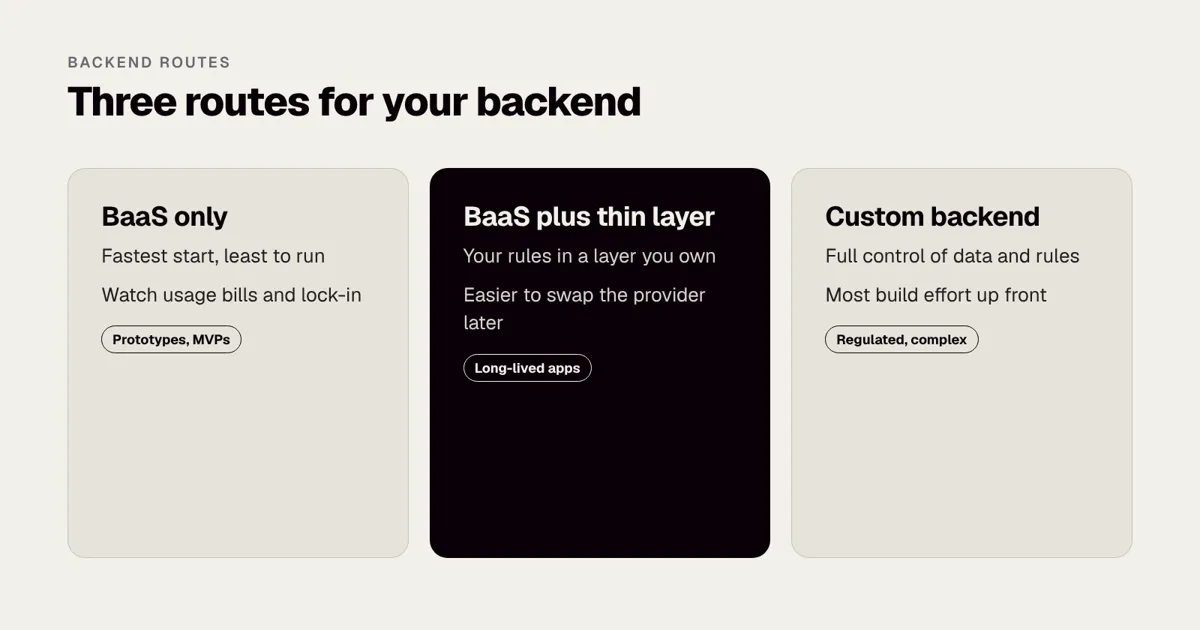
Many teams do not choose one or the other. They use a BaaS for the commodity pieces, such as sign in, file storage and push, and write their own service for the parts that are special to the business, such as pricing, matching or booking rules. Their app talks to their own layer first, and only that layer talks to the BaaS. This gives most of the speed with much less lock-in, because the BaaS can be replaced behind the layer without changing the app. It costs a little more up front. For a product with a long life, it is often the best balance.
How much does a BaaS cost compared with a custom backend?
These are market estimates for a mid-size app, not quotes, and provider prices at the time of writing change often, so check each pricing page. Rounded Labs works to a fixed price agreed before development starts, and projects typically run from £30,000 to £250,000+; see our pricing page.
| Item | BaaS route | Custom backend route |
|---|---|---|
| Backend build effort | Low: configuration plus some functions | High: designed and coded from scratch |
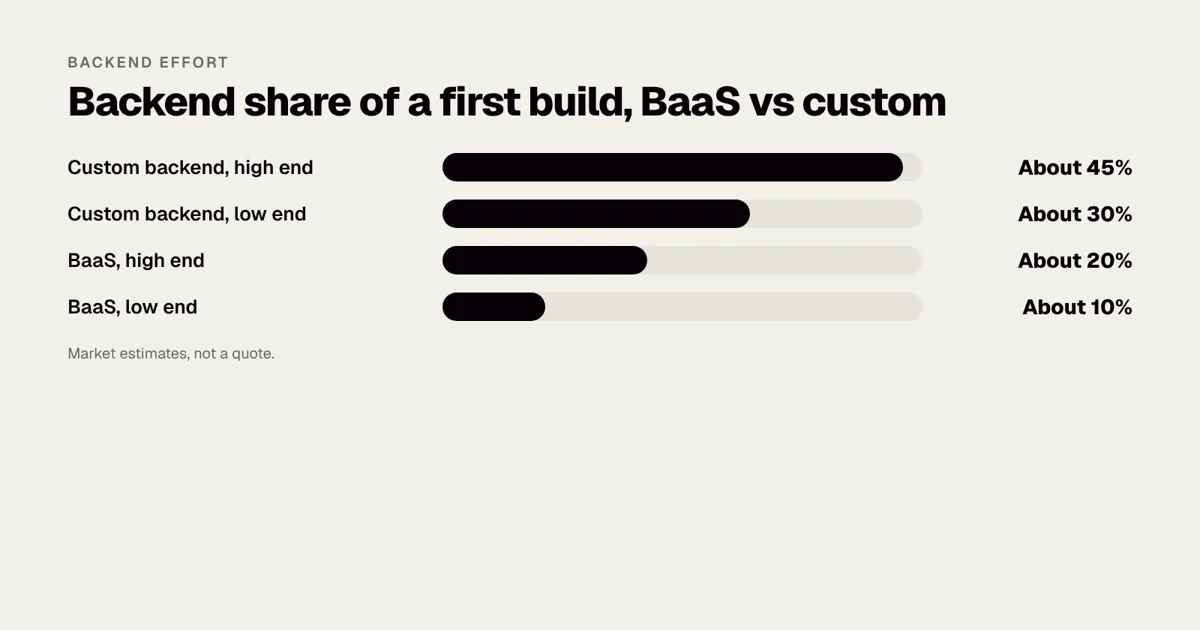
| Typical share of a first build | About 10 to 20% | About 30 to 45% |
| Monthly provider bill, small app | Often free to roughly £100 | Roughly £50 to £300 for hosting |
| Monthly bill at high scale | Can reach thousands of pounds | Usually grows more slowly |
| Time to first working version | Days to weeks | Weeks to months |
| Staff needed to run it | Little | Needs someone to maintain servers or a managed support plan |
A worked example
A founder wants a booking app with sign in, a calendar, photos and payment links. On a BaaS, the backend setup might take two to three weeks of a small team’s time, leaving the rest of the budget for the design and the booking experience. On a custom backend, the same features might take six to ten weeks before the first screen is fully connected. If the app later reaches a hundred thousand users with complex rules, the founder may move the busiest parts to a custom backend. That staged path is common and sensible.
How to model your own bill
Usage-based pricing is simple in principle and surprising in practice. Do the sum before you commit.
- List the measures the provider charges for. Typically database reads and writes, storage size, data downloaded, function calls and active users. These differ by provider, so read the pricing page.
- Estimate activity per user. How many screens does a typical session open, and how many database reads does each screen cause? How often does a person use the app each month?
- Multiply by user numbers. Do it for 1,000, 50,000 and 500,000 users.
- Add a safety margin. Real use is usually messier than the plan. Apps with real-time features and long lists can generate far more reads than expected.
- Compare with the custom route. Estimate hosting, a managed database, monitoring and support at the same scale.
An illustrative model with invented activity figures, to show the method only:
| Assumption | Value |
|---|---|
| Monthly active users | 50,000 |
| Sessions per user per month | 20 |
| Database reads per session | 60 |
| Monthly reads | 50,000 x 20 x 60 = 60 million |
You would then multiply those 60 million reads by the unit price on the provider’s pricing page, add writes, storage and function calls, and compare the total with your custom estimate. A screen that quietly reloads a whole list every few seconds can multiply the reads many times over, so ask your developers how the app fetches data. Set budget alerts and spending caps from day one; most providers offer them.
What else adds to the bill?
- Environments. Development, testing and production often need separate projects.
- Extra services. Email sending, SMS, maps, search and payment fees are usually billed by other companies.
- Support plans. Free tiers often have no guaranteed response. Business apps may need a paid plan.
- Backups and monitoring. Check what is included and what you must set up.
- Developer time. Rules, functions and tests are still work, even if the servers are not.
The hidden costs of building an app: store fees, hosting and APIs and App maintenance costs in the UK: what to budget after launch cover the running costs that follow any build, and The total cost of owning an app over five years shows how backend choices compound over time.
What are the risks of using a BaaS?
- Lock-in. Data formats and features are provider specific. Ask how you would export your data and rebuild elsewhere.
- Price surprises. Usage billing grows with reads, writes and storage. Set budget alerts from day one.
- Limits on logic. Some rules need workarounds that grow messy over time, which adds to technical debt.
- Outages and policy changes. Your uptime partly depends on someone else’s, and features can be changed or retired.
- Security configuration. The provider secures the platform, but you still set the access rules. A wrongly configured database rule is a common cause of exposed data, so test it as part of your QA process.
- Privacy duties. You remain responsible for personal data, so check where the provider stores it. See UK GDPR for mobile apps.
- Limited debugging. When something behaves oddly, you may not be able to see inside the platform.
- Skill concentration. Provider-specific knowledge can sit with one or two people. Document your setup.
Security and privacy in more detail
The UK’s Information Commissioner’s Office is the regulator for data protection, and its guidance applies whether your data sits on your own servers or in a BaaS. A few specific points to settle early:
- Who is the controller and who is the processor? You are usually the controller and the provider a processor, which means a data processing agreement should be in place. Check the provider’s standard terms.
- Where is the data stored? Choose a region deliberately. If your users are in the UK or EU and your provider stores data elsewhere, you may need a lawful transfer mechanism. See UK and EU data transfers for app projects and EU data residency for SaaS.
- Access rules. Write them early and test them as if you were an attacker. The OWASP project publishes widely used security guidance, and our Mobile app security checklist explains the main points in plain English. For a deeper check, see OWASP MASVS levels.
- Secrets. Never put admin keys inside the app. Anything shipped in a mobile app can be extracted.
- Logs and backups. Know what is stored, for how long, and who can see it.
- Children’s data and special categories. These need extra care and may rule out a standard setup.
This is general information, not legal advice. Take advice for regulated sectors.
How do you choose a BaaS provider?
- List your must-have features and check each provider supports them natively.
- Check the data model. Document stores suit flexible, simple data. Relational databases such as PostgreSQL suit data with many connections between records, like orders and customers.
- Read the pricing page and model your costs at 1,000, 50,000 and 500,000 users.
- Check hosting regions and compliance documents if you handle sensitive data.
- Test the exit. Try exporting a sample of data before committing.
- Keep business logic in a layer you own, so swapping the provider later touches less code.
- Check the track record. Look at how long the product has existed, how it handles outages and how clearly it announces changes.
- Check your team’s skills. A provider your developers already know is faster and safer than one that looks better on paper.
- Check how it fits your app technology. Most work with native iOS and Android and with cross-platform tools; see Flutter vs React Native in 2026 for the framework side.
A simple scoring grid
Score each provider from 1 to 5 against the points that matter to you, then multiply by a weight. The weights below are an example for a data-heavy business app.
| Criterion | Weight | Provider A | Provider B | Custom |
|---|---|---|---|---|
| Speed to first version | 3 | 5 | 4 | 2 |
| Fit for relational data | 3 | 2 | 5 | 5 |
| Cost at 50,000 users | 2 | 3 | 4 | 4 |
| Control over data location | 2 | 3 | 4 | 5 |
| Ease of exit | 2 | 2 | 4 | 5 |
| Team experience | 3 | 5 | 3 | 3 |
Multiply and add the columns to see which wins on your weights. The result matters less than the discussion it forces. If a founder and a lead developer disagree on the weights, you have found the real question.
What does the decision look like for different apps?
| App | Likely best route | Why |
|---|---|---|
| Prototype for investors | BaaS | Speed matters; code may be thrown away |
| Consumer social or chat app | BaaS first, review at scale | Real-time features come ready made |
| Booking app for one business | BaaS or thin custom layer | Standard features; modest traffic |
| Marketplace with payouts | BaaS plus a custom payments layer | Rules around money need control; see How much does a marketplace app cost to build in the UK? |
| Banking or fintech app | Custom backend | Control, audit and regulation; see How much does a fintech app cost in the UK? |
| Healthcare app with patient data | Usually custom or tightly controlled hosting | Hosting and compliance duties; see Healthcare apps in the UK: NHS DTAC and compliance |
| Enterprise tool tied to ERP | Custom backend | Deep integrations drive the design |
| Offline-first field app | Either, with careful design | Sync and conflict handling matter more than the provider; see How to make your app work offline |
How do you migrate away from a BaaS later?
Many apps outgrow their first backend. That is normal and not a failure, as long as you planned for it. A staged migration usually follows these steps.
- Decide the trigger. For example: monthly cost passes a limit, a feature cannot be built on the platform, or a customer requires different hosting.
- Draw the boundary. List every place the app talks to the BaaS. If the app talks to it directly from many screens, that is the first thing to tidy up.
- Introduce an API layer you own. Route new work through it and move old calls across gradually.
- Move one capability at a time. Authentication, then storage, then the database is a common order, though your case may differ.
- Migrate data with a rehearsal. Copy a full set to a test environment, compare counts and sample records, and time the process.
- Run old and new in parallel. Use a short period in which writes go to both, or a clear read-only window.
- Cut over and monitor. Keep the old system available for rollback for a defined period.
- Retire the old setup. Delete data you no longer need, and check the provider’s closure steps.
A migration is a project in its own right. Our Tech Architecture Audit at £7,500 fixed is a good first step if you are unsure how tightly your app is tied to its backend, and Rebuild or refactor: what it costs to fix an old app shows how to think about the decision. If you inherit an app already stuck on a provider, the £6,500 Legacy App Rescue Assessment looks at what to keep, what to change and in what order.
What mistakes do founders make with BaaS?
| Mistake | What goes wrong | Better approach |
|---|---|---|
| Choosing on the free tier alone | A surprise bill at scale | Model costs at three user levels |
| Leaving access rules open “for now” | Data exposed to the public | Lock rules from day one and test them |
| Calling the BaaS from every screen | Hard to change later | Route through a thin layer you own |
| Ignoring data location | Privacy and customer problems | Pick the region before launch |
| No backups or export tests | Cannot recover or leave | Test restore and export early |
| Putting all logic in functions | A tangle that nobody understands | Keep rules in clear, tested modules |
| Treating BaaS as a no-code tool | Hidden engineering work | Plan developer time for rules, tests and monitoring |
| Not tracking slow screens | Costs and complaints rise together | Watch reads and speed; see Why apps feel slow |
How does BaaS fit with other build choices?
The backend is one of several decisions that shape cost and speed. A few related questions:
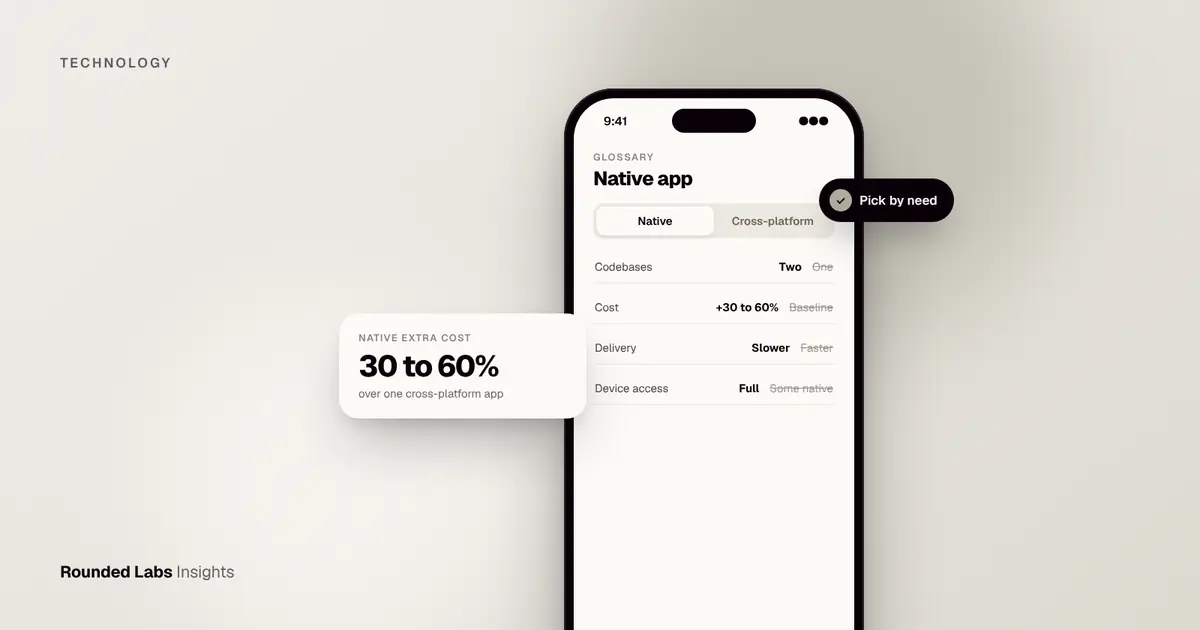
- Native or cross-platform? The BaaS usually works with both. See Native vs cross-platform: what it does to your budget and What is a native app?.
- Web app or mobile app? Some products start as a progressive web app. See PWA vs native app.
- Low-code or custom? Low-code platforms include their own backends and trade control for speed; see Low-code vs custom app development.
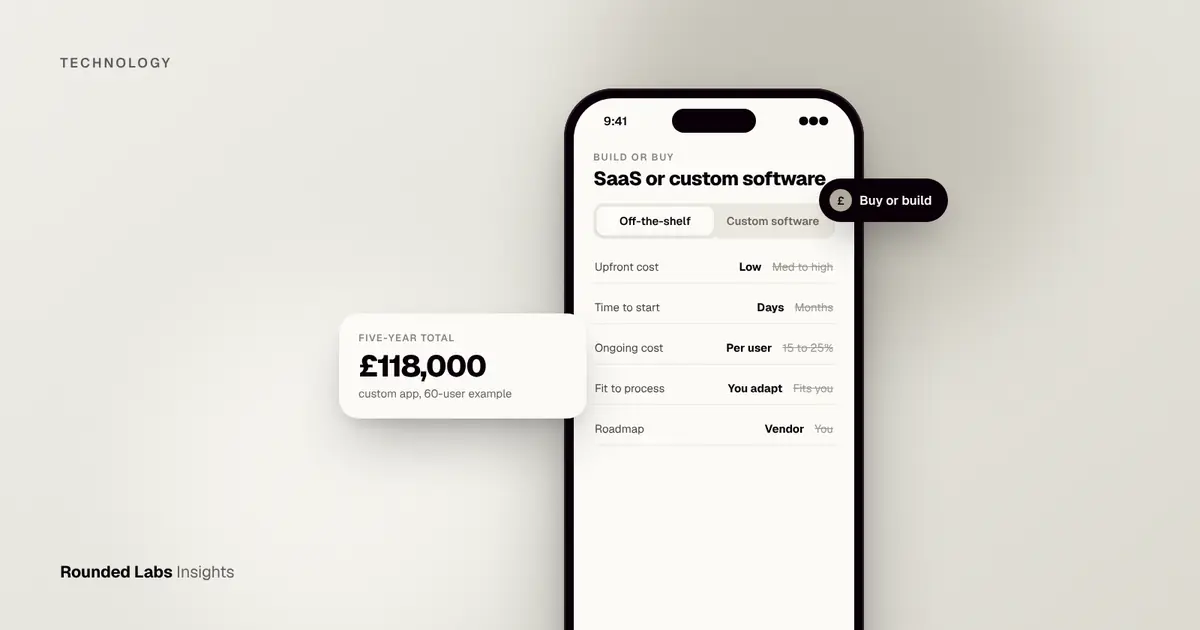
- Buy software or build? Off-the-shelf SaaS vs custom software covers the wider decision.
- Releasing safely. A backend change needs a safe way to ship; see What is CI/CD for apps?.
- Adding intelligence. AI features add their own backend needs; How to add AI features to an existing app and How much does it cost to add AI to an app? cover them.
What do three realistic scenarios look like?
These are composite illustrations, not client stories, to show how the same question gets different answers.
Scenario 1: a founder testing a community app
A founder wants to see whether people will join a local running club app, share routes and message each other. The team is two developers and a designer, and the budget has to last until the founder knows whether anyone cares. They choose a BaaS with real-time data and built-in sign in, keep the data model simple, and spend the saved weeks on the design and on onboarding. Within three months they have 800 members and a clear list of what is missing. Cost is trivial at this size, and they decide to revisit the backend only if they pass 20,000 active members. The lesson is that speed is itself a risk reducer when you do not yet know if the idea works. The earlier guide on validating an app idea fits this stage.
Scenario 2: a retailer with stock, orders and a loyalty scheme
A retailer already has stock and order systems, a payment provider and a loyalty database. The new app must show live stock by store, apply loyalty points and place orders. The unusual rules, such as how points are earned and spent, and the connections to existing systems, outweigh the standard features. A BaaS would handle sign in, push notifications and image storage well, but the core logic belongs in a service the retailer controls. The team builds a custom backend that talks to existing systems, and uses managed services from a major cloud for the commodity parts. This is the shape of work behind the eBooks API we built for Waterstones, where the backend had to fit the client’s catalogue and systems. Retail feature planning is covered in Ecommerce app vs mobile website and Loyalty apps vs loyalty cards for UK retailers.
Scenario 3: a field service business replacing paper
A cleaning and maintenance company wants staff to see jobs, take photos, record hours worked and get signatures, often in places with weak signal. Standard features such as sign in and photo storage suit a BaaS, but the offline behaviour and sync rules are the hard part. The team chooses a BaaS for authentication and storage, and writes its own small service for job allocation and sync conflicts. They test with real phones in real buildings before launch. Field service apps for cleaning and trades businesses and How to make your app work offline describe the design.
What should you ask your developers or supplier?
A founder does not need to understand every technical detail, but you should be able to ask the right questions and judge whether the answers are clear. Use this list in a proposal review or a design meeting.
- Which backend are you proposing, and why this one over the alternatives? A good answer names at least two alternatives and the reason each was set aside.
- What would it cost at 1,000, 50,000 and 500,000 users? The answer should show assumptions, not just a number.
- How would we leave? Look for a specific plan covering data export, the parts of the app that would change and a rough effort.
- Where is our data stored? The answer should name a region and explain why.
- Who writes and tests the access rules? If nobody is named, the rules will be an afterthought.
- What happens when the provider has an outage? You are looking for a view on the impact, a plan for communication and what the app shows users.
- What is outside the BaaS? Payments, email, maps, search and analytics may come from other companies, with their own bills and risks.
- How are environments separated? Development and test work should never touch live customer data.
- How do we see what is happening? Monitoring and alerts for errors, speed and cost.
- Who owns the accounts? The provider accounts should be in your company’s name, with your supplier added as a collaborator, as with the app store accounts.
What a good app development proposal looks like and How to brief an app development agency show how these questions fit into a wider supplier review.
What should you check before launch?
A BaaS makes it easy to get a working app running quickly, and just as easy to ship with settings that are fine for a demo and risky for real users. This checklist is a minimum.
| Area | Check | Done |
|---|---|---|
| Access rules | Tested with a signed-out user, a normal user and a user trying to read someone else’s data | |
| Secrets | No admin keys, tokens or passwords stored inside the app | |
| Sign in | Password reset, email verification and account deletion all work | |
| Data | Backups enabled and a restore tested at least once | |
| Region | Data location confirmed and documented | |
| Limits | Rate limits and spending alerts set | |
| Logging | Errors recorded, personal data kept out of logs | |
| Environments | Separate development, test and live projects | |
| Privacy | Privacy notice matches what the app collects; see UK GDPR lawful bases for apps | |
| Exit | Export tested with sample data | |
| Monitoring | Alerts for errors, slow responses and unusual cost | |
| Penetration test | Independent test planned for apps with sensitive data; see What is penetration testing for apps? |
Treat this as a gate: nothing goes to the app stores until each row is ticked or consciously accepted by someone with the authority to accept the risk. Our App launch checklist covers the wider launch steps.
How do real-time features and offline use affect the choice?
Two features often decide the backend. The first is real-time updates. Chat, live order tracking, shared lists and collaborative tools are much easier on a BaaS that supports live data out of the box. The cost is that every connected user keeps a live connection, which can raise bills and needs careful design. Ask how the provider charges for connections and updates before you build a feature that depends on them.
The second is offline use. Some BaaS tools include local caching and automatic syncing, which is helpful for apps that must work in lifts, basements or rural areas. The hard part is not storing data on the phone but resolving conflicts when two people change the same record while offline. Decide the rule in advance: last change wins, or the user is asked, or certain fields are locked. A BaaS can help with the plumbing, but your product still needs a clear rule, and the rule belongs in your stories and acceptance criteria. The article on offline design explains the options.
How do you keep a BaaS project healthy over time?
A BaaS is not a set-and-forget product. After launch, a small routine keeps risk and cost under control.
- Monthly. Review the bill against the model. If it is rising faster than users, find the screens or functions responsible.
- Quarterly. Review access rules, remove unused accounts and keys, update libraries and check the provider’s announcements for changes or retirements.
- Twice a year. Test a restore from backup and a sample export. Review whether the original reasons for choosing the provider still hold.
- At each major release. Re-run the access rule tests and check that new features did not add open paths.
- Every year. Re-run the cost model at your current and next-year user numbers, and decide whether to keep going, add a custom layer or begin a staged move.
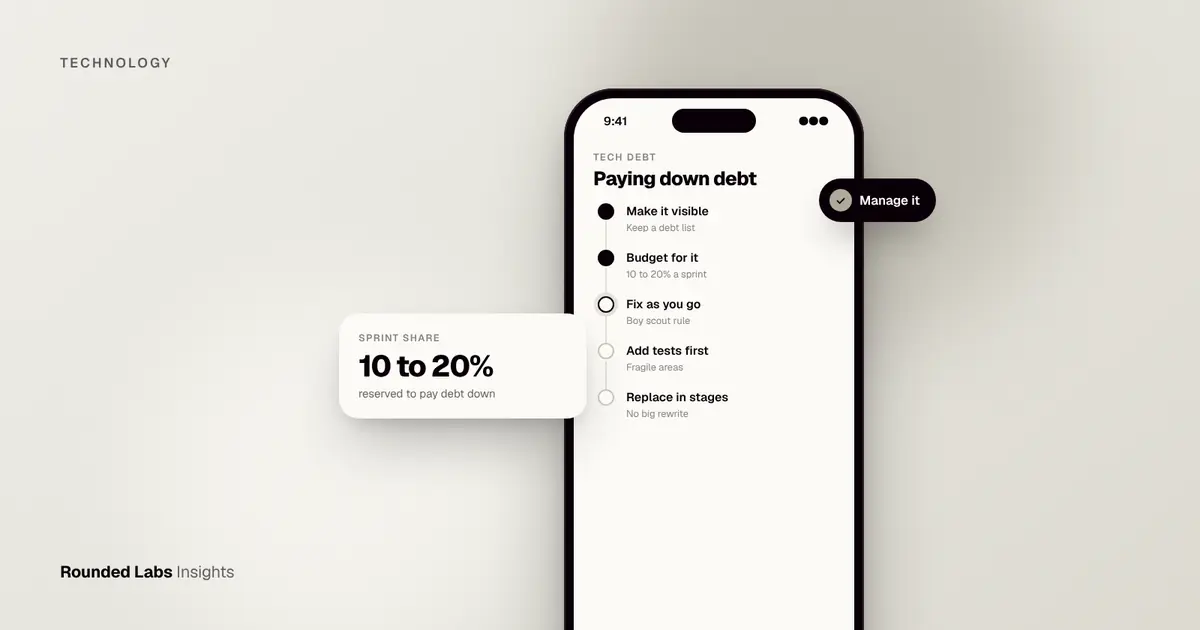
Putting these tasks on a calendar, with an owner, is far more effective than good intentions. A modest maintenance budget should include them. If your app is built on an older platform, the same routine will tell you early when it is time for a rebuild or a refactor, which is far cheaper than discovering the need in a crisis. Our guide to technical debt explains how small shortcuts accumulate, and how to tell which ones to pay back first.
A step by step plan for choosing your backend
- Write the list of features for version one. Keep it short; What is an MVP? helps.
- Mark the unusual ones. Anything that is not sign in, profiles, lists, files or notifications needs a closer look.
- Note your constraints. Data location, customer demands, regulatory duties, team skills and budget.
- Shortlist two or three options. Usually one BaaS on a document model, one on a relational model and the custom route.
- Build a small proof. Spend a few days implementing one risky feature on the leading option. This is a cheap way to find a showstopper.
- Model the cost at three user levels.
- Write the exit plan in a page: how data is exported, which parts would move first, and what it might cost.
- Decide and record why. A short decision note saves future arguments.
- Set up guard rails. Budget alerts, access rule tests, backups and monitoring before launch.
Our fixed-price process builds this decision into discovery. We agree the backend approach, the scope and the price before development starts, so you are not discovering a limit halfway through. If you would like an independent view on your own choice, book a call with a co-founder, or look at the pricing page to see how our fixed-price projects and productised services are structured.
Frequently asked questions
Is a BaaS the same as serverless?
Not quite. Serverless means running your own code without managing servers. A BaaS is a wider package that includes ready-made features such as sign in and storage, and usually offers serverless functions as one part.
Is Firebase a backend as a service?
Yes. Firebase is Google’s BaaS and offers authentication, databases, storage, hosting, functions and messaging. It is popular for mobile apps and prototypes. Check Firebase’s own site for current features and pricing.
Can a BaaS handle a large app?
Many can, and well-known apps run on them. At large scale, costs and limits become the main question, so model your usage early and plan which parts might move to a custom backend.
Is a BaaS secure enough for sensitive data?
The platforms invest heavily in security, but your configuration decides whether your data is safe. For regulated data such as health or financial records, get a security review and check hosting location and certifications first. This is general information, not legal advice.
Can I move from a BaaS to a custom backend later?
Yes, and many teams do. It is much easier if your app talks to the BaaS through a thin layer you control, and if you export and test your data regularly.
Does using a BaaS mean I do not need a backend developer?
No. You still need someone to design the data, write the access rules, build functions, test everything and watch costs. A BaaS removes server management, not engineering. Skipping that expertise is a common reason for exposed data and surprise bills.
How much cheaper is a BaaS than a custom backend?
On market estimates, backend work is often 10 to 20% of a first build on a BaaS against 30 to 45% for a custom backend. The gap narrows over time if usage bills grow, so compare total cost over several years, not only the first build.
Official sources and further reading
Talk it through with one of our co-founders. 30 minutes, no pressure.