

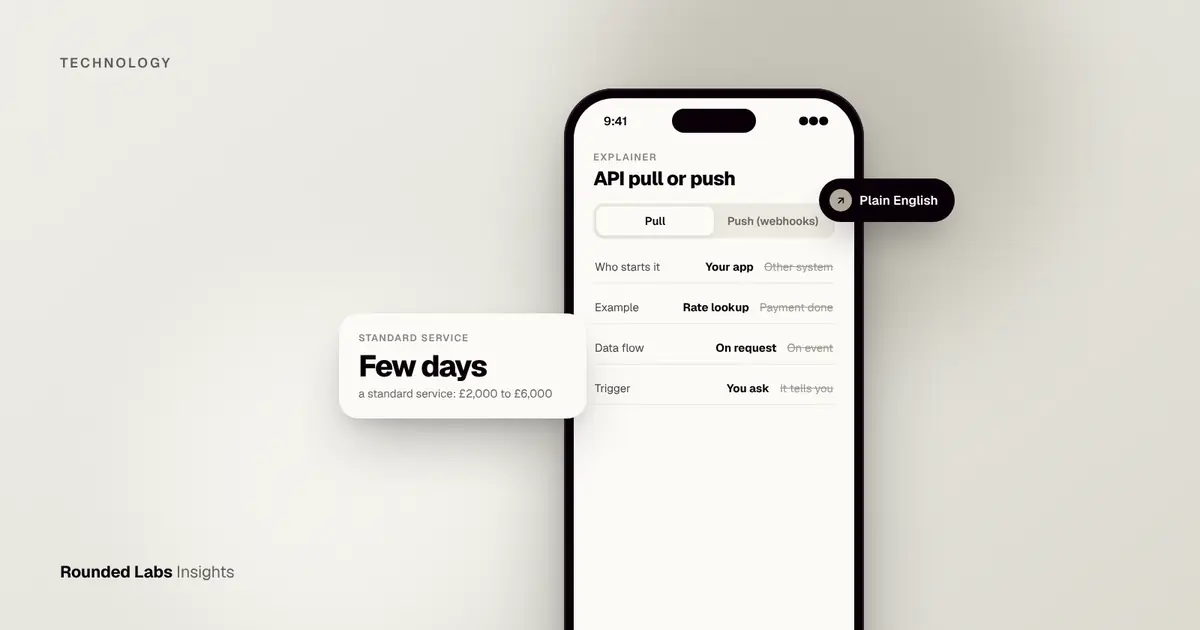
An API integration is a connection that lets two pieces of software exchange data and trigger actions automatically, using a set of agreed rules called an API (application programming interface). Examples include a shop app taking card payments through Stripe or showing live stock from a warehouse system. Simple integrations can take a few days to build; complex ones with legacy systems can take several weeks.
Integrations are most of the work in a modern web application. We built an iOS app, a mobile site and an eBooks API for Waterstones in 12 weeks, so we have seen how much of a product’s value sits in how well its systems talk to each other. This guide explains how API integrations work, what they cost, where they go wrong and how to plan one, in plain English, for founders and product owners who need to make decisions without writing the code themselves. Cost and market figures are estimates, not quotes.
Key facts
- An API is a menu of requests one system will accept from another, such as “get this customer’s orders”.
- Most modern APIs use HTTPS and send data as JSON; older systems may use SOAP or file transfers.
- Third-party APIs often have usage limits, charges per call and their own change schedules.
- Security is the main risk: keys, permissions and personal data need careful handling.
- Plan for failure: every external system goes down sometimes, and your app should cope.
- Integration effort is usually the hardest part of a build to estimate, which is why we agree a fixed price only after scoping.
How does an API integration work?
Think of a restaurant. You (your app) do not walk into the kitchen. You give an order to a waiter (the API), who takes it to the kitchen (the other system) and brings back the result. The API defines what you can ask for, in what format, and what you get back.
In practice your app sends a request to a web address, with a key proving who it is. The other system checks the key, does the work and replies with data or a confirmation. Your app then shows the result or carries on with the next step.
Integrations come in two directions:
- Pull: your app asks for data when it needs it, such as today’s exchange rate.
- Push (webhooks): the other system tells your app when something happens, such as a payment succeeding.
What is inside a request and a response?
A web API request has four parts that matter to a non-developer. Knowing them makes conversations with a supplier much easier.
| Part | What it is | Example in plain words |
|---|---|---|
| Address (endpoint) | Where the request goes | The page for “orders” on the other system |
| Method | What you want to do | Read, create, change or delete |
| Credentials | Proof of who you are | A key or token |
| Body | The details you send | The customer, the items and the amount |
The response also has parts: a status code that says whether it worked (the code 200 means success, 404 means not found, 429 means you are asking too often, and codes starting with 5 mean the other side has a problem), and a body with the data. The meaning of these codes is defined in web standards that you can read about through the Internet Engineering Task Force, and developers can find practical explanations on MDN Web Docs.
Why JSON?
JSON is a plain text format for structured data. A customer might look like a short list of labelled fields: name, email, the date they joined. It is easy for people to read and for software to handle, which is why most modern APIs use it. Older systems may use XML, often through a standard called SOAP, or they may exchange files on a schedule. These work, but they take more effort to connect and are more common in banking, insurance, government and large enterprise software.
A first example, step by step
Imagine a florist’s app that lets customers check delivery slots and pay for a bouquet. When the customer taps “Pay”:
- The app sends the basket total and a payment token to your own server. It never sends card numbers to your server directly.
- Your server calls the payment provider’s API with the amount, the currency and your secret key.
- The provider checks the card, talks to the bank and replies “success” or “declined” with a reference.
- Your server records the order and tells the app to show a confirmation.
- Later, the provider sends a webhook to say the money has settled, and your server marks the order as paid.
Five steps, three systems and at least two points where something can fail. That small picture is the whole subject of this guide, repeated across every integration your product needs.
What are common examples of API integrations?
| Need | Typical integration | What it does |
|---|---|---|
| Take payments | Stripe, PayPal, Apple Pay | Processes cards and returns success or failure |
| Send messages | Email, SMS and push notification services | Delivers receipts, codes and alerts |
| Sign users in | Apple, Google, company single sign-on | Verifies identity without your own passwords |
| Maps and location | Google Maps, Apple Maps | Shows addresses, routes and nearby places |
| Stock and orders | ERP, warehouse, ecommerce platform | Keeps inventory and orders in sync |
| Content | Catalogue or CMS API | Feeds products or books to an app and website |
| AI features | Language model providers | Adds summaries, chat or classification |
The Waterstones project is a good illustration: an eBooks API let the same catalogue and purchase logic serve the app and the mobile site, rather than building the logic twice. You can read the wider story in Waterstones in 12 weeks.
Integrations by business function
Founders often think in terms of features, not systems. The grouping below links common business needs to the kind of integration behind them, with guides that go deeper on each.
- Money: card payments, subscriptions, wallets and bank data. See How to add in-app payments to your app, How to add Stripe integration to your app and How to add Open Banking integration to your app.
- Customers: customer records and sales pipelines. See How to add CRM integration to your app and How to connect an app to Salesforce.
- Operations: stock, orders, finance and payroll. See How to add ERP integration to your app, How to connect an app to your ERP and How to integrate payroll and HR systems.
- Commerce: shops and catalogues. See How to connect an app to Shopify.
- Workplace: email, calendars and files. See How to connect an app to Microsoft 365.
For a view of what each feature typically costs to build, App feature costs: login, payments, chat and maps is a good companion, and the cost pages for Stripe integration, Open Banking integration, CRM integration and ERP integration give feature-level ranges.
What is the difference between using an API and building one?
You are in one of two roles, and often both:
- Consumer: you call someone else’s API, for example payments. The work is reading the documentation, handling errors and testing.
- Provider: you build your own API so your app, website, partners or customers can use your data. The work includes design, security, documentation and keeping old versions working.
If your product has a mobile app and a website, you almost certainly need your own API in the middle. For a lighter alternative that supplies one ready-made, see What is a backend as a service?, and for the trade-offs between ready-made and custom backends read Firebase, Supabase or a custom backend?.
When your API becomes a product
Some businesses go further and sell access to their API. That changes the job: you now need accounts for developers, documentation, usage limits, billing, a status page and a promise about how long old versions will keep working. It is a real business model, but it is a product in its own right. Our guide to API as a product covers when it makes sense, and partner integrations as growth looks at the commercial side.
What a good API looks like from the outside
Even if you never write a line of code, you can judge an API’s quality by looking at a few visible signs.
- The documentation has working examples, not only descriptions.
- There is a test environment (often called a sandbox) with fake data.
- Errors come back with clear messages and codes.
- The provider publishes a changelog and a retirement policy for old versions.
- Rate limits and prices are written down in plain sight.
- There is a status page that shows past incidents honestly.
Providers that tick these boxes are cheaper to integrate with and safer to depend on. The OpenAPI Initiative maintains a widely used standard for describing APIs, so a provider that publishes an OpenAPI description is usually making your supplier’s job easier.
How much does an API integration cost?
These are market estimates, not quotes. Costs depend on how good the other side’s documentation is and how much your own data needs cleaning.
| Integration type | Typical effort | Rough cost (£) |
|---|---|---|
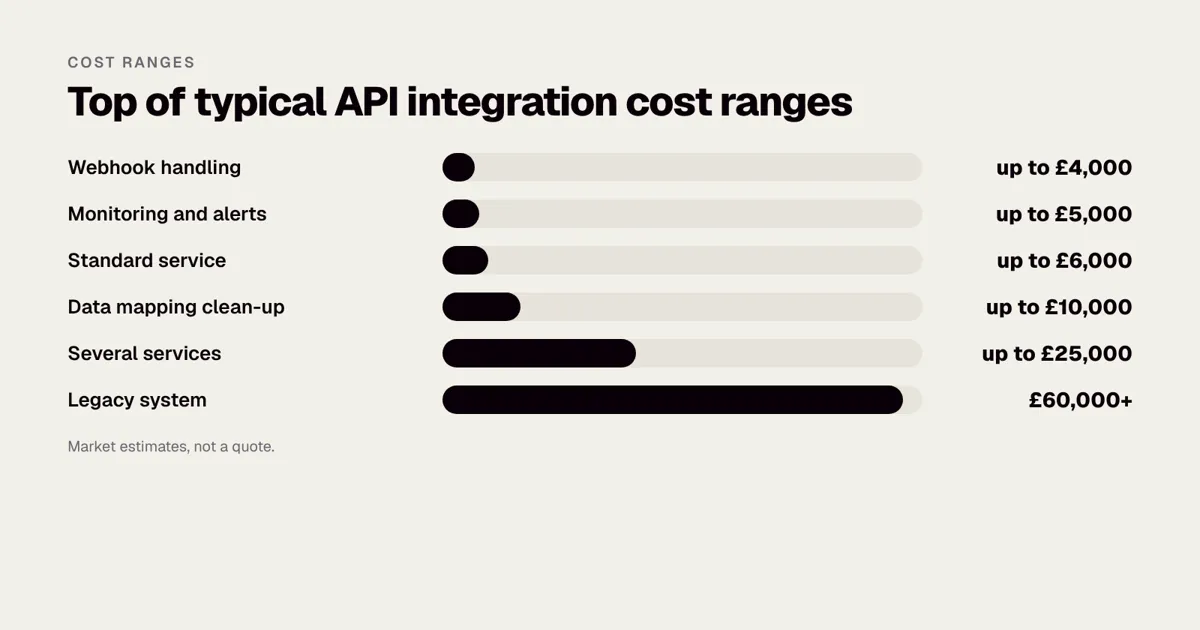
| Well-documented standard service (payments, email) | 2 to 5 days | £2,000 to £6,000 |
| Several services with some custom logic | 2 to 4 weeks | £8,000 to £25,000 |
| Legacy system with poor documentation | 4 to 12 weeks | £20,000 to £60,000+ |
Convert to dollars or euros at the current exchange rate. Ongoing costs also exist: many providers charge per call or per month (check each vendor’s pricing page, as these change), and integrations need maintenance when the other side changes. Our projects are fixed price, agreed before development starts, and typically run from £30,000 to £250,000+; see our pricing page. If integrations are your main unknown, a paid scoping step first is sensible, such as our £7,500 Tech Architecture Audit.
Unsure what your integrations will really involve? We can review your systems and tell you what is easy, what is risky and what it will cost. Book a 30-minute call with a co-founder.
The extras that rarely appear in a first estimate
The headline figure usually covers the “happy path”: the request works and the data comes back. The work around it is where budgets stretch. These market estimates show common extras.
| Extra | Why it is needed | Rough cost (£) |
|---|---|---|
| Webhook handling with retries | Providers resend events; you must not process one twice | £1,500 to £4,000 |
| Monitoring and alerts | You need to hear about failures before customers do | £1,500 to £5,000 |
| Admin screen for failed jobs | Staff need to see and retry stuck items | £3,000 to £8,000 |
| Data mapping and clean-up | Two systems rarely agree on formats and names | £2,000 to £10,000 |
| Test environment and fixtures | Safe testing without touching live data | £1,000 to £4,000 |
| Documentation and handover | The next developer must understand it | £1,000 to £3,000 |
A supplier who quotes only the happy path is quoting part of the work. Ask how failure, retries, monitoring and handover are covered. Our guide to how to compare quotes explains why prices differ so widely, and The hidden costs of building an app lists recurring costs such as per-call fees.
Running costs after launch
Once an integration is live, three costs continue. First, the provider’s own charges, which might be per transaction, per call or a monthly plan. Second, hosting for the server that sits between your app and the provider. Third, maintenance when the provider changes its API, which happens more often than most founders expect. A reasonable planning assumption is that the total running cost is a share of the original build per year; see App maintenance costs in the UK for market estimates, and How to cut cloud costs for an app for ways to keep the hosting part under control.
What goes wrong with API integrations?
The same problems appear again and again:
- Poor documentation. Real behaviour differs from what is written, so test early with real data.
- Rate limits. Providers cap how many requests you can make per minute. A busy launch day can hit the cap.
- Changes and retirements. Providers release new versions and switch off old ones. Watch their announcements.
- Outages. If the payment service is down, your app needs a clear message and a retry, not a crash.
- Data mismatches. One system calls it “customer”, another “account”, and dates arrive in different formats.
- Security gaps. Keys committed to code, overly broad permissions, or personal data sent where it should not go.
A worked example: a retailer’s app shows live stock from a warehouse system. If the warehouse API takes four seconds to answer, the product page feels broken. A common fix is to keep a short-lived copy of stock levels in your own system and refresh it regularly, accepting that the number may be a minute out of date.
A closer look at each failure
Rate limits. A provider might allow a fixed number of calls per minute and reply with a “too many requests” code when you exceed it. A well-built integration slows down and tries again after a pause, rather than hammering the service. On launch day, or during a sale, demand can spike far above normal. Ask your supplier whether the integration has been tested at expected peak volume. Our guide on how to plan for a traffic spike and how to load test an app cover the wider question.
Duplicates. If a payment request times out, did it succeed? A careless integration tries again and charges the customer twice. The usual remedy is an idempotency key: a unique reference sent with each request so the provider recognises a repeat and does not process it twice. Payment providers such as Stripe document this approach on their sites, and it is worth asking any supplier how they prevent duplicate actions.
Version changes. Providers retire old versions, sometimes with only a few months of notice. Someone on your side should be subscribed to the provider’s announcements, and the maintenance plan should include time for upgrades. Our guide on how to keep third-party SDKs under control shows how to track dependencies, and How to choose a maintenance plan sets out what a plan should cover.
Offline and slow networks. Mobile apps often run on poor connections. If every screen waits for a call to a distant system, the app feels slow and fails in lifts and tunnels. Ideas such as caching and queuing actions for later are explained in How to make your app work offline, and the performance angle is in Why apps feel slow, and how to fix it.
Failure planning in a table
| Failure | What the user sees | What the system should do |
|---|---|---|
| Provider outage | A clear message and a way to retry later | Queue the action, retry with increasing gaps, alert the team |
| Slow response | A loading state, then a fallback | Use a cached value or time out and report |
| Invalid data | A specific error on the field concerned | Validate before sending, log the rejection |
| Rate limit hit | Possibly a short delay | Back off and retry, spread calls over time |
| Credentials expire | Nothing, if all goes well | Rotate keys on a schedule, alert before expiry |
| Duplicate event | Nothing | Recognise repeats and ignore them |
How do you plan an API integration?
- List every system your product must talk to, including ones that exist only as spreadsheets or email.
- Read the documentation and ask for a test environment before committing to a date.
- Decide what happens on failure for each connection: retry, queue, or show a message.
- Agree who owns what. Who holds the keys, pays the usage fees and answers when the provider changes something?
- Test with realistic data and volumes, not just a single happy-path example. See App testing explained.
- Monitor after launch so you hear about failures before customers do.
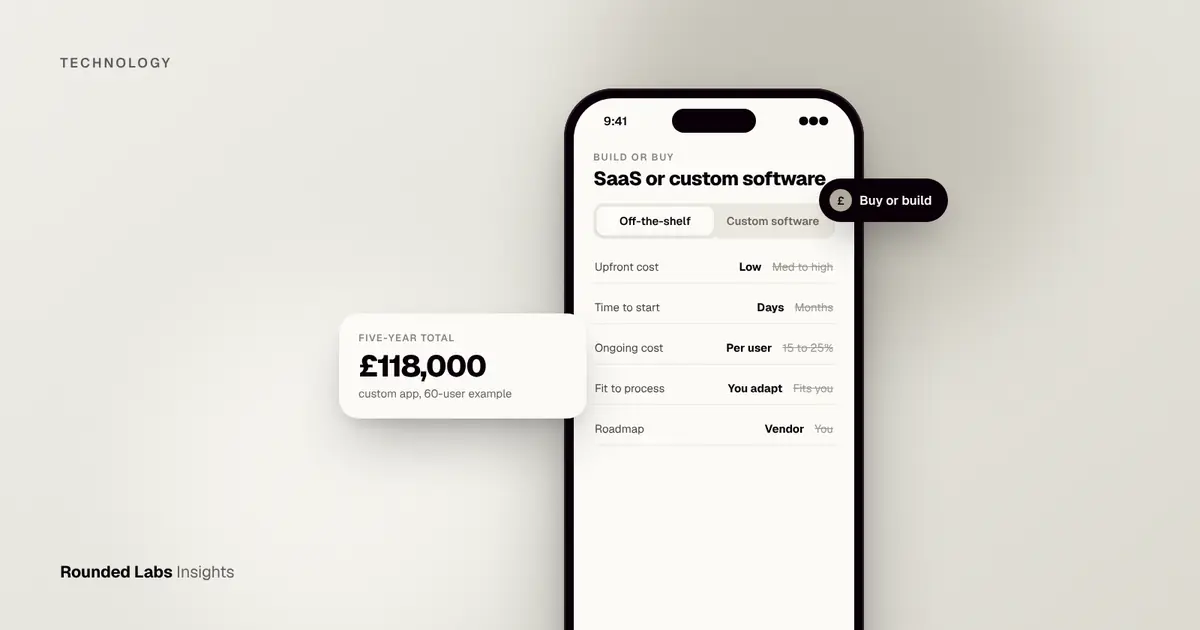
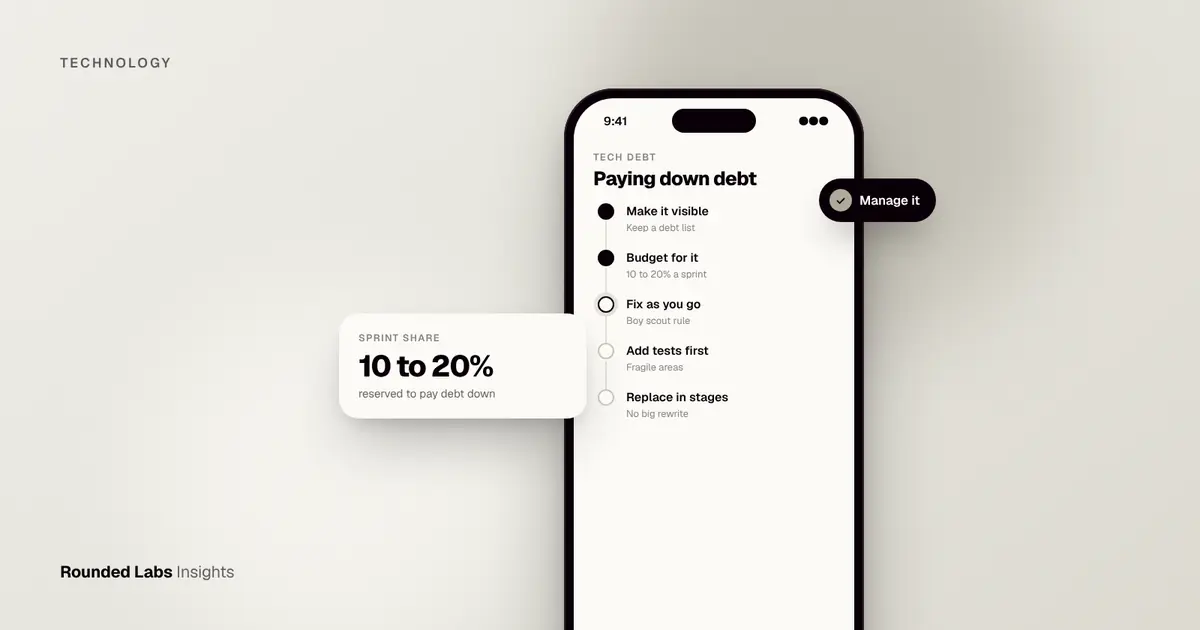
For business tools that replace manual processes, see Internal staff apps. If an old system is the obstacle, the debt in it may need tackling first: see What is technical debt?. Deciding whether to buy a ready-made product or build is covered in Off-the-shelf SaaS vs custom software, and keeping a first release small is covered in What is an MVP?.
Step one in detail: the integration inventory
The most valuable document you can produce before a build is a simple inventory. Make a table with one row per system and fill in these columns.
| Column | Question to answer |
|---|---|
| System and owner | What is it, and who at your company or the provider owns it? |
| Purpose | What data or action do we need from it? |
| Direction | Do we read, write, or both? |
| Volume | How many calls or records per day, now and at peak? |
| Documentation | Is there an API description, a sandbox, a contact? |
| Data sensitivity | Does it include personal, financial or health data? |
| Failure plan | What should happen when it is unavailable? |
| Cost | What are the fees and limits? |
The inventory takes a few hours and saves weeks. It also forms part of a good specification; see How to write an app specification and What happens in a discovery phase for how it fits into early work. If the inventory shows many unknowns, a paid investigation before a fixed build price is wise.
Step two in detail: choose an integration style
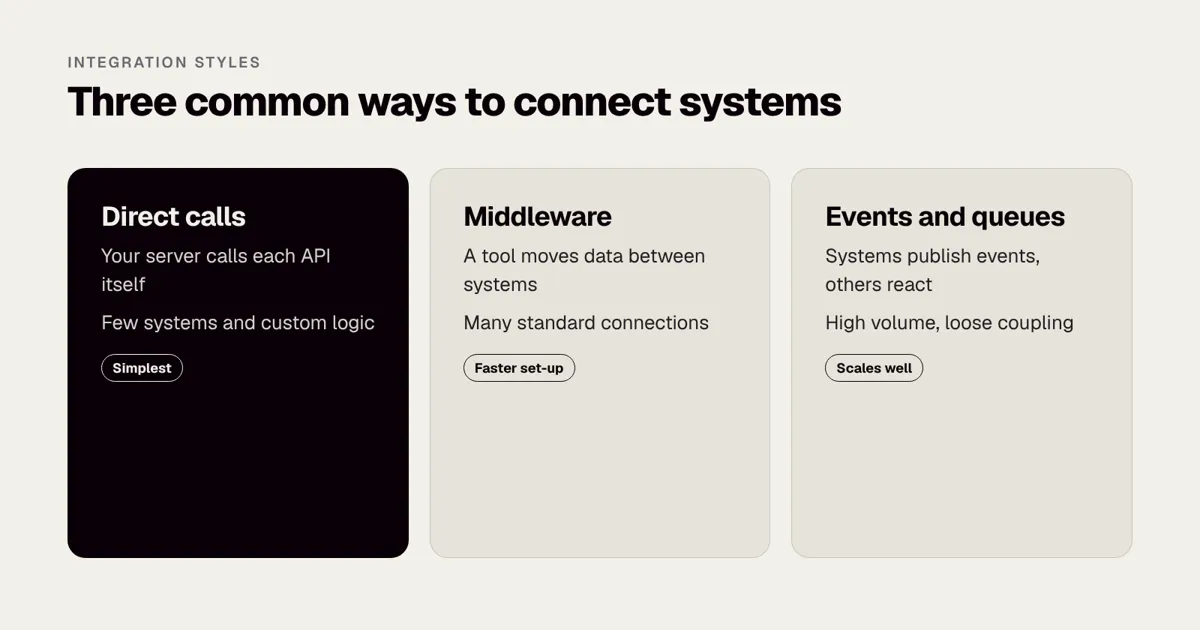
There is more than one way to connect systems, and the right choice depends on volume, change rate and the skills of your team.
| Style | How it works | Good for | Watch out for |
|---|---|---|---|
| Direct calls from your server | Your code calls each API itself | Few systems, custom logic | Logic scattered across the codebase |
| Middleware or integration platform | A tool sits between systems and moves data | Many standard connections, fast set-up | Licence cost, limits of the tool |
| Event-driven with queues | Systems publish events and others react | High volume, loose coupling | More moving parts to monitor |
| File exchange on a schedule | Files are dropped and picked up | Legacy systems with no API | Delays, harder error handling |
| No-code automation | Visual tools connect simple services | Internal workflows and prototypes | Reliability and ownership for customer-facing use |
A small product often starts with direct calls from its own server and moves to queues as volume and complexity grow. A business connecting to an ERP and a CRM might choose a middleware tool to avoid writing every mapping by hand. Neither is better in the abstract. The question to ask a supplier is why they recommend a style, and what it will cost to change later. For cloud hosting choices that sit behind these decisions, see AWS vs Azure vs Google Cloud for app backends.
Step three in detail: design for change
Providers will change, and so will your own product. Design the integration so that the rest of your app does not depend on one provider’s details. A common pattern is to put a thin layer of your own between the app and each provider, so the app asks for “take payment” and the layer translates that into the provider’s calls. If you later switch provider, only the layer changes. This costs a little more at the start and saves a lot later. It is the technical version of not putting all the eggs in one basket, and it is part of what What is technical debt? means in practice.
What does a legacy integration involve?
Legacy systems are the hardest category. They may have no API at all, or an old one with patchy documentation. Their data may be stored in unusual formats, and nobody on the team may remember why a field is used the way it is. The work usually has four stages.
- Discovery. Read what exists, talk to the people who run the system, and sample real data.
- A wrapper. Build a modern API in front of the old system so that new apps never talk to it directly.
- Mapping. Agree how old fields translate to new ones, including edge cases and missing values.
- Gradual migration. Move features across in slices, keeping the old system running until the new path is trusted.
This is slower than integrating a modern service, which is why the cost row for legacy systems is the highest. It also carries uncertainty, because surprises appear as the work proceeds. A fixed price is only sensible once discovery is complete, which is why our productised Legacy App Rescue Assessment at £6,500 and Tech Architecture Audit at £7,500 exist: they turn unknowns into a written plan before a build price is agreed. See the pricing page for how these fit with project pricing, and Rebuild or refactor for the cost trade-offs of fixing an old app. If you are thinking about turning an old system into a service others can use, Turning legacy software into SaaS tells that story.
A worked example: connecting an old stock system
Consider a regional retailer with a stock system installed fifteen years ago. It exports a nightly file and has no API. The retailer wants an app that shows whether an item is in a nearby store.
A sensible plan would be:
- Build a small service that reads the nightly file and loads it into a modern database.
- Expose a simple API from that database, with fields the app needs: product, store, quantity and a timestamp.
- Show the timestamp in the app, for example “stock as of 06:00”, so users understand its freshness.
- Plan a second phase to read changes during the day, if the old system can supply them.
This approach gives the business a working feature quickly, without risky changes to the old system. It also avoids a false promise of live stock. Being honest about freshness in the interface builds more trust than a number that is sometimes wrong.
How do you keep an API integration secure?
- Store keys in a secrets manager, never in the app code or a public repository.
- Give each key the minimum permissions it needs.
- Send everything over HTTPS and check what personal data leaves your system.
- Rotate keys regularly and revoke them when people leave.
- Log requests so you can investigate problems, without logging card numbers or passwords.
If AI services are part of the plan, also see What is an LLM, in plain English? for what you are sending to a model provider.
The main threats, in plain English
The OWASP API Security Project lists the most common weaknesses in APIs, and it is the best single reference for a technical reviewer. In plain terms, the recurring problems are:
| Problem | What it means | Simple defence |
|---|---|---|
| Broken access control | A user can see or change someone else’s data by changing an identifier | Check on the server that the user owns the record |
| Weak authentication | Keys or tokens are easy to guess, steal or reuse | Use proven standards and short-lived tokens |
| Excessive data | The API returns more fields than the app needs | Return only what is required |
| No limits | Anyone can send unlimited requests | Rate limits and monitoring |
| Exposed secrets | Keys in code, logs or screenshots | Secrets manager, scanning, rotation |
| Unsafe consumption | You trust data from a partner without checking it | Validate everything that comes in |
Our broader mobile app security checklist puts these into the context of the app itself, and What is penetration testing for apps? explains how an independent tester checks the result. For sign-in standards, the OAuth community site explains the delegated access model that many providers use, and How to add user login and sign-up to your app covers the user-facing side. The UK’s National Cyber Security Centre publishes practical guidance at the NCSC site.
Personal data and integrations
Each integration is a route for personal data. If your app sends customer details to a provider, that provider becomes a processor or a recipient, and your privacy notice and contracts should reflect it. This is general information, not legal advice; check the rules that apply to you and ask your data protection adviser. The UK Information Commissioner’s Office publishes guidance on its website, and our guide to UK GDPR for mobile apps covers the app-specific points. If you send data to an AI provider, read How to keep customer data out of AI training and Making AI features safe.
A simple discipline helps: for each integration, write down which personal data fields leave your system and why. If a field is not needed, do not send it. That one habit reduces risk, reduces contract complexity and reduces what you must explain to users.
How do you test an API integration?
Testing an integration is different from testing a single screen, because the other side is outside your control. Five layers of testing are worth planning.
- Contract checks. Confirm that requests and responses match the provider’s description. Changes on the provider’s side should be caught quickly.
- Sandbox tests. Run the full flow against the provider’s test environment with fake data.
- Failure tests. Simulate timeouts, bad data, rate limits and expired keys, and check what the user sees.
- Volume tests. Send realistic peak volumes and measure response times.
- Live checks. After launch, run a small set of safe checks regularly to confirm the connection still works.
A common mistake is to test only the happy path in the sandbox and assume the live system behaves the same. Sandboxes are helpful, but they are simplified. Plan a controlled first live release, for example with a small group of users or a single store, and watch the results before opening it up. The vocabulary of QA, UAT and beta testing is explained in App testing explained, and automated release pipelines are covered in What is CI/CD for apps?.
What to monitor
Monitoring tells you about trouble before your customers do. The measures below suit most integrations.
| Measure | Why it matters | Example alert |
|---|---|---|
| Success rate | A drop shows something is failing | Below 99% over fifteen minutes |
| Response time | Slowness harms the user experience | Slower than two seconds for ten minutes |
| Error types | Different errors have different causes | A sudden rise in authentication errors |
| Queue length | A growing backlog means work is not being processed | More than a set number of waiting jobs |
| Webhook delays | Late events cause out-of-date data | No events received within the expected window |
| Cost per day | Unexpected charges can build quickly | Spend above a daily threshold |
The thresholds above are examples, not recommendations; set your own after observing normal behaviour. A status page for your own service, as described in How to set up a status page, helps customers see what is happening.
How do APIs relate to AI features?
Many AI features are, technically, API integrations. Your app sends text, an image or a document to a model provider and receives a result. The usual integration concerns apply, with a few additions: costs are often charged by the amount of text processed, answers can vary from one call to the next, and the content you send may contain sensitive data. Our guide on how to add AI features to an existing app explains the planning steps, and How to stop AI features making things up covers quality. Budget for usage with care; the principles in How to budget for AI usage costs help prevent a nasty bill.
The same planning questions apply as for any other API: what happens when the provider is slow or down, who owns the keys, what data leaves your system, and how will you notice a change in behaviour? Treat a model provider like any other supplier whose service you rely on.
What should you ask a supplier about integrations?
Use these questions in any scoping call or proposal review.
- Which integrations are in scope, and which version of each API?
- Have you used this provider’s API before, and what went wrong last time?
- How do you handle failures, retries and duplicates?
- Where are keys stored, and who can see them?
- How will you test against realistic volumes?
- What monitoring will we have after launch?
- What happens when the provider changes or retires an API?
- Who owns the integration code and documentation?
- Is the price fixed, and what would trigger a change request?
- What do you need from us, and by when?
Good answers are specific. If a supplier says “we will handle that” without detail, ask for an example from a past project. Our guide to 20 questions to ask an app developer before you sign and the article on red flags when hiring app developers cover the wider conversation. For how scope changes are handled under a fixed price, see How to manage scope changes without blowing the budget.
What does a realistic project look like?
The following scenario is illustrative, and the figures are market estimates, not a quote. A UK home services company wants a customer app that books jobs, takes deposits, syncs with its scheduling software and sends reminders by text message.
| Integration | Approach | Estimated effort |
|---|---|---|
| Payments and deposits | Payment provider with a tested checkout and webhooks | 4 to 6 days |
| Scheduling software | Use the vendor’s API, with a mapping layer | 2 to 3 weeks |
| Text and email reminders | Messaging provider with templates | 3 to 5 days |
| Customer records | Sync with the existing CRM, one direction at first | 1 to 2 weeks |
| Monitoring and admin screen | Alerts and a screen for failed syncs | 1 to 2 weeks |
The first three rows follow the pattern of well-documented services. The scheduling software is the risk, because its documentation is weaker and some data needs cleaning. A sensible plan puts the risky item first, tests it with real data within the first two weeks and only then commits to dates for the rest. That order is more useful than the order that looks neat on a chart. The overall integration effort here is roughly six to nine weeks of work out of a larger project, and it is not unusual for integrations to take a third or more of the total effort in a business app.
Phasing the work
A staged approach reduces risk and spreads cost. In phase one, build the payment flow and the scheduling sync for one service type and one region. In phase two, add reminders and the CRM sync. In phase three, add the admin tools and monitoring improvements. Each phase has a clear test and a measurable outcome. This mirrors the approach in What is an MVP? and keeps the first release small enough to learn from.
How do integrations affect timelines?
Integration work rarely follows a straight line, because it depends on other people. Waiting for a provider to issue credentials, approve an account or answer a question can add days. Business accounts for payment providers may need identity checks, and some partner APIs require a contract before you can see the documentation. Start these requests in week one, not week six.
| Dependency | Typical wait | How to reduce it |
|---|---|---|
| Payment provider business account | Days to weeks | Apply early, have company documents ready |
| Partner API access | Days to months | Ask about the process before agreeing a date |
| Test credentials and sandbox | Hours to days | Request on day one |
| Legacy system expert availability | Varies | Book their time in the plan |
| Security review by a client | Weeks | Share the architecture early |
For wider timelines, see How long does it take to build an app?. Our own planning for a fixed price includes these dependencies, and the first conversation is often about which ones are on the critical path. If you want to talk through yours, you can book a call with a co-founder.
Which documents should you keep for each integration?
Integrations outlive the people who built them. A short set of records means the next developer, or the next agency, can pick the work up without guessing. Keep these for every connection and store them with your code, not on one person’s laptop.
- A one-page summary. What the integration does, why it exists and which business process depends on it.
- A data map. Which field in your system matches which field in the other, with notes on formats and special cases.
- A failure guide. What each error means and what staff should do, written for someone who did not build it.
- An access list. Which accounts, keys and environments exist, who owns them and when keys expire. Never store the secrets themselves in the document.
- A change log. Dates when the provider changed something and what was done about it.
- Contact details. Where to raise a problem with the provider, and the service level they promise, if any.
This is not paperwork for its own sake. When a provider retires a version at short notice, or a key expires on a Sunday, the team that has these records fixes the problem in an hour and the team that does not may take days. It also supports due diligence if you raise money or sell the business, as described in How to prepare an app for due diligence, and it is part of a clean handover if you ever change supplier; see How to switch app agencies without losing your app.
Frequently asked questions
Is an API the same as an integration?
No. The API is the doorway a system offers. The integration is the work of connecting your product through that doorway, including handling errors, security and data differences.
Do I need a developer to use an API?
Yes for anything inside a product. Automation tools such as Zapier can connect simple services without code, but they rarely suit a customer-facing app that must be fast and reliable.
How long does an API integration take?
A standard service such as payments or email can take a few days. Legacy systems with weak documentation can take weeks, and the unknowns are usually discovered during build, so scope them early.
What is the difference between REST and GraphQL?
Both are styles of web API. REST offers fixed addresses for each type of data; GraphQL lets the app ask for exactly the fields it wants in one request. For most business apps either works well. You can read more about the second on the GraphQL site.
Who pays for API usage?
Usually you do, to the provider, based on calls or a plan. Ask for the pricing and limits before you design around a service, because a free tier may not cover real traffic.
What is a webhook?
A webhook is a message that another system sends to your app when something happens, such as a payment settling. It saves you from asking repeatedly whether anything has changed. Because messages can arrive late, twice or out of order, your app must handle each one safely.
What happens if a provider shuts down or changes its API?
You need a plan for both. Keep a thin layer of your own code between your app and the provider so that you can switch more easily, subscribe to the provider’s announcements and include upgrade time in your maintenance plan. For serious dependencies, ask what the provider’s retirement notice period is.
Official sources and further reading
Talk it through with one of our co-founders. 30 minutes, no pressure.