

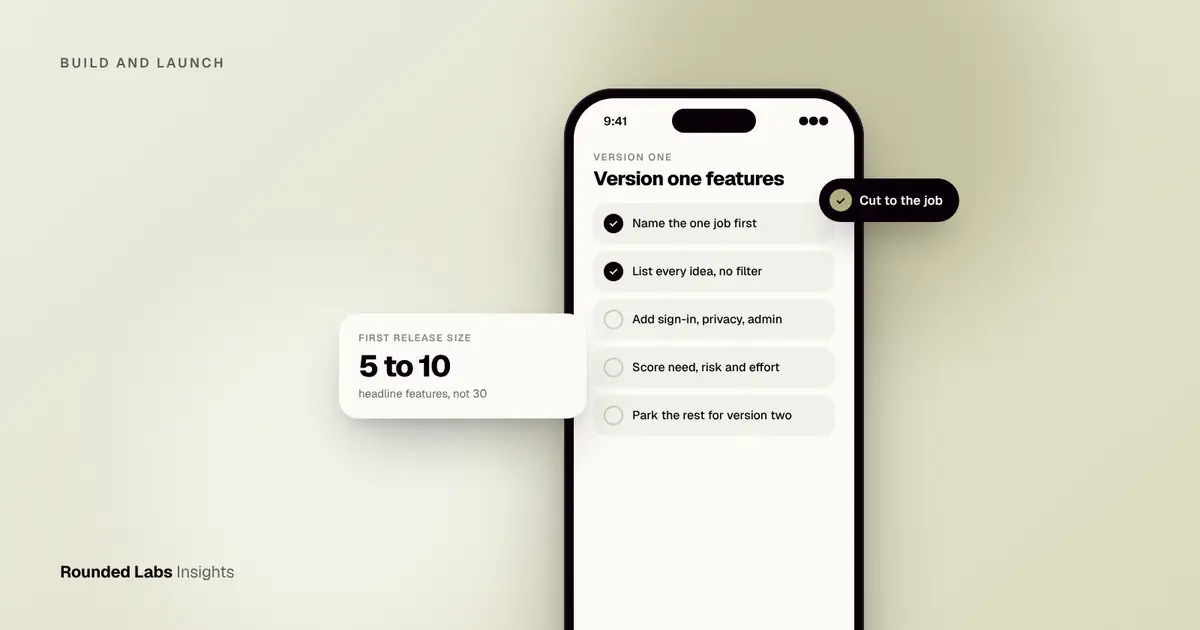
Choose version one features by naming the single job your first users need done, then keeping only the features that job cannot work without. For most apps that means 5 to 10 features, plus the unavoidable extras such as sign-in and store compliance. Everything else goes on a dated list for version two, ready to be reordered once real usage data arrives.
We helped the team behind Dabbl, a trading app for first-time investors, and the hardest conversations were never about what to build but what to leave out of the first release. This guide gives you a method you can run in an afternoon with your own team, and shows how it feeds into the scoping and fixed-price quote we provide through our services.
Key facts
- Version one should prove one thing: that a specific user will complete one valuable task in your app.
- A realistic first release has 5 to 10 headline features, not 30.
- Some features are not optional: account handling, privacy controls and app store requirements all take build time.
- Cutting features is the cheapest way to cut cost, because every feature adds design, build, testing and support effort.
- Fixed price projects at Rounded Labs typically run from £30,000 to £250,000+, and the feature list is the main thing that moves the number. See the pricing page.
What is the one job your app must do?
Write one sentence in this form: “A [type of user] can [do one task] in [short time or few steps].” For Dabbl that kind of sentence would be: a first-time investor can make a first trade without feeling lost. For a booking app it might be: a customer can book and pay for a slot in under a minute.
Every feature on your wish list now faces one question: does the first user need it to complete that sentence? If the answer is “it would be nice” or “competitors have it”, it is not a version one feature. If you cannot write the sentence, you are not ready to choose features, and a short validation exercise comes first. Our guide to validating an app idea covers that.
How do you gather the full feature list first?
Do not filter while brainstorming. Put every idea on one list: the founder’s ideas, stakeholder requests, competitor features, and anything from user conversations. A shared spreadsheet is enough.
Then add the features nobody mentions because they are invisible to users:
- Sign-up, login, password reset and account deletion.
- Notifications and their settings.
- An admin area for your team to see users, content or orders.
- Analytics, so you can learn from the launch.
- Legal and store requirements: privacy policy, consent screens and in-app account deletion, which Apple requires for apps that let people create accounts.
- Payment handling, if you take money.
Skipping these in the plan is the most common reason a “small” version one turns out to cost more than expected.
How do you score and sort the features?
Give each feature three simple scores from 1 to 3 (low to high): how much the first user needs it, how much it reduces your risk of being wrong, and how hard it is to build. Then sort.
| Feature type | User need | Risk reduced | Build effort | Decision |
|---|---|---|---|---|
| Core task flow | 3 | 3 | 2 | Build now |
| Sign-in and account | 3 | 1 | 2 | Build now (required) |
| Push reminders | 2 | 3 | 1 | Build now (cheap, tests engagement) |
| Social sharing | 1 | 1 | 2 | Version two |
| In-app chat | 1 | 2 | 3 | Version two |
| Custom dashboards | 1 | 1 | 3 | Version two |
High need and high risk reduction win. High effort with low need goes to the bottom, however exciting it sounds in a meeting. If your team likes a more formal label, the MoSCoW method sorts features into must, should, could and won’t have, and the two approaches work well together.
What does a worked example look like?
Imagine a UK company planning an app for booking home cleaners. The founder’s list has 24 ideas. After defining the job (a customer books and pays for a clean in under a minute), the sorting looks like this:
- Must have (7): postcode check, choose date and time, cleaner profile, card payment, booking confirmation, booking history, cancel or rebook.
- Required extras (5): account sign-in, notifications, admin booking view, privacy and consent screens, account deletion.
- Version two (12): loyalty points, referral codes, in-app chat, multiple properties, gift vouchers, cleaner ratings with photos, and others.
That is 12 items to build, not 24, and the founder has a clear order for the other 12. The reduced list is typically far cheaper and quicker to deliver than the full wish list, and you reach real customers months sooner. Your own numbers will differ, which is why the next step is a written specification, covered in how to write an app specification.
Not sure which features belong in version one? We run this prioritisation with founders before quoting, so the price you agree reflects a focused scope. Book a 30-minute call with a co-founder.
Which features do founders most often add too early?
Some features look like core product but are rarely needed on day one:
- Social features. Feeds, followers and chat need a crowd to be useful. With 50 early users they feel empty.
- Multiple user roles. Start with one type of user and add the second later.
- Heavy personalisation. You have no data yet to personalise with.
- Extra platforms. Choose iOS or Android first, or a single cross-platform build, rather than a native app for each plus a web portal.
- Complex settings. Every setting is a decision your users must make and your team must test.
- Gamification. Badges and streaks help retention, but only once you know what people come back for.
The reverse mistake also happens: leaving out the one thing that makes the app trustworthy. For a financial product like Dabbl, clear explanations and safeguards for beginners are part of the core job, not decoration.
How do you keep version one honest while building?
Scope tends to grow in three ways: stakeholders asking for “one small thing”, developers finding a feature is bigger than it looked, and testers suggesting improvements. Protect the list with three habits:
- Keep a visible version two list. When someone suggests something, it goes on that list with a name and date, not into the build.
- Agree a change process. Anything new must either replace something of similar size or be priced separately. Our guide to managing scope changes covers how.
- Write features as user stories. A line such as “As a customer I can cancel a booking up to 24 hours before” is easy to test. See how to write user stories.
When should you plan version two?
Plan the order of version two before launch, but commit to it only after you have data. The first weeks of real usage will show where users drop off, which features they ask for and which you assumed would matter but nobody touches. Once you have that, build a roadmap, as described in how to plan an app roadmap for year two.
If you want an independent view before spending on build, our Mobile Product Discovery Sprint (£9,500, fixed price) turns a wish list into a prioritised scope, clickable prototype and estimate. Many teams also compare an MVP against a prototype first; see MVP vs prototype.
Frequently asked questions
How many features should version one have?
Most first releases have 5 to 10 core features plus the required extras such as accounts, notifications and admin tools. If your list is above 15 headline features, it is probably a version three plan, not a version one plan.
Should I copy my competitors' features?
Use competitors to learn what users expect, not to set your scope. Matching a mature product feature for feature is slow and expensive, and it hides what makes your idea different.
Do I need an admin area in version one?
Almost always. Someone on your team needs to see users, fix mistakes and manage content or orders. A basic admin view is far cheaper than doing this through the database by hand.
How do features affect the price of my app?
Each feature adds design, development, testing and ongoing maintenance, so scope is the biggest cost driver. We agree a fixed price before development starts, based on a written scope; typical projects run from £30,000 to £250,000+.
Can I add features after launch?
Yes, and you should. Updates are normal for every app. The aim of version one is to launch sooner with something valuable, then use real behaviour to decide what comes next.
Official sources and further reading
Talk it through with one of our co-founders. 30 minutes, no pressure.