

A design system is a shared set of reusable components, visual rules and written guidelines that lets a team build every screen of an app the same way, in both design files and code. It typically includes colours, type, spacing, buttons, forms and usage rules, so new features ship faster and look consistent.
We modernised the app for Superdry, a brand with 768 locations in over 100 countries, and that kind of scale is where consistency stops being a nice extra and becomes a daily cost. This guide explains what a design system is, what is inside one, when you need it, what it costs, and how it fits into mobile app development.
Key facts
- A design system combines design tokens, a component library, patterns and written guidance.
- It exists in two places that must match: the design files and the production code.
- Small products rarely need a full system on day one. A light style guide is often enough for an MVP.
- Costs are market estimates: a starter system is often £8,000 to £25,000, a mature one far more.
- Accessibility is easier when it is built into components once, rather than fixed screen by screen.
What is in a design system?
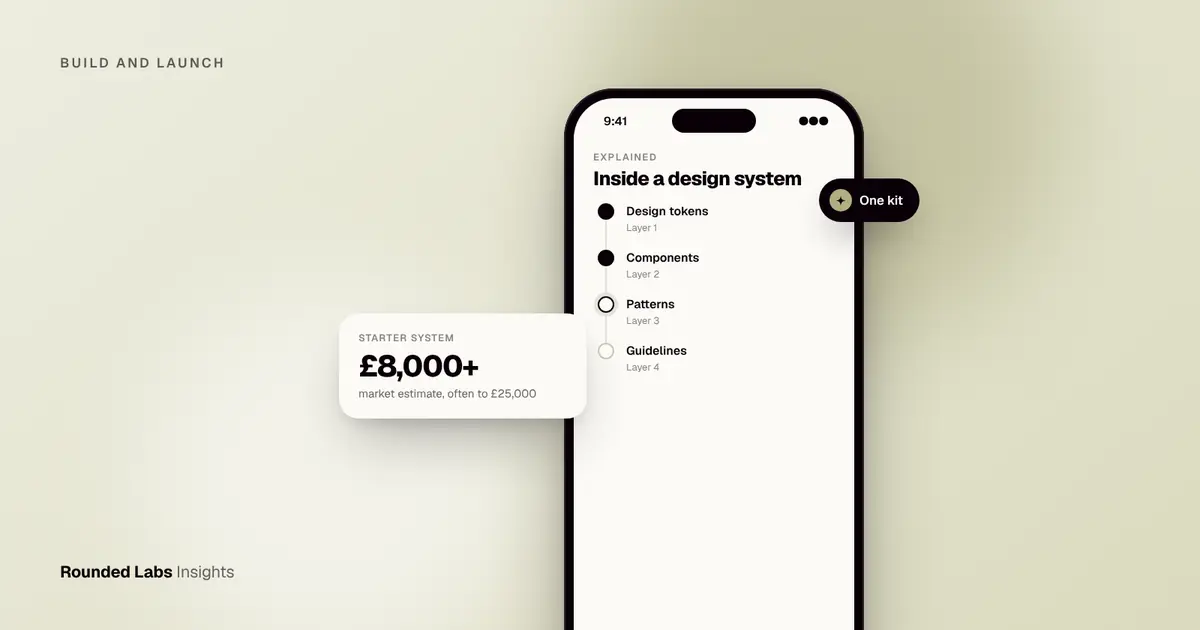
Most design systems have four layers, from the smallest to the largest.
- Design tokens. Named values for colour, type sizes, spacing, corner radius and shadows. Instead of ten slightly different greens, there is one token called “success”.
- Components. Buttons, text fields, cards, tabs, dialogs and navigation bars, each with set states such as default, pressed, disabled and error.
- Patterns. Combinations of components that solve a recurring problem, such as a sign-in flow, a search with filters or an empty state.
- Guidelines. Plain-language rules on when to use each piece, tone of voice, accessibility needs and how to ask for changes.
Think of it as a lego set with an instruction booklet. Designers and developers pick from the same box, so a new screen is assembled rather than invented.
What is the difference between a style guide, a component library and a design system?
These terms get mixed up, and the difference matters when you are buying work.
| Term | What it is | Typical use |
|---|---|---|
| Style guide | A document with logo, colours, fonts and tone | Brand consistency in marketing and early products |
| Component library | Coded, reusable UI parts | Faster development within one codebase |
| Design system | Tokens, components, patterns, guidelines and the process to maintain them | Products with several teams, platforms or fast release cycles |
A component library is part of a design system. A style guide is the lightest starting point. Ask any supplier which of the three they are offering you, and what you will own at the end.
Why do design systems matter for an app?
- Speed. Teams stop redrawing and rebuilding the same button. Later features reuse what exists.
- Consistency. Users learn the app once. Inconsistent screens make a product feel unfinished and raise support questions.
- Quality. A component fixed once is fixed everywhere, including accessibility and bug fixes.
- Easier handover. A new developer or agency can read the system instead of reverse engineering screens.
- Lower long-term cost. The saving shows up in the third, fourth and fifth release, not the first.
Consistency also matters across platforms. Apple (Human Interface Guidelines) and Google (Material Design) publish their own design guidance, and a good system respects both while keeping your brand recognisable. If you are deciding how to build for both, see Native vs cross-platform: what it does to your budget and What is a cross-platform app?.
When does your product need one?
Use this rough guide.
- Idea or MVP stage. Do not build a full system. Agree colours, fonts and a handful of components, and move on. Our guide to What is an MVP? explains why speed to learning matters more here.
- Live product with a growing feature list. This is the sweet spot for a starter system. Screens have begun to drift and every release feels slower.
- Several teams, apps or platforms. A full system pays for itself, because without it each team makes its own decisions.
- Retail or enterprise brands. Brand consistency across many touchpoints is a business requirement, not a preference.
Not sure whether your app needs a design system yet? We will look at your screens and tell you honestly if a light style guide is enough. Book a 30-minute call with a co-founder.
How much does a design system cost?
These are market estimates, not quotes. Costs vary by supplier, number of components and platforms.
| Scope | What you get | Typical market range |
|---|---|---|
| Light style guide | Colours, type, 10 to 15 core components in design files | £3,000 to £8,000 |
| Starter system | Tokens, 30 to 50 components, basic documentation, matching code | £8,000 to £25,000 |
| Mature system | Full component set, patterns, accessibility testing, governance, multi-platform code | £30,000 to £100,000+ |
In US dollars those are roughly $3,800 to $10,000, $10,000 to $32,000 and $38,000 to $127,000+. In euros, about €3,500 to €9,300, €9,300 to €29,000 and €35,000 to €116,000+.
Rounded Labs prices projects at a fixed price agreed before development starts. Projects typically run from £30,000 to £250,000+, and a design system is usually a clearly listed line inside the build rather than a separate engagement. See our pricing page for how this works.
A worked example: three inconsistent screens
Imagine a retail app that has grown for three years. The checkout, account and store locator screens were built by different people. There are seven button styles, four shades of red and two ways to show an error.
Each new feature now needs extra design time to decide which version to follow, and testers keep logging “looks different” bugs. A starter system fixes this by:
- Auditing every screen and listing each variant.
- Merging them into one set of tokens and 30 or so components.
- Replacing the old code piece by piece, starting with the most-used screens.
- Documenting the rules so the next hire follows them.
The work is real, but the payoff is that screens built afterwards are assembled from the kit. You can introduce the system gradually rather than rebuilding everything at once, which keeps the timeline sensible; see How long does it take to build an app? for typical schedules.
How do you build and maintain one?
- Audit what exists. Screenshot every screen and group repeated elements.
- Set the tokens first. Colour, type and spacing decisions ripple through everything else.
- Build the most-used components. Buttons, inputs and navigation come first.
- Build in accessibility. Contrast, touch target size and screen reader labels belong inside each component. The WCAG standard is the usual benchmark (WCAG 2.2 is the current W3C recommendation, but check the W3C site for updates), and our guide to App accessibility: the European Accessibility Act and UK guidance covers the rules.
- Keep design and code in step. If the design file says one thing and the code another, the system fails.
- Name an owner. Someone must approve changes, or the system decays within a year.
Your technology choice affects the code side. See Flutter vs React Native in 2026: which should you choose? for how each framework handles shared components.
Frequently asked questions
Is a design system the same as a UI kit?
No. A UI kit is usually a set of design file components, often bought from a marketplace. A design system also includes the coded components, written guidelines and the process for changing them.
Do startups need a design system?
Usually not a full one. A small style guide and a few reusable components are enough at MVP stage. Invest more once the product has traction and releases start slowing down.
Can we build a design system after the app is live?
Yes, and it is common. You audit the live screens, define the system and migrate screen by screen. It costs more than starting with one, but you can do it in stages.
Who owns the design system?
You should. Make sure your contract gives you the design files, the source code and the documentation, so any team can continue the work.
How long does it take?
A starter system often takes 4 to 8 weeks, and a mature one several months, depending on scope. Timelines vary, so ask for a plan with milestones.
Official sources and further reading
Talk it through with one of our co-founders. 30 minutes, no pressure.