

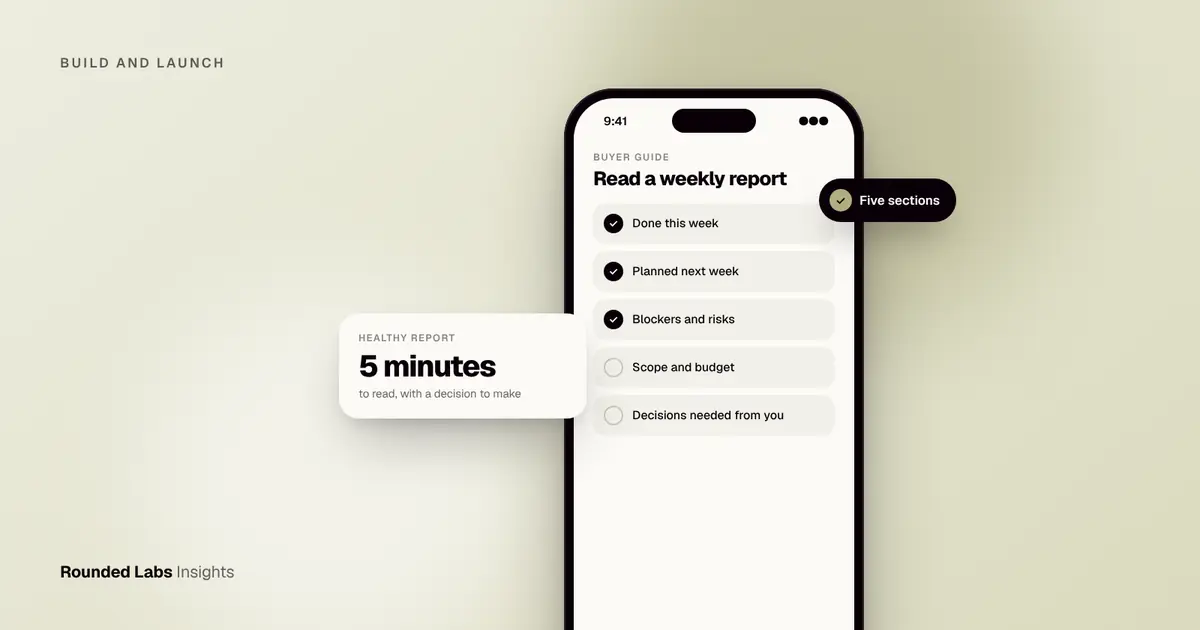
A good agency weekly report answers five questions in under ten minutes: what was finished and shown working, what is planned next, what is blocked, whether scope or budget changed, and what decisions the agency needs from you. If a report mostly lists hours spent or tasks “in progress”, it is hiding the one fact you need: how much of the app genuinely works.
We have run app projects for 19 years, from the MoBank mobile banking app to the Superdry app modernisation across 768 locations in over 100 countries, and the weekly report is the single document that tells a client whether a project is healthy. This guide shows you how to read one, which numbers to trust, and what to challenge. It includes a worked example, a set of warning signs, a template you can ask your agency to adopt, and a plan for what to do when a report worries you. If you are still choosing a supplier, our services overview explains how we work.
Key facts
- A report should show finished, working features, not effort. Effort figures and “percent complete” are weak signals.
- The five sections to look for are done, next, blockers, scope and budget, and decisions needed from you.
- Trust anything you can open and tap on a test build over anything described in text.
- On a fixed-price project, the budget line should show the agreed price and any approved change requests, not a running meter.
- A sprint demo every one to two weeks is worth more than any written report.
- Three missed weeks in a row, or a report that changes format when news is bad, is a reason to call a meeting.
- You do not need to be technical to read a report well. You need to ask for evidence you can check yourself.
What should an agency weekly report contain?
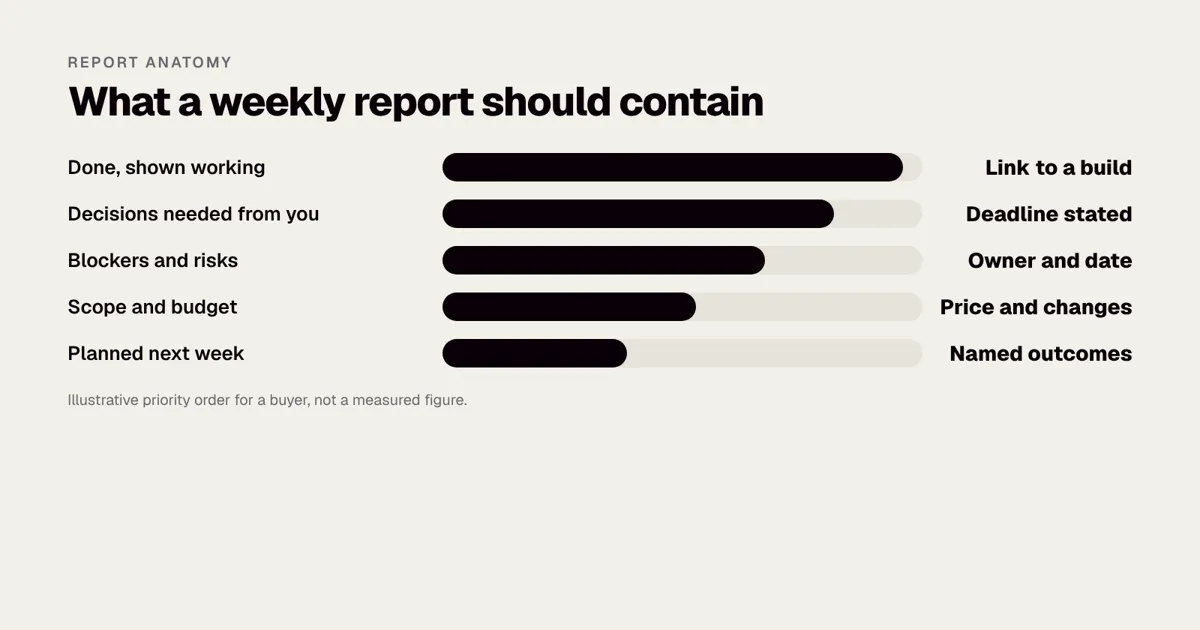
Whatever the template, a useful report has the same five parts. If one is missing, ask for it.
| Section | What good looks like | Warning sign |
|---|---|---|
| Done this week | Named features or screens, each linked to a build you can test | “Continued work on the backend” |
| Planned next week | A short list tied to the roadmap, with a named outcome | The same items as last week |
| Blockers and risks | Specific, with an owner and a date | “No blockers” for ten weeks running |
| Scope and budget | Agreed price, approved changes, remaining contingency | No mention of money at all |
| Decisions needed | Questions for you, with a deadline and what happens if you are late | Decisions raised only when they are already late |
The order matters too. Decisions and blockers should sit near the top, because they are the items where your action changes the outcome. A report that buries them under three pages of activity is written to be skimmed, not acted on.
Why these five, and not more
Reports tend to grow over time. Teams add burn charts, velocity graphs, ticket counts and server statistics, and the useful content gets lost. Each of the five sections above answers a question that only you can act on or only you should judge.
| Section | The question it answers for you | What you do with the answer |
|---|---|---|
| Done | Is the app really moving forward? | Open the build and check |
| Next | Does the plan match my priorities? | Say so if it does not |
| Blockers | What is slowing things down, and is it me? | Remove blockers you own |
| Scope and budget | Am I still within what we agreed? | Approve or decline changes |
| Decisions | What must I decide this week? | Decide by the stated date |
Other information can sit behind a link for those who want it, such as detailed ticket lists, test results and technical notes. It should never replace the five.
Who writes it and who reads it
The report should be written by the person who runs delivery, such as a project manager or delivery lead, not generated by a tool and sent unread. On your side, it should be read by the person who can make decisions, which is usually the product owner, not only a delegate. Many delays come from reports that are read but not acted on. Agree on both names at the start.
A one-page report template
Ask your agency whether it can use something like this. Any good agency will either say yes or explain what its own format gives you instead.
| Block | Content | Length |
|---|---|---|
| Header | Project, week number, date, report author, overall status (green, amber, red) | 1 line |
| Decisions needed | Each decision, who decides, deadline, effect of delay | 2 to 5 lines |
| Done | Features or screens complete this week with a link to the build or recording | 3 to 8 bullets |
| Next | Planned outcomes for next week | 3 to 6 bullets |
| Blockers and risks | Each with owner, date and impact | 2 to 6 bullets |
| Scope and budget | Agreed price, approved changes, pending change requests, payments due | 3 to 5 lines |
| Quality | Open bugs by severity, test status | 2 to 4 lines |
| Milestones | Dates against the plan, with any movement explained | Small table |
How do you tell progress from activity?
Activity is what the team did. Progress is what you can now do that you could not do last week. Compare these two lines:
- Activity: “Developed payment module (40 hours).”
- Progress: “Card payment works end to end in the test build for UK cards; refunds and saved cards are next.”
The second line can be checked. Ask for a link to the test build with every report, and spend five minutes trying what is listed. Our guide to giving useful feedback on a test build covers how to do this without a technical background.
Be careful with “percent complete”. Software tends to report 90% complete for a very long time, because the last tenth contains testing, fixes, store submission and the integration problems nobody could see earlier. Prefer counts you can verify, such as “14 of 22 agreed screens working” or “6 of 9 user stories accepted”.
Words that signal activity, and words that signal progress
| Activity words | Progress words |
|---|---|
| Working on | Completed, accepted, released |
| Looking into | Decided, confirmed, agreed |
| Progressing | Works end to end on a test build |
| Started | Passed testing on named devices |
| Ongoing | Available in build 0.8 from Tuesday |
| Continued | Demonstrated in Thursday’s recording |
None of the activity words is wrong. Teams do work on things for several weeks. But a report made up only of activity words tells you nothing you can verify.
Checks you can do in five minutes without technical knowledge
- Open the latest build on your own phone and try the features listed as done.
- Try the unhappy path. Enter a wrong password, turn on aeroplane mode, leave a field blank. Real quality shows up here.
- Compare against the plan. Does the feature list match what was agreed for this stage?
- Look at the date. Is the build from this week, or from three weeks ago?
- Ask yourself one question. If I had to show this to my best customer today, would I be comfortable?
For help with the review itself, How to review app designs as a non-designer and How to give useful feedback on a test build are written for non-technical readers.
What “done” should mean
A report is only as good as the team’s definition of done. Ask your agency to define it in writing, and agree on something like this:
- The feature works on the agreed devices and operating system versions.
- It has been tested by someone other than its developer.
- It matches the approved design, or differences are listed and agreed.
- It meets the acceptance criteria for the story.
- It is in a build you can open.
A feature that is “done” except for testing is not done. App testing explained: QA, UAT and beta testing explains the different layers of testing and who does what.
What does a healthy report look like in practice?
Here is a realistic example for a hypothetical marketplace app on a fixed price of £90,000 over 16 weeks. This is an illustration, not a client result.
Week 6 report (extract)
- Done: sign-up, profile and search are working in build 0.6. Sellers can list an item with photos. Demo recorded on Thursday.
- Next: checkout and order history.
- Blockers: the payment provider’s sandbox account needs your company registration number. Needed by Friday, otherwise checkout slips one week.
- Scope and budget: price £90,000, unchanged. One change request (gift messages on orders) priced at £2,400 and awaiting your decision. Contingency not used.
- Decisions: approve or decline the gift message request; confirm the delivery countries for launch.
Notice what makes this useful. Every item can be checked, the one thing slowing the project is your action, and the money position is a single clear line. A report like this takes five minutes to read and gives you a decision to make today.
The same project, six weeks later
A healthy project is not one with no problems. It is one where problems are visible early and handled. Here is what the week 12 report might say for the same hypothetical project.
Week 12 report (extract)
- Status: amber.
- Done: checkout, order history and seller payouts working in build 0.12. Push notifications work on iPhone; Android is in test.
- Next: Android notifications, admin refund tool, first full test round.
- Blockers: Apple review of the in-app purchase configuration is taking longer than usual. We have submitted a response and expect an update early next week. If not resolved by Friday we will remove the feature from the first release and add it after launch.
- Scope and budget: price £90,000. Gift messages approved in week 7 and delivered. Payments due this month: milestone 3 on acceptance of build 0.12.
- Decisions: confirm whether the first release can launch without the wishlist feature (recommended). Needed by Wednesday.
- Milestones: public beta moves from week 14 to week 15, because of the testing needed on Android notifications.
This report is amber and still reassuring, because it says what is wrong, what is being done, what you must decide and how the date has moved. Compare that with a report that says everything is green for twelve weeks and then announces a delay in week 15.
A sample 16 week trajectory
If you know what a normal project looks like, you can spot a strange one. This is an illustrative pattern for a mid-sized app, not a rule for every project.
| Weeks | Typical stage | What the reports should show |
|---|---|---|
| 1 to 2 | Set-up and design | Designs reviewed, access sorted, environments ready |
| 3 to 6 | Core build | Working builds each week; first end-to-end flow by week 5 or 6 |
| 7 to 10 | Feature build and integrations | Payments, notifications, admin; first external dependency issues |
| 11 to 13 | Completion and testing | Feature complete; bug counts falling |
| 14 to 15 | Beta, fixes, store preparation | Beta feedback handled, store assets ready |
| 16 | Release | Store submission and launch plan |
Projects vary widely with size and complexity. For typical durations, see How long does it take to build an app? Real timelines from 19 years of projects. If your own plan differs from a pattern like this one, that is fine, as long as the agency can explain why.
How do you use colour ratings (red, amber, green) without being misled?
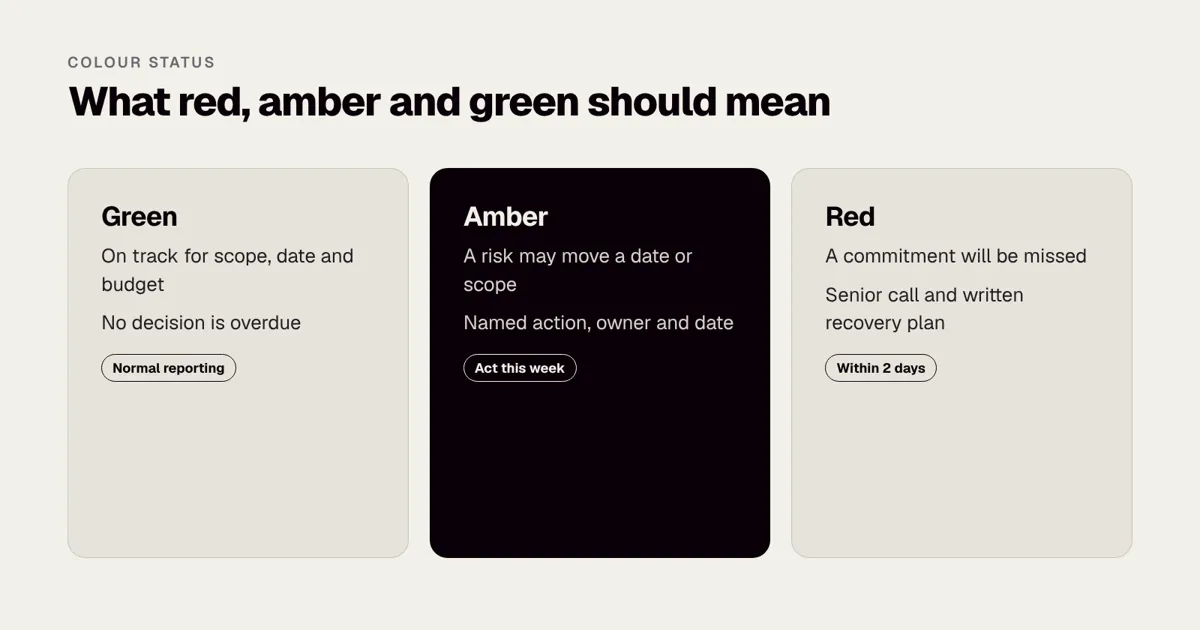
Many agencies include an overall red, amber or green status. It is a useful shorthand, but only if everyone uses it the same way. Agree definitions in advance.
| Status | Suggested meaning | What should happen |
|---|---|---|
| Green | On track against scope, date and budget; no decisions overdue | Normal reporting |
| Amber | A risk exists that may move a date or scope unless action is taken | A named action, owner and date, shown in the report |
| Red | A date, scope or budget commitment will be missed without a change in plan | Senior call within two working days, and a written recovery plan |
Watch for these patterns:
- Permanent green. If a project has been green for months and then goes straight to red, the green was not measuring much.
- Watermelon reporting. Green on the outside, red on the inside: the status says one thing, the details say another.
- Amber that never moves. If a risk has been amber for six weeks with no action, it is a problem pretending to be a risk.
- Status without evidence. Every colour should have a reason you can check.
What are the warning signs in a weekly report?
Look for patterns across several weeks rather than one bad report.
- Vague verbs. “Working on”, “looking into” and “progressing” with no outcome.
- Rolling dates. The same milestone moves a week each time, with no explanation. See how to tell if an app project is off track.
- Rising “technical debt” or “refactoring” lines that you did not discuss, especially late in the plan.
- No demo. If you have not seen the software running for three weeks, something is wrong.
- Surprises in scope. Features appear as “needs more work” without a priced change request. Our guide to managing scope changes without blowing the budget explains the process.
- Format changes after bad news. A report that suddenly gets shorter or moves to a different tool is often avoiding a hard message.
- Blame without detail. “Delayed by the client” with no description of what is needed, from whom and by when.
- Staff changes without notice. New names appear in the report and old ones vanish, with no handover explanation.
- Testing is always “next sprint”. If testing keeps moving to the future, quality problems are building up.
- Everything is 90% done. See the earlier section on percent complete.
Not sure whether your project report is telling you the whole story? We will read it with you and say plainly what we see. Book a 30-minute call with a co-founder.
A warning-sign severity table
Not every sign deserves the same response. Use this to decide how to react.
| Sign | Severity | First response |
|---|---|---|
| One report is late or short | Low | Mention it at the next call |
| Vague wording for two weeks | Medium | Ask for named outcomes and a build link |
| A milestone slips twice with no new plan | High | Ask for a recovery plan in writing within 3 working days |
| No demo for three weeks | High | Request a demo this week, on a device |
| Unpriced scope changes | High | Pause and agree a written change request |
| Format changes after bad news | Medium to high | Ask directly what has changed |
| Key person leaves without handover | High | Ask for a named replacement and a handover note |
| Testing consistently postponed | High | Insist on a test plan and a test build |
What a poor report looks like
To train your eye, here is a hypothetical poor report for the same marketplace project at week 10. Compare it to the healthy example.
Week 10 report (extract)
- Progress: 70% complete.
- This week: continued development on the core modules; resolved several issues; refactored the data layer for scalability.
- Next week: continue development and begin preparation for testing.
- Blockers: none.
- Hours: 312.
Nothing in this report is false and nothing in it can be checked. There is no build link, no named feature, no date, no decision, no statement about scope or price and no risk. If you receive a report like this, reply the same day with five questions: Which features work today? Where is the build? What is the next date and what could move it? What is the status of scope and budget? What decisions do you need from me?
How should a fixed-price project report on budget?
On a fixed-price project, the agency carries the cost risk of its own estimates, so the report should not read like a timesheet. The price is agreed before development starts, and you should see only three things: the agreed price, any approved changes with their individual prices, and the payment schedule against milestones. If you are weighing the model, see fixed price vs time and materials.
On a time-and-materials contract the report matters more, because the bill follows the effort. Then you want hours against a forecast, a burn-down of remaining work and a revised estimate to finish. Ask for these every week, not at the end of the month, and ask why when actual and forecast drift apart by more than about 10 to 15%. That threshold is a common rule of thumb for effort-based work, not a standard.
Rounded Labs works on fixed price only, with projects typically £30,000 to £250,000+; see our pricing page. That means a weekly report is about delivery and decisions, not defending effort.
The budget section on a fixed-price project, line by line
| Line | What it should say | Example |
|---|---|---|
| Agreed price | The original fixed price | £90,000 |
| Approved changes | Each change with its own price and date approved | Gift messages, £2,400, approved week 7 |
| Revised total | Original plus approved changes | £92,400 |
| Pending changes | Requests awaiting your decision, with prices | Wishlist, £3,100, decision needed |
| Payments | Milestones invoiced, paid and due | Milestone 3 due on acceptance of build 0.12 |
| Contingency | Whether any agreed contingency has been used | Not used |
Note what is missing: hours. Under a fixed price you pay for the delivered scope, not for effort. If a report includes hours, ask why, and whether they will affect the price. In most fixed-price arrangements they will not.
Change requests: the one place the number moves
On a fixed-price project, the price changes only when you approve a change. A good change request has four parts: what is being added or altered, what it costs, how it affects the date, and what, if anything, can be dropped in exchange. It should be written and approved by the person with authority to decide. How to manage scope changes without blowing the budget explains how to handle this well, and How to prioritise a product backlog with MoSCoW helps you decide what to trade.
A report that says “the work turned out to be bigger than expected” is not a change request. On a fixed price, that is the agency’s risk, unless the change is genuinely new scope. If you cannot tell the difference, ask the question directly: “Is this a change in what I asked for, or is it harder than you estimated?”
Payments and milestones
Payments should follow delivered milestones, not elapsed time. A report should state which milestone is next, what you must see to accept it and when the invoice will arrive. If you are paying before a milestone is accepted, ask why. Escrow and milestone payments for app projects explains the options for protecting yourself.
What questions should you ask when something looks wrong?
A short list works better than a long argument. Try these in order:
- “Can you show me this working in the latest build today?”
- “What would have to be true for the next milestone date to hold?”
- “Which items on this list depend on a decision or input from us?”
- “What is the biggest risk to launch that is not on this report?”
- “If we cut one feature to protect the date, which would you cut?”
Good agencies welcome these. If you get defensive or vague answers, escalate to a senior person on both sides and put the plan in writing. Our first 90 days with an app agency guide sets out the meeting rhythm that makes this easier, and if things have already slipped, read how to rescue a failing app project.
How to run the difficult conversation
When a report worries you, how you raise it matters. A calm, specific conversation gets better information than an accusation.
- Write down what you saw. Cite the report lines and dates, not impressions.
- Ask for a call within two working days. Include your product owner and their delivery lead.
- Start with questions, not conclusions. “Help me understand why the date moved” opens more than “you are late”.
- Ask for a written recovery plan. It should list what will be delivered, by when, who is responsible and what you must do.
- Agree a check-in date. A shorter cycle, perhaps twice weekly, for two or three weeks.
- Record the outcome. Send a short note after the call confirming what was agreed.
If you need an independent view of the code or the plan, an external review can help. Our Tech Architecture Audit is a fixed price of £7,500, and How to audit an existing app’s code explains what such a review covers. For a project that has moved beyond a wobble, How to take over an app built by someone else and How to switch app agencies without losing your app lay out the options.
Escalation: when and to whom
| Situation | Who to involve | What to ask for |
|---|---|---|
| One missed milestone, clear reason | Delivery lead | A revised date and the reason |
| Two missed milestones, or unclear reasons | Senior leader at the agency | A recovery plan in writing |
| Scope or price dispute | Contract owner on both sides | A review against the signed scope |
| Loss of trust in reporting | Your leadership and theirs | An independent review, or a reset of reporting |
| Safety, security or legal concern | Immediately, your legal or security adviser | Written confirmation and a timeline |
How can you set up the report before the project starts?
Agree the format in the contract or kick-off, not after problems appear. Ask for these five things in writing:
- One report per week, sent on the same day, with the five sections above.
- A test build link or demo recording with every report.
- A named person who owns it, and a named person on your side who reads it.
- A rule that decisions needing your input are flagged within one working day of being known.
- A monthly review where the roadmap, risks and change log are checked against the original plan.
Putting this into the brief helps too; our guide to briefing an app development agency lists what to include.
Questions to ask at the proposal stage
When you compare suppliers, ask them to show a sample report (with the client’s details removed). Compare the samples against the five sections. A supplier who will not show one, or who can only show a timesheet, tells you something about how the project will feel. 20 questions to ask an app developer before you sign includes questions on reporting, and What a good app development proposal looks like shows the reporting commitments a proposal should contain.
What to put in the contract
- The reporting cadence and format.
- The definition of done and the acceptance process.
- How change requests are raised, priced and approved.
- Who the named decision makers are, on both sides.
- How you get access to the code repository, test builds and project board.
- What happens if reports are missed.
If you want a view on reporting during an earlier planning step, our Mobile Product Discovery Sprint is a fixed price of £9,500 and ends with a plan, a scope and a fixed-price proposal. What happens in a discovery phase, and why it saves money explains what you receive.
How do reports connect to demos, boards and other project tools?
A weekly report is one of several ways you see a project. It works best alongside the others.
| Source | What it tells you | Limits |
|---|---|---|
| Weekly report | A summary, decisions and money | Written by the agency, so check it |
| Sprint demo | Working software, live | Can be staged; ask to use the app yourself |
| Test build | The real state of the app | Needs your time |
| Project board | The detailed list of tasks | Easy to misread; ask for a guide |
| Repository activity | Evidence of regular development | Technical; needs someone to interpret |
| Bug tracker | Quality trend | Counts alone mislead; look at severity |
The role of the sprint demo
A demo is where a report becomes real. In a good demo, someone from the agency shows features working on a real phone, and then hands the phone to you. If a demo is always slides, or always the same person clicking through the same path, ask to try the app yourself. How to run a sprint demo explains how to make demos useful, and How to run sprint reviews across time zones covers the case where you are in a different country from the team.
The project board
Many agencies give clients access to a project board in a tool such as Jira or similar. It can be valuable, but reading it takes some practice. Ask the agency to explain how cards move, what each column means and how to filter to the current milestone. For guidance on shared tools, see How to set up shared Slack and Jira with an agency.
Bug counts and quality signals
A growing bug count is not always bad: more testing finds more bugs. What matters is the trend in serious bugs, how quickly they are fixed and whether the same kind of bug keeps coming back. Ask for open bugs grouped by severity: blocks launch, should fix, minor. A report that says “42 open bugs” tells you little; “2 blocking, 9 should fix, 31 minor, down from 4 blocking last week” tells you plenty.
How do you read a report if you are not technical?
You do not need to know how code works to run a project well. You need to be able to ask good questions and judge the answers. Here are five habits.
- Ask for plain English. Any technical term in the report should come with a one-line explanation of what it means for you.
- Translate every item into a user outcome. “Refactored the authentication module” becomes “sign-in will be easier to extend; no visible change this week”. If the outcome is nothing, ask why it is being done now.
- Look for dates and names. Work without a date or an owner tends to drift.
- Keep your own record. Keep a short log of the decisions you made and when. It helps in disputes and in memory.
- Bring in a second pair of eyes. A trusted technical adviser can look over a report for an hour once a month. It can be a friend, a fractional CTO or an independent review. Fractional CTO vs app agency for early-stage startups discusses a related option.
A short glossary for report-reading
| Term | What it means in plain English |
|---|---|
| Sprint | A fixed period, often one to two weeks, in which the team plans and delivers a batch of work |
| Backlog | The ordered list of things still to be built |
| Build | A version of the app you can install and try |
| Staging | A copy of the system used for testing before real users see changes |
| Regression | Something that used to work and now does not |
| Refactoring | Tidying code without changing what the app does |
| Technical debt | Shortcuts that make future changes slower or riskier |
| Acceptance criteria | The conditions a feature must meet to count as done |
| UAT | User acceptance testing: you or your users checking it works for them |
| Release candidate | A build the team believes is ready to ship, pending final checks |
The Scrum Guide and the Agile Manifesto are the foundational texts behind many of these terms, and the UK government’s GOV.UK Service Manual explains how public sector teams run agile delivery. You do not need to read them cover to cover, but they are useful if you want to see what the vocabulary is based on.
What should reports say about quality, security and compliance?
A project can look healthy on features and be unhealthy on quality or risk. Reports should include a short quality section, and, for projects that handle personal data or payments, a note on security and compliance.
| Topic | What a useful line looks like |
|---|---|
| Testing | “Test round 2 complete on iOS 17 and 18 and four Android devices; 3 blocking bugs fixed, 1 open” |
| Performance | “App launch time on the reference device is 2.1 seconds, target under 3” |
| Accessibility | “Screen reader pass completed on onboarding and checkout; 4 issues logged” |
| Security | “Dependency scan clean; penetration test booked for week 13” |
| Privacy | “Data flows documented; privacy notice draft with your lawyer” |
| Store readiness | “Store listing text drafted; screenshots due week 14” |
For the underlying standards, the OWASP project publishes widely used application security guidance, and the W3C Web Accessibility Initiative explains the accessibility guidelines that many mobile accessibility checks draw on. For privacy in the UK, the Information Commissioner’s Office is the regulator. At the time of writing these bodies update their guidance regularly, so check the official sources, and take professional advice on your own obligations. This is general information, not legal advice.
For more on these topics, see Mobile app security checklist: OWASP MASVS in plain English, UK GDPR for mobile apps: what founders must get right and App accessibility: the European Accessibility Act and UK guidance.
Launch readiness in the final weeks
In the last third of the project, reports should add a launch readiness section. It should show the status of store accounts, app store listings, legal pages, analytics, support processes and the go-live plan. App launch checklist: 30 steps before you publish is a good reference, and Why Apple rejects apps, and how to avoid it explains what to prepare for review. Apple’s App Store review guidelines and Google’s Android developer documentation are the official sources for store rules, and both change, so ask the agency which version they are working to.
What do good agencies do that average agencies do not?
You can tell a lot about an agency by what its reports contain without being asked. Here are the habits of well-run delivery.
- They report bad news first. The decision you must make, or the risk that has grown, comes at the top.
- They show, not tell. Every report links to something you can use.
- They separate facts from forecasts. “Done” and “expected” are clearly different.
- They keep a visible change log. You can see every scope change, with date, price and approver.
- They explain slips. When a date moves, the report says why, what the new date is and how confident they are.
- They name people. Responsibility is clear.
- They ask for feedback on the report itself. Good teams adjust format to what the client needs.
- They keep it short. A one-page report that is read beats a six-page report that is not.
At Rounded Labs we have delivered for 19 years, since 2007, and the pattern holds on every project size. Projects like Waterstones, where an app, a mobile site and an eBooks API were delivered in 12 weeks, depend on exactly this clarity: a short list of what works, what is next, what is blocked and what needs a decision. Our approach is fixed price, agreed before development starts, so the report is about delivery rather than justifying effort.
What mistakes do clients make when reading reports?
Clients can cause reporting problems too. Avoid these.
- Not reading it. If nobody reads it, there is no point in sending it. A short reply each week keeps the habit alive.
- Reading only the headline. Green status without evidence can still be wrong.
- Responding late to decisions. A blocker you own can cost more than one the agency owns. Answer by the stated date.
- Changing priorities informally. A casual message to a developer is not a change request. Route changes through the process.
- Giving feedback in scattered messages. Batch it, and be specific. How to give useful feedback on a test build shows how.
- Letting several people give instructions. Name one decision maker.
- Punishing bad news. If the agency learns that honest reports cause trouble, reports will get vaguer. Thank people for early warnings.
- Waiting until launch to look at the app. Use the builds every week.
What does a first month of reports look like?
A well-run project builds a pattern in the first month. Use this as a guide for what to expect and what to check.
| Week | What the report should show | What you should do |
|---|---|---|
| 1 | Access set up, plan confirmed, first design review booked | Confirm names, provide any accounts, agree the report format |
| 2 | First designs reviewed, environments ready, first build planned | Review designs promptly, give consolidated feedback |
| 3 | First working screens in a build | Try the build, send batched feedback |
| 4 | An early end-to-end flow, a recorded demo, first change log update | Review the flow, check that the plan still matches your priorities |
At the end of the first month, ask yourself three questions: Do I know what is working? Do I know what is next and what could go wrong? Do I know where the money stands? If any answer is no, raise it now. Early course correction is cheap.
When is it right to look beyond the report?
A report is a summary. Sometimes you need more.
- Before a major payment. Ask for a demo of the delivered milestone and test it yourself.
- Before a launch decision. Request a release readiness review with the test summary, open issues and the rollback plan.
- When trust is falling. Ask for a short independent review of progress and code.
- When the team changes. Request a handover summary and meet the new people.
- When you plan to change supplier. Ensure you have your accounts, code and documentation. How to hand over an app between agencies explains what a clean handover includes, and How to move an app to a new developer account covers the store side.
For a project that has already gone wrong, How to rescue a failing app project gives a practical route, and our fixed-price Legacy App Rescue Assessment at £6,500 is designed for an independent assessment of an existing app.
How does the report change as the project moves through its stages?
The same five sections apply throughout, but their emphasis shifts.
| Stage | What matters most in the report | Typical risks to look for |
|---|---|---|
| Discovery and design | Decisions and approvals, clarity of scope | Unmade decisions, unclear priorities |
| Early build | Working screens, access and environment readiness | Missing accounts, slow feedback |
| Mid build | Integrations, change requests, growing feature set | Scope growth, third-party delays |
| Testing | Bug trend, device coverage, performance | Late discoveries, postponed testing |
| Release | Store readiness, legal pages, support plan | Review rejections, missing assets |
| After launch | Stability, user feedback, planned changes | Neglected maintenance, unclear ownership |
After launch, reports often move to a monthly rhythm. They should cover stability, crash and error trends, user feedback and the plan for the next phase. App retention: the metrics that matter after launch explains which numbers to watch once real users arrive, and App maintenance costs in the UK explains what to budget for ongoing care.
Frequently asked questions
How long should a weekly report be?
One page is enough for most projects, with a link to detail for anyone who wants it. If you cannot find the decisions you need to make in the first ten lines, the report is too long or badly ordered.
Should a weekly report include hours worked?
On a fixed-price project, hours are not very useful to you, because the price does not change with them. On time-and-materials work, hours against forecast should be reported weekly, alongside what was delivered.
What if the report always says everything is green?
Test it. Ask for a demo of this week’s work and for the top three risks. A project with no risks after several weeks is usually one where nobody is looking hard enough.
Who should read the report on the client side?
The person with authority to make decisions, ideally the product owner, not only a delegate. Delays often come from reports that are read but not acted on.
Is a weekly report better than a sprint demo?
No, they do different jobs. The report gives a written record and flags decisions; the demo lets you see the software work. See how to run a sprint demo for how to make demos useful.
What should I do if the report and the test build disagree?
Trust the build. Reply the same day with specifics: which feature, which device, what you did and what happened. Ask for a corrected report and an explanation of how the gap arose, since it may reveal a gap in testing or in how the team defines done.
How soon should I raise a concern about a report?
As soon as you see a pattern, which is usually after two reports rather than one. Raising a concern early is cheap and usually welcomed. Waiting until a milestone is missed makes the conversation harder and the options fewer.
Official sources and further reading
Talk it through with one of our co-founders. 30 minutes, no pressure.