

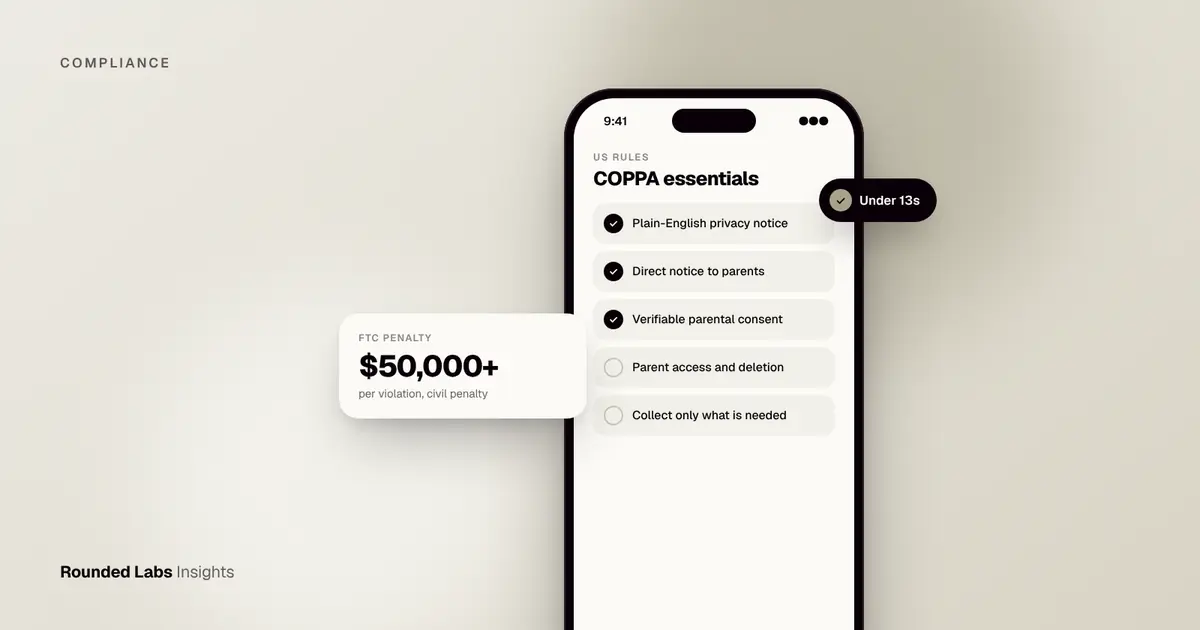
COPPA, the Children’s Online Privacy Protection Act, applies to apps that are directed at children under 13, or that knowingly collect personal information from them, and it requires verifiable parental consent before you collect that data. Breaking the rule is expensive: the Federal Trade Commission can seek civil penalties of over $50,000 per violation, and several app makers have paid multi-million-dollar settlements.
We have built apps for family and education audiences since we started in 2007, and the pattern is the same each time: the compliance work is much cheaper when it shapes the design from the first sketch than when it is bolted on after launch. This guide explains what COPPA asks of an app, what changed in the FTC’s updated rule, how the app stores add their own layer, and how to design a product so that compliance is mostly a by-product of good decisions. It is general information, not legal advice. Laws and penalties change, so check the official sources linked below and get a lawyer to review anything you launch for children.
Key facts
- COPPA covers operators of apps and sites directed at under-13s, and general-audience apps with actual knowledge they collect data from under-13s.
- You need verifiable parental consent before collecting personal information from a child, with narrow exceptions.
- The FTC finalised amendments to the COPPA Rule in 2025, tightening rules on data retention, third-party sharing and security. The main compliance date was in April 2026; check the FTC site for the current text.
- Personal information includes names, photos, voice, location, persistent identifiers such as device IDs, and cookies used for advertising.
- Apple and Google add their own rules for kids’ and family apps, on top of the law.
- Rounded Labs works to a fixed price agreed before development, so consent flows, parent dashboards and deletion tools are scoped and priced up front. See the pricing page.
Why does COPPA matter to anyone building an app?
Children use phones and tablets from a very young age, and the commercial pull of the family and education market is strong. At the same time, the legal and reputational downside of mishandling a child’s data is among the heaviest in app development. Regulators treat children as a group that cannot give meaningful consent for themselves, so the rules put the burden on the company, not the child or parent, to show it collects only what it needs and has permission for it.
For a founder or product owner this has three practical consequences. First, compliance is a design question, not only a legal one: the screens you draw, the SDKs you add and the data you store decide what the law requires. Second, the rule reaches further than people expect, because it covers apps that are not obviously for children but still appeal to them, and companies based outside the US. Third, the cost of fixing a problem after launch, including rebuilding a sign-up flow, is much higher than the cost of designing for it. Our guide on how to validate an app idea before you spend £50k makes the same point about every kind of risk: find it early, while it is cheap.
Who does COPPA apply to?
COPPA applies to two groups:
- Operators of apps or websites directed at children under 13. The FTC looks at the subject matter, visual content, use of child actors, music, language, advertising aimed at children and similar factors. Calling your app “for everyone” does not help if it clearly appeals to young children.
- Operators of general-audience apps that have actual knowledge they are collecting personal information from a child under 13. If a user tells you their age, or your analytics reveal it, you are on notice.
It applies to US-based companies and to foreign companies whose apps are directed at US children, so a UK or EU studio building for the US market has to comply. The FTC publishes a plain-language guide to the rule (FTC COPPA compliance plan). The agency’s home page at ftc.gov lists the current rule, FAQs and enforcement news.
Who counts as an operator?
The operator is whoever owns or controls the app and decides what data it collects. That usually means your company. It can also include a third party whose SDK collects data through your app if you let it. The FTC has taken the view that a child-directed app operator is responsible for what the tools inside it collect, which is why SDK choice matters so much later in this guide.
What does “directed at children” mean in practice?
There is no single test. The FTC considers the overall picture, so ask yourself these questions:
| Question | A “yes” points towards child-directed |
|---|---|
| Is the subject matter something children enjoy, such as cartoon characters, toys or school games? | Yes |
| Does the design use bright colours, animation or simple language aimed at young children? | Yes |
| Do you use child models, child actors or characters that appeal to children? | Yes |
| Is your advertising or marketing aimed at children or their parents on child-focused channels? | Yes |
| Do reviews, your own research or the app store category suggest children are the audience? | Yes |
| Is it a general tool, such as a calculator, with no child-specific appeal? | Usually no |
An app can also be mixed audience: aimed at children but attractive to teens and adults. In that case the rule allows you to age-screen users in a neutral way, and treat only those who say they are under 13 as children. A neutral age screen asks for a date of birth without hinting which answer unlocks the app. Asking “Are you over 13?” invites a child to click yes.
Does COPPA protect teenagers?
Not directly. COPPA covers children under 13. Teens aged 13 to 17 fall outside it, although state laws and app store rules increasingly apply to them. See US state privacy laws and your app and the section on children’s rules outside COPPA below.
What does COPPA require?
| Requirement | What it means in an app |
|---|---|
| Clear privacy notice | A plain-English policy that explains what you collect from children, how you use it and who sees it |
| Direct notice to parents | You must contact a parent before collecting data and explain what you plan to do |
| Verifiable parental consent | A reasonable method of confirming the person agreeing is the parent |
| Parental access and deletion | Parents can see their child’s data and ask for it to be deleted |
| Data minimisation | Collect only what the activity needs, and keep it only as long as necessary |
| Security | Reasonable safeguards for the data you hold |
| Limits on conditioning | You cannot make a child give more data than needed to play or take part |
What counts as personal information?
The definition is broad. At the time of writing it includes a child’s first and last name, home or other physical address, online contact information such as an email address, a screen name that works as contact information, a phone number, a government identifier, a photograph, video or audio file containing a child’s image or voice, precise location, and persistent identifiers that can recognise a user over time and across services. The 2025 amendments added biometric identifiers, such as fingerprints and voiceprints, and clarified more about other identifiers. Check the FTC’s rule page for the current wording.
This matters because many teams think “we do not ask for names, so we collect nothing”. A device advertising ID, an analytics user ID or a crash-reporting identifier can all be personal information if they are used to track a child across contexts. There is an exception for identifiers used only for internal operations such as keeping the app running, but only if you do not use them for advertising or profiling.
What counts as verifiable parental consent?
The FTC accepts several methods, including a signed form, a credit card transaction, a call with trained staff, government ID checked against a database, or a face match to ID. Email-plus consent, where a parent replies to an email, is allowed only when you do not disclose the child’s data to third parties. Choose the lightest method that suits your data.
| Method | Friction for the parent | Cost and risk | Suits |
|---|---|---|---|
| Email plus | Low | Cheap; only for internal use of data | Simple apps that do not share data |
| Card transaction | Medium | Payment fees; may exclude parents without cards | Apps with a paid tier |
| Signed form | High | Manual handling | Schools and clubs |
| Phone or video call | High | Staff time | High-risk data |
| ID check | Medium | Third-party fees; privacy of the ID itself | Sensitive features |
| Knowledge-based or other FTC-approved method | Varies | Vendor costs | Check approval status first |
New methods can be approved by the FTC through a formal process, and some industry bodies run FTC-approved safe harbor programmes. If your plan relies on a new method, check the current status with a lawyer.
What are the exceptions to parental consent?
A few narrow exceptions let you collect limited data without full consent. Examples include collecting a parent’s contact details to seek consent, answering a one-off request from a child, and protecting the child’s safety. They are narrow and come with conditions about what you can keep and for how long. Do not build your product around an exception unless a lawyer has confirmed it fits.
What changed in the updated COPPA Rule?
The FTC adopted amendments to the COPPA Rule in 2025. In summary, they:
- Require separate parental consent for disclosing children’s data to third parties, including for targeted advertising, unless the disclosure is integral to the service.
- Tighten data retention: you must have a written policy and cannot keep data longer than needed.
- Require a written information security programme.
- Clarify that more kinds of identifiers, including biometric identifiers, count as personal information.
The amended rule took effect in June 2025, and most operators had until April 2026 to comply, so that date has now passed. Check the FTC’s COPPA page for the current text and any remaining dates. The amendments were also published in the Federal Register, which is the official record. If you launched before the changes, review your app against the new text.
What should existing apps change?
A practical review for an app that launched before the amendments looks like this:
- Inventory every data point. List each item you collect from a child, where it is stored and who receives it.
- Inventory every third party. For each SDK, ad network, analytics tool and cloud service, record what it receives and why.
- Separate the consents. If any third party receives child data for something beyond the core service, such as advertising, you need a separate consent for that, and in a child-directed app you should ask whether it should happen at all.
- Write the retention policy. State how long each type of data is kept and what triggers deletion.
- Write the security programme. Name a responsible person, list the controls and schedule reviews.
- Update the notices. Make the privacy policy and the parent notice match what the app really does.
Our guide on what a mobile app security checklist should include can help with the technical controls, and audit logs are one of the simplest ways to show who accessed what.
Planning an app for families or children? We design consent flows, parent dashboards and minimal data models from the start. Book a 30-minute call with a co-founder and we will map the COPPA work for your idea.
How do you design an app so COPPA is easy?
The cheapest compliance is collecting less. A few design choices make the biggest difference:
- Avoid accounts for children. Let a parent create one account, and let children use profiles under it with a nickname and an avatar instead of a real name.
- Skip persistent identifiers where you can. Use identifiers only for internal operations, such as keeping a game running, and keep them out of advertising.
- Do not include third-party advertising or analytics SDKs in the child-facing part of the app unless you have checked what each one collects.
- Put a parent gate in front of anything that collects data, shares content, links out of the app or takes a payment.
- Turn off open chat and public profiles for children by default, or use pre-written phrases.
- Make deletion real. Build a tool so a parent can delete a child’s data in a few taps.
What does a good parent gate look like?
A parent gate is a task that an adult can do easily and a young child cannot, such as entering a number written in words or answering a simple but non-obvious question. Avoid a plain “tap and hold” or a simple sum that a six-year-old can solve. Apple’s rules for the Kids category ask for a parental gate before external links and purchases, so the gate also helps you pass review. Test it with real adults and, where appropriate and with proper consent from parents, with children, to confirm it works as intended.
How do you design a parent dashboard?
A parent dashboard is where consent, access and deletion live. Include:
- A list of each child profile and the data held for it.
- A clear control to review, export and delete data. The data export feature guide shows how this is usually built.
- Settings for any optional features such as chat, with each off by default.
- The history of consents given, with the date, the version of the policy and the method.
- A way to withdraw consent and to contact you.
What data should you not collect at all?
For a child-directed app, treat the following as “no unless essential”: precise location, contact lists, photos and voice recordings stored on your servers, free-text messages shared with other users, and any identifier that can be linked across apps. If a feature genuinely needs one of these, such as a voice-controlled reading tool, design it to process the data on the device and discard it, which can reduce what you hold. Discuss with your lawyer whether on-device processing changes the analysis for your case.
Worked example: a reading app for ages 5 to 9
Imagine an illustrated reading app for children aged 5 to 9 with a monthly subscription paid by parents. Here is how the design choices play out.
| Feature | Risky design | COPPA-friendly design |
|---|---|---|
| Sign-up | Child enters name, email and birthday | Parent signs up; child picks an avatar and a nickname |
| Consent | Tick box on a terms screen | Email plus, then a card payment for the subscription as a further parental check |
| Analytics | General-purpose analytics with advertising ID | Privacy-focused analytics with no advertising identifier, internal use only |
| Reading aloud | Voice recorded and stored on a server | Speech processed on the device, nothing stored |
| Rewards | Public leaderboard with usernames | Private progress, shared only with the parent |
| Support | Child can email the team | Support link behind a parent gate |
| Deletion | Email the company to request | One tap in the parent dashboard |
Nothing in the friendly column reduces the quality of the product, and every row reduces both the legal and the security exposure.
How do you handle sign-in, payments and chat?
Three features cause the most COPPA headaches: login, payments and communication.
Login and accounts
Social login buttons such as “Sign in with Apple” or “Continue with Google” often pass identifiers and email addresses to your app, which makes them unsuitable for a child’s own account without parental consent. Use a parent account and child profiles instead. For the parent side, see our guides on adding user login and two-factor authentication, and the note on social login for how identity providers work.
Payments and subscriptions
Children should not be able to buy anything without a parent’s approval. Use the app store’s built-in purchase approval features where they exist, add your own parent gate, and avoid collecting card details yourself. See in-app payments and subscriptions, and read app monetisation: subscriptions, in-app purchases or ads? for how revenue choices affect privacy. For child-directed apps, advertising is rarely worth the compliance burden, and the store rules may restrict it anyway.
Chat and social features
Open chat is the highest-risk feature, because it invites strangers into a child’s space and creates personal information in free text. If you must include communication, prefer pre-written phrases, moderated rooms or a parent-approved contact list. The in-app chat guide covers the technical options, and the reviews and ratings guide discusses moderation. If you plan to add an AI assistant, take extra care: see how to add an AI chatbot and treat any text a child types as personal information until you know otherwise.
Which app store rules also apply?
- Apple’s Kids category bans third-party advertising and analytics in the child-facing parts of the app, and requires a parental gate for external links and purchases (Apple App Review Guidelines). The main Apple Developer site hosts the current rules.
- Google Play’s Families Policy sets rules for apps aimed at children, including ad content, data collection and approved SDKs (Google Play Families policies).
Store rules are enforced at review, so breaking them gets an app rejected or removed, even before the FTC is involved. Our guide on why Apple rejects apps explains how review works in general, and the app launch checklist includes the store submission steps.
How do the store rules compare with the law?
| Topic | COPPA | Apple Kids | Google Play Families |
|---|---|---|---|
| Who enforces | The FTC (and state attorneys general) | Apple at review | Google at review |
| Third-party advertising | Needs separate parental consent | Not allowed in child-facing areas | Only from certified ad networks |
| Analytics | Allowed for internal operations if no profiling | Limited in child-facing areas | Restricted to approved SDKs |
| Parent gate | Not required by law, but good practice | Required for links and purchases | Expected for external content |
| Consequence of breach | Penalties, orders, audits | Rejection or removal | Rejection or removal |
Treat the stricter of the two sets as your design target. An app that meets the store rules usually has a head start on the law, but it is not enough on its own, because the store rules do not cover everything COPPA does, such as parental access and retention.
What about children’s rules outside COPPA?
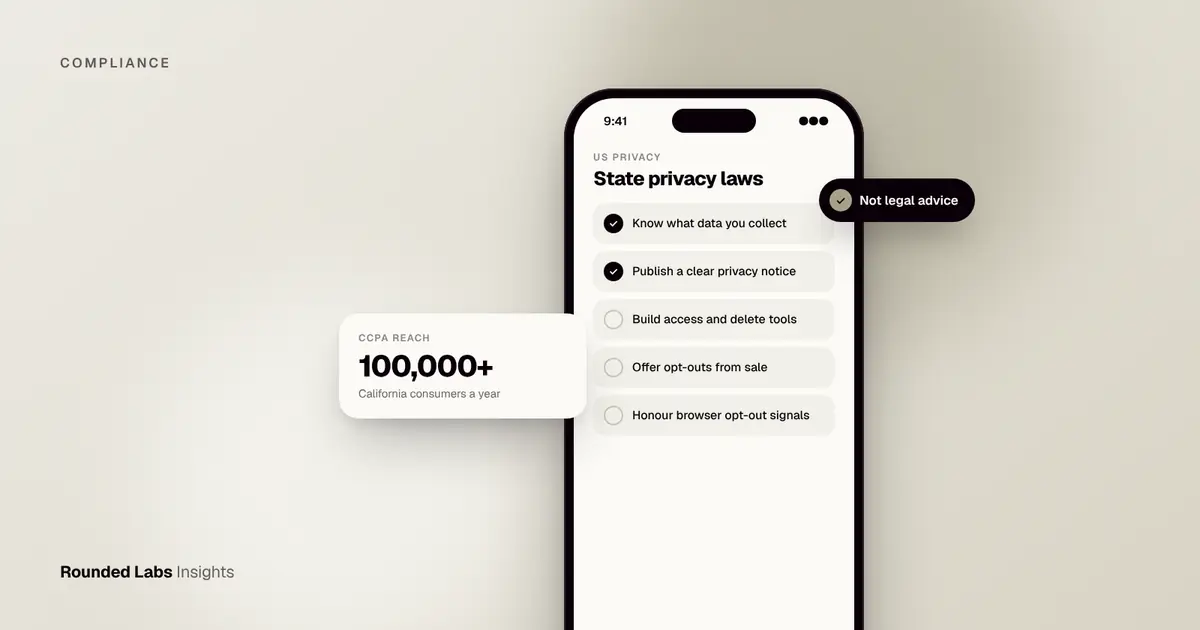
- US states. Several states have passed age-appropriate design or minor-safety laws; see US state privacy laws and your app: CCPA and the rest. Some of these laws have been challenged in court, so their status can change. The California Attorney General’s site at oag.ca.gov is a good place to check the California position.
- UK. The ICO’s Children’s Code sets 15 standards for online services likely to be used by under-18s, including high privacy defaults and limits on nudging. See the ICO website and our guide on UK GDPR for mobile apps.
- EU. GDPR sets a digital age of consent between 13 and 16 depending on the country, and the Digital Services Act adds duties for platforms used by minors. See How to build a GDPR-compliant app and the European Data Protection Board.
- Accessibility. Family and education apps should also consider accessibility; see ADA and WCAG for US apps.
If your app has users in several regions, build to the strictest rule that applies to you and adjust down where you can. For a wider view of how these overlap, app compliance in 2027 summarises what businesses most often get wrong.
How should you handle data retention and security?
The amended rule asks operators to have a written retention policy and a written information security programme, so both are now documents someone should be able to produce on request. Neither needs to be long. Both need to be true.
What should a retention policy say?
State, for each type of child data, why you hold it, how long you keep it and what triggers deletion. A simple table is enough:
| Data type | Purpose | Retention | Deletion trigger |
|---|---|---|---|
| Child nickname and avatar | Show the profile in the app | While the account is active | Parent deletes the profile or the account closes |
| Progress and scores | Resume where the child left off | While the account is active | Parent request or 12 months of inactivity |
| Support messages from the parent | Resolve a problem | Until resolved, plus a short period | Scheduled deletion |
| Crash logs without identifiers | Fix bugs | A short fixed period | Automatic expiry |
| Consent records | Show that consent was given | For as long as the law and your adviser require | End of the retention period |
The periods in this table are illustrative, not recommendations. Your adviser can tell you what suits your product. The important rules are that you do not keep data indefinitely “just in case”, and that your systems can actually delete it, including from backups on a sensible schedule and from any third party that received it.
What should a security programme cover?
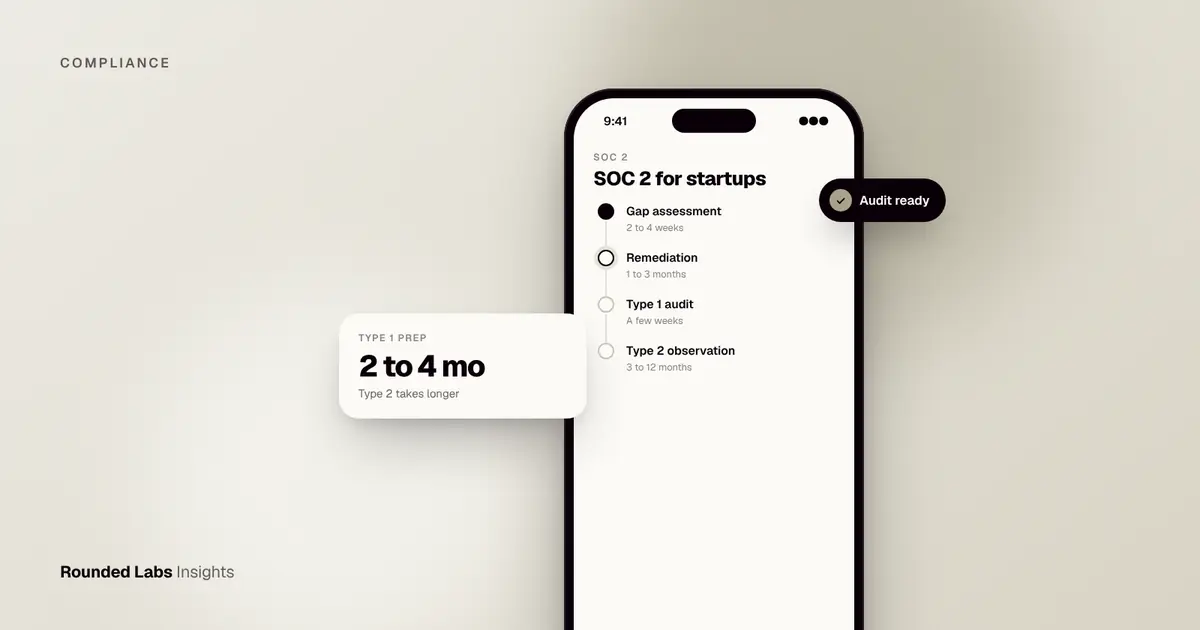
A written programme names the person responsible, assesses risks to children’s data, lists the safeguards you use and sets a schedule for review. Typical safeguards include encryption in transit and at rest, access limited to people who need it, multi-factor authentication for staff, logging of access to child data, vendor checks and an incident response plan. Our guide on mobile app security maps these to the main industry standard, and penetration testing for apps explains what an independent test finds. For product teams selling to schools or larger organisations, SOC 2 for startups shows how to show your controls to a buyer.
How do you choose and check a vendor?
Every vendor that touches child data becomes part of your compliance story. Before you add one, ask:
- What data does it collect from our app, and is any of it used for the vendor’s own purposes?
- Does it offer a mode or configuration for child-directed apps?
- Where does it store data, and for how long?
- Will it sign a data agreement that limits use to our instructions?
- Is it on the approved list for the Apple Kids category or Google Play Families?
- How do we remove a child’s data from the vendor’s systems on request?
Record the answers. If a vendor cannot answer in writing, do not put it in a child-facing screen.
What should the privacy notice and the parent notice say?
COPPA asks for two related but different documents. The privacy notice is the public policy, linked from the app store listing and from within the app. The direct notice goes to the parent before you collect anything from the child.
What goes in the direct notice to a parent?
The direct notice should explain, in plain language: that you want to collect personal information from the child, which items, why, how the parent can give or refuse consent, that refusing is possible, and how to review or delete the data later. It should link to the full privacy policy and name a contact. Keep it short enough to read on a phone. A parent who understands the notice gives better consent, and a clear notice also helps if the quality of consent is ever questioned.
What goes in the privacy policy?
For a children’s app the policy should list the operators that collect data, the types of information, how you use and disclose it, the rights of parents, how to contact you and how to delete data. Avoid generic wording copied from a general-audience policy. If your policy says “we may share data with advertising partners” and your app is for children, you have a mismatch that a regulator, a store reviewer or a journalist could point to.
How do you keep the notices accurate?
Tie the notices to the data map. Whenever you change the map, because you add a feature or SDK, update the notice in the same pull request or release. The simplest control is a release checklist item: “Has the data map changed? If yes, has the notice been reviewed?” Our app launch checklist is a good place to add it.
What mistakes do teams make most often?
| Mistake | Why it happens | The fix |
|---|---|---|
| Treating the app store age rating as a safe harbour | It looks official | Decide who the app is for, in writing |
| Adding an ad SDK “for later” | Revenue planning ahead of design | Leave it out until a lawyer approves |
| Collecting a birthday and a full name at sign-up | Habit from general apps | Ask the parent; give the child a nickname |
| Using one analytics project for the whole app | Convenience | Separate child-facing screens or use a child-safe configuration |
| Parent gate that a child can pass | Not tested | Test with adults and, with consent, with children |
| Deleting from the app database but not from vendors | Forgetting the processors | Map and test the full deletion path |
| Consent that cannot be proved | No logs | Keep records of who consented, when, how and to which version |
| Launching in the US, then adding the UK and EU later without a review | Growth plans | Review each region before it goes live |
How do you plan the build?
For most family apps the compliance features slot into the normal delivery plan if you place them early. A sensible order is:
- Discovery. Classify the audience, map the data and choose the consent method. This is a good use of a short fixed-price phase; see what happens in a discovery phase.
- Design. Draw the parent account, profile and gate flows before the main features, so the whole product is shaped around them.
- Build. Implement consent, the dashboard and deletion as core features, with logs and tests.
- Review. Test the whole flow, including edge cases such as a parent who refuses, a child who changes device and a parent who deletes the account.
- Launch. Submit with the store questionnaires completed to match the data map.
- Operate. Review SDK updates and rule changes on a schedule.
Doing the work in this order also keeps the budget predictable. We agree the scope and the fixed price before development, so there is no need to reopen the budget when a compliance item turns up late.
What happens if you get it wrong?
The FTC enforces COPPA. It can seek civil penalties of over $50,000 per violation, a figure that is adjusted for inflation each year, so check the current amount. It can also require deletion of data and of any models or algorithms built on the data, bans on certain practices and independent assessments over many years. State attorneys general can also enforce the rule in some circumstances. Beyond the penalties there are non-financial costs: removal from the app stores, loss of trust with parents and schools, and a difficult conversation with investors.
What triggers an investigation?
Common triggers include complaints from parents or advocacy groups, press stories, referrals from app store reviewers, and reviews of popular child-directed products. You do not have to be large to be noticed. A small app with a clear problem, such as an advertising SDK in a child-directed game, can be an easy case.
What should you do if you find a problem?
- Stop the data flow that causes the problem, for example by removing or disabling the SDK.
- Record what was collected, from whom and for how long.
- Delete data you should not have, unless a lawyer tells you to preserve it for a legal reason.
- Take legal advice on whether you need to notify anyone or seek consent retroactively.
- Fix the design and record the change.
What does COPPA compliance cost?
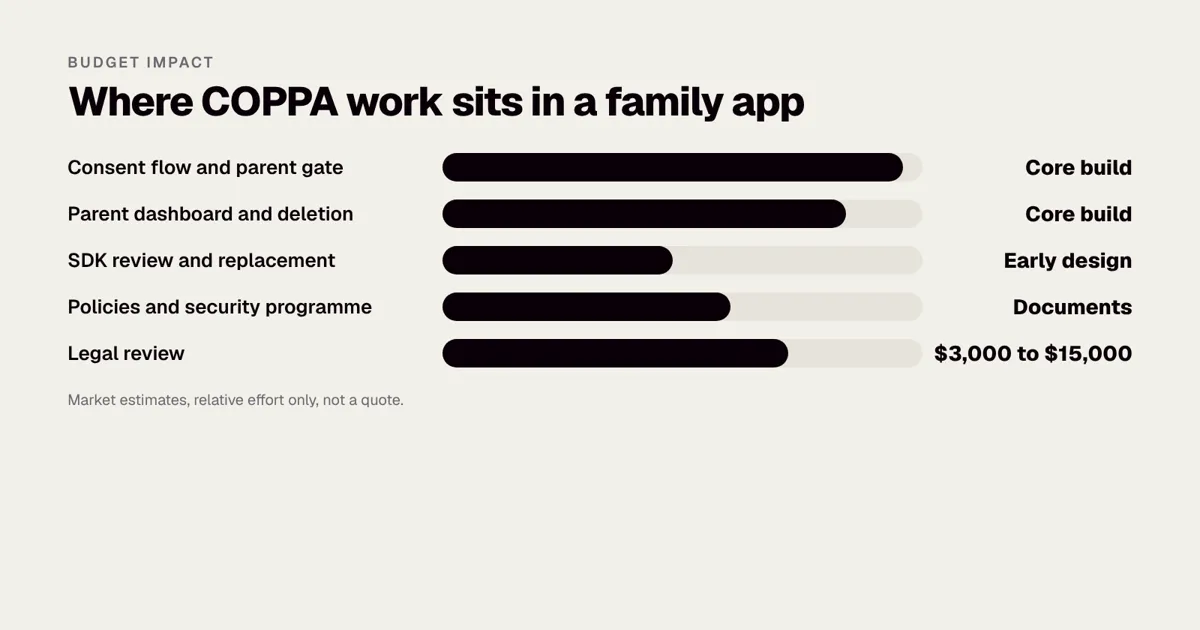
For a typical family app, expect the consent flow, parent dashboard and deletion tools to add roughly 8 to 15% to the build, plus legal review that, as a market estimate at the time of writing, often costs $3,000 to $15,000 depending on complexity and the firm. Our fixed-price quotes list these items separately; see our pricing page for how projects are priced. Our projects typically run from £30,000 to £250,000+, agreed before development starts.
| Cost item | Market estimate | Notes |
|---|---|---|
| Legal review of data flows and consent method | $3,000 to $15,000 | Depends on the firm and the complexity |
| Consent flow and parent dashboard | 8 to 15% of the build | Includes deletion and access tools |
| Privacy policy and notices | $1,000 to $4,000 | Often part of the legal review |
| Security programme documentation | $2,000 to $8,000 | Written programme required under the amended rule |
| Third-party consent or safe harbor programme | Varies | Optional; check the fees of each scheme |
| Annual review | $1,500 to $5,000 | Rules and SDKs change |
These are market estimates, not quotes, and will differ with your product and advisers. For wider context, see how much an app costs in the US and what an MVP costs. If you are not sure what your product needs, a Mobile Product Discovery Sprint costs £9,500 fixed and produces a scoped, costed plan, including the compliance work, before you commit to a build. A Tech Architecture Audit at £7,500 can check an existing app’s data flows and third-party tools.
How can you keep the cost down?
- Collect less, so there is less to protect and less to explain.
- Pick one consent method and implement it well, rather than several.
- Use platform features for payments and identity.
- Write the policies early, while the design is still flexible.
- Choose vendors who will sign data agreements and support children’s use.
How do you run a COPPA review before launch?
Use this checklist at the end of design and again before release.
| Step | Question | Evidence to keep |
|---|---|---|
| 1 | Is the app child-directed, mixed audience or general? | A written decision with reasons |
| 2 | What personal information does each feature collect? | A data map |
| 3 | Does every third party need to be there? | An SDK list with purpose |
| 4 | How is parental consent obtained and recorded? | Consent logs and screenshots |
| 5 | Can a parent see, export and delete data? | A test record |
| 6 | How long do we keep each type of data? | A retention schedule |
| 7 | How is data secured? | A written security programme |
| 8 | Do the notices match reality? | A diff between notice and data map |
| 9 | Do store rules pass? | Pre-submission checklist |
| 10 | Who is responsible when something changes? | A named owner |
Repeat the review whenever you add a feature or SDK. Our app analytics guide explains how to choose analytics with fewer privacy implications, and the education app guide looks at design in a related sector. For the US market in particular, education apps in the US covers features, rules and costs.
What do three realistic scenarios look like?
Scenario 1: A children’s drawing game with ads
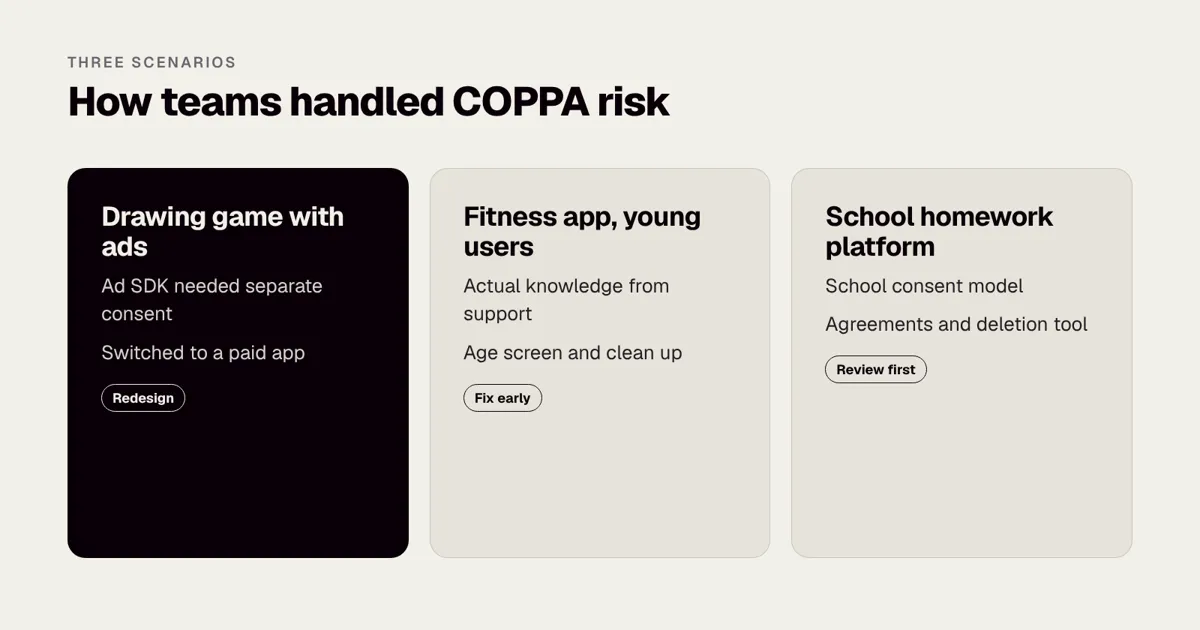
A small studio builds a drawing game for ages 4 to 8 funded by advertising. The first plan includes a standard ad network and an analytics SDK. The review shows both collect advertising identifiers, which would need separate parental consent and would breach store rules for the Kids category. The studio switches to a paid app with a one-off price, drops the ad network and uses privacy-friendly analytics for internal use only. Revenue per user is lower, but legal exposure and review friction drop sharply.
Scenario 2: A general-audience fitness app that gains young users
A fitness app aimed at adults finds, from support emails, that some users are 11 and 12. This may create actual knowledge. The company adds a neutral age screen, blocks under-13s from creating accounts unless a parent approves, deletes data it should not hold, and updates its policy. The cost is modest, and it avoids carrying an unknown risk.
Scenario 3: A school homework platform
A homework platform used in classrooms collects names and progress data. Schools can sometimes act on behalf of parents for educational purposes, but the conditions are narrow, and the platform must still limit use to the educational context and keep data secure. The company reads the FTC’s guidance, signs data agreements with schools, and builds a district-level dashboard for deletion requests. A lawyer reviews the school consent model before launch.
These are illustrative scenarios, not real clients, and they are not legal advice.
What should you do next?
- Decide whether your product is child-directed, mixed audience or general, and write down why.
- Draw a data map of every item you collect and every third party that receives it.
- Choose a parental consent method that matches your data and audience.
- Design the parent account, child profile and deletion tools before the main features.
- Review each SDK against both COPPA and the store rules.
- Get a lawyer to review the plan before you build, not just before you launch.
If you want help scoping the design and cost, book a call with a co-founder. We have delivered apps for large retail brands such as Superdry and Waterstones, and the same disciplined approach to data, accounts and release process applies when the audience is children.
Frequently asked questions
Does COPPA apply to apps outside the US?
Yes, if the app is directed at US children or knowingly collects data from them. A UK or EU studio building for the US market has to comply, and the FTC can pursue foreign operators in some circumstances. It is simpler to design for COPPA from the start than to argue about jurisdiction later.
What age does COPPA cover?
Children under 13. Teens 13 to 17 are not covered by COPPA, although state laws and store rules may apply to them. If your audience includes both, a neutral age screen helps you apply the right rules to each user.
Can a child log in with Apple or Google sign-in?
Not without parental consent if you collect their personal information. Use a parent account and child profiles instead. This keeps the identity and consent with an adult and gives you a clean place to record consent.
What is the penalty for breaking COPPA?
The FTC can seek civil penalties of over $50,000 per violation (a figure adjusted yearly for inflation), and can require data deletion and ongoing audits. Check the FTC site for the current figure, because it changes.
Do I need a lawyer?
For an app aimed at children, yes. A short legal review of your data flows and consent method is cheap compared with an FTC investigation. This guide is general information, not legal advice.
Does the app need parental consent for analytics?
If analytics use persistent identifiers only for internal operations, and you do not use them to profile or advertise, there may be an exception. If the analytics tool shares data with third parties for its own purposes, you may need separate consent or a different tool. Check the SDK’s documentation and take legal advice.
Can I rely on the app store's age rating?
No. An age rating is a content label, not a legal safe harbour. COPPA depends on who your app is directed at and what you know about your users, whatever rating the store shows.
Official sources and further reading
Talk it through with one of our co-founders. 30 minutes, no pressure.