Back

iOS App Development UK

Building an iOS app is about much more than creating an interface that looks good on an iPhone.

A successful iOS product needs a clear purpose, thoughtful UX, reliable software engineering, secure backend systems and a development approach that can support the product after launch. For businesses, the app may also need to connect to payments, e-commerce platforms, customer accounts, APIs, databases and existing business systems.

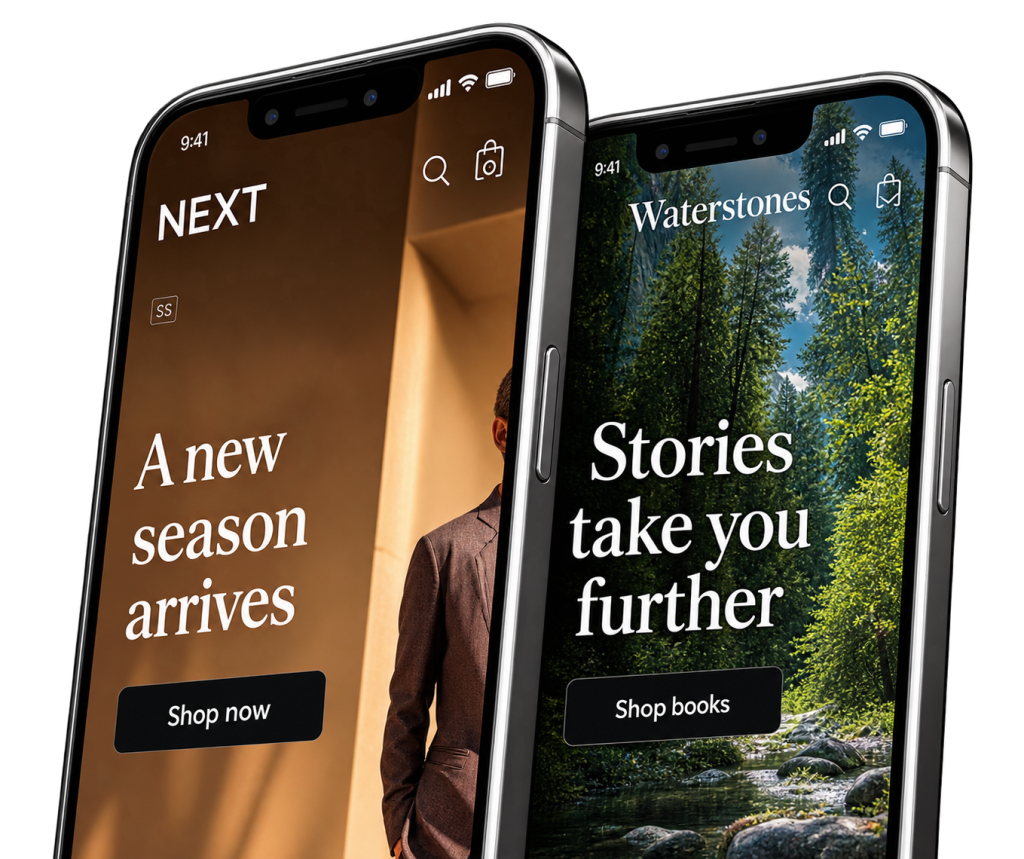
Rounded Labs is a UK-based digital product studio with extensive experience building iOS applications for startups, businesses and established brands. We have been developing mobile products since the early days of the iPhone, working on applications for companies including Next, HMV, Waterstones and others.

Whether you are starting with a new app idea, modernising an existing application or turning an established business into a mobile product, this guide explains what is involved in iOS app development in the UK, how the process works and what you should consider before choosing a development partner.

What Is iOS App Development?

iOS app development is the process of designing, building, testing and maintaining applications for Apple’s mobile platforms, primarily iPhone and iPad.

Modern iOS development can involve Apple’s Swift programming language, SwiftUI, UIKit, Xcode and a range of Apple’s frameworks and services.

Apple describes SwiftUI as its framework for building interfaces across Apple platforms using Swift. It can also work alongside UIKit, allowing development teams to introduce newer interfaces into existing applications incrementally.

The technology is only one part of the process, however.

A commercial iOS application may also require:

  • Product strategy
  • UX and UI design
  • User accounts
  • Secure authentication
  • Backend development
  • APIs
  • Databases
  • Payments
  • Push notifications
  • Analytics
  • Third-party integrations
  • Cloud infrastructure
  • Testing
  • App Store submission
  • Ongoing maintenance

This is why choosing an iOS app development company should involve looking at its wider product development capabilities rather than simply asking whether it can write an iPhone app.

iOS App Development Company UK

A good iOS app development company should be able to take an application from an initial idea through to a working product and continued development after launch.

The exact process varies between development teams, but a typical project may include:

  1. Understanding the business and product
  2. Defining the initial scope
  3. Planning the user experience
  4. Designing the interface
  5. Building the iOS application
  6. Developing the backend and APIs
  7. Connecting third-party services
  8. Testing across supported devices
  9. Preparing the App Store submission
  10. Launching the application
  11. Monitoring and improving the product

At Rounded Labs, we approach mobile applications as part of the wider digital product rather than treating the app as an isolated piece of software.

That distinction becomes particularly important when an app needs to connect to an existing website, e-commerce platform, database or business system.

Our mobile app development services cover mobile applications alongside web applications, backend APIs, SaaS products, AI and other digital systems.

What Types of iOS Apps Can You Build?

iOS applications can be built for almost any type of business or digital product.

The important question is not simply whether an app can be built. It is what the app needs to achieve for the business and its users.

Business Apps

Businesses can use iOS applications to give employees, customers or partners access to information and services from their phones and tablets.

Examples include:

  • Employee applications
  • Customer account apps
  • Sales tools
  • Field service applications
  • Internal workflow apps
  • Booking systems
  • Communication platforms
  • Business dashboards

An internal business app might connect to an existing CRM, ERP or database, allowing employees to access and update information without relying on a desktop system.

E-commerce Apps

An iOS application can provide a dedicated shopping experience for an existing retailer or e-commerce business.

Features might include:

  • Product catalogues
  • Search
  • Customer accounts
  • Shopping baskets
  • Checkout
  • Payments
  • Order tracking
  • Store locations
  • Loyalty programmes
  • Push notifications
  • Personalised offers

Rounded Labs has extensive experience in this area.

For example, we developed the Next iPhone app, which included a product catalogue, checkout, store finder and custom CMS. The application was subsequently extended across additional platforms and was used by millions of users.

We also developed HMV’s first mobile app, allowing customers to browse products, find stores and make purchases.

Fintech and Financial Apps

iOS is also widely used for financial products where security, usability and reliability are particularly important.

Examples include:

  • Mobile banking
  • Investment platforms
  • Trading applications
  • Payment applications
  • Personal finance apps
  • Insurance applications
  • Financial dashboards

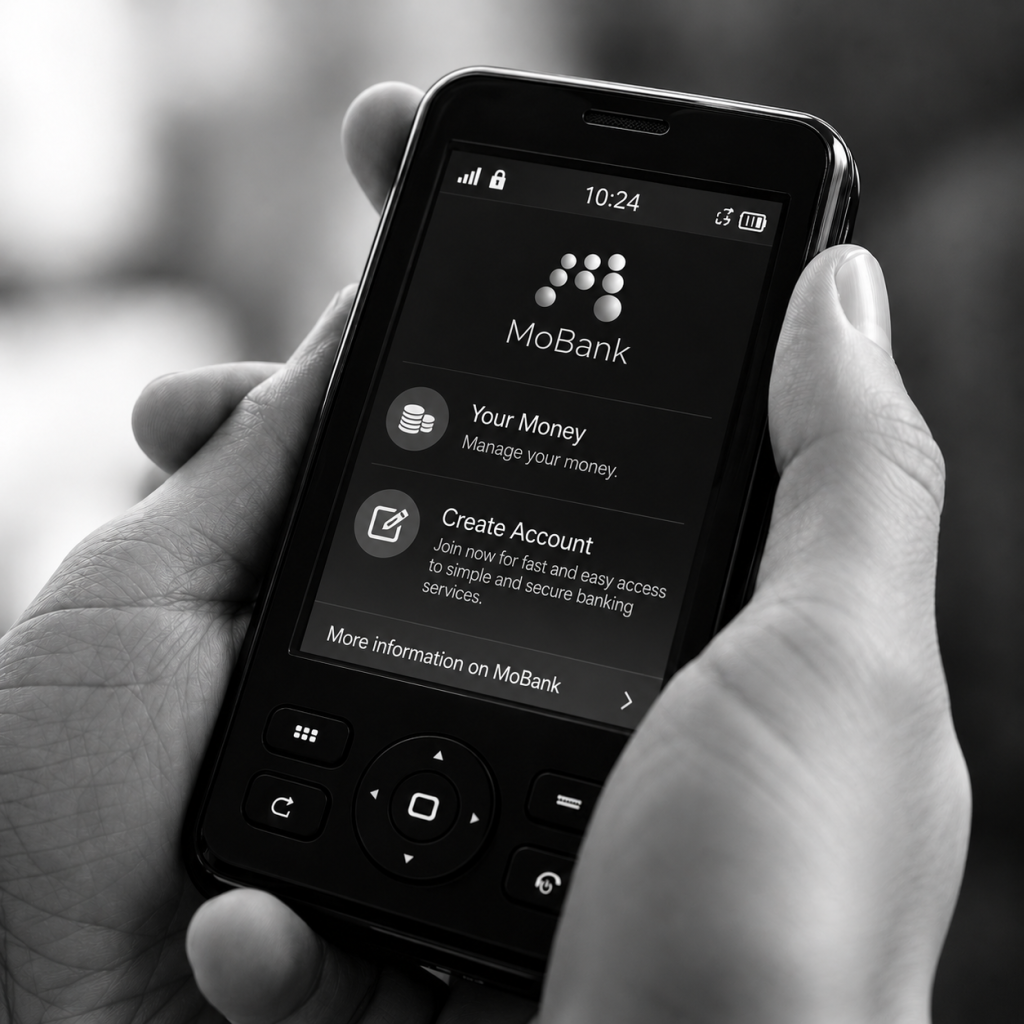
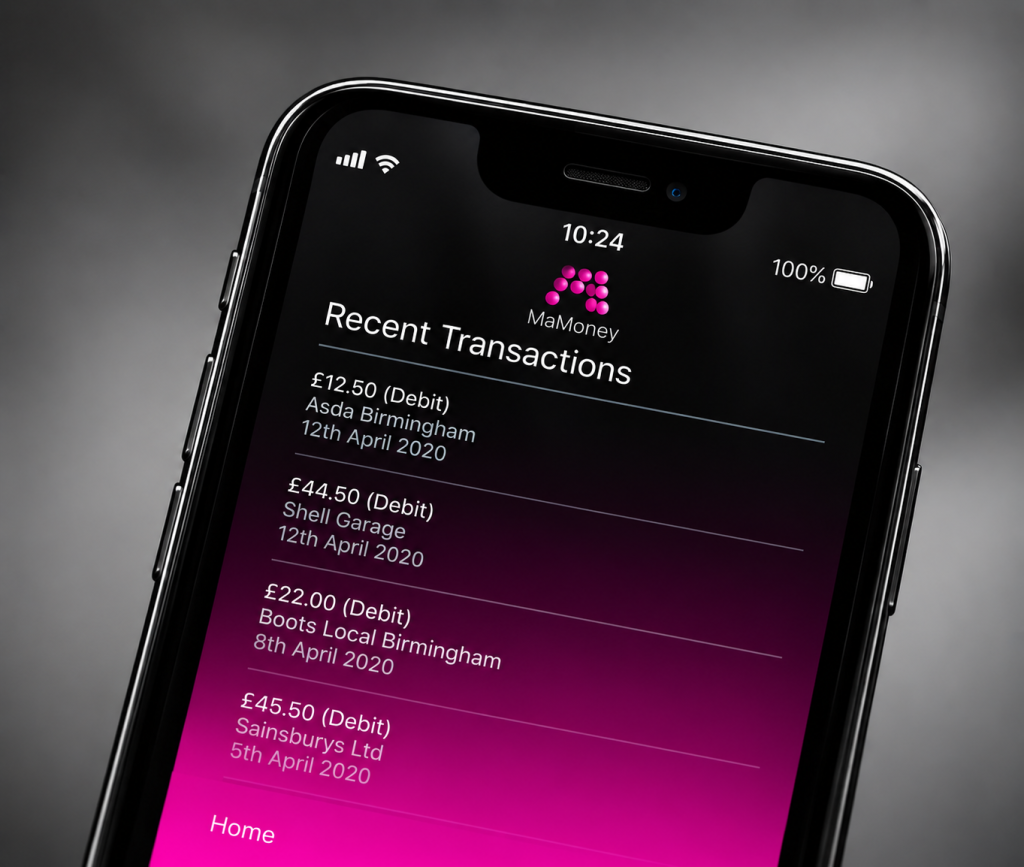
Rounded Labs has experience in this area through projects including MoBank, which involved secure mobile banking functionality and backend systems.

For financial products, development needs to consider more than the mobile interface. Authentication, data security, backend architecture, integrations and reliability all need to be considered as part of the overall system.

SaaS and Subscription Products

A SaaS business can use an iOS application to extend its existing web platform to mobile users.

The application might allow customers to:

  • Access their account
  • Manage subscriptions
  • View information
  • Complete tasks
  • Receive notifications
  • Communicate with other users
  • Access premium functionality
  • Manage business operations

The iOS application can share data and business logic with the existing SaaS backend rather than requiring the entire product to be rebuilt from scratch.

Marketplace Apps

Marketplace businesses often need several interconnected components.

An iOS marketplace could include:

  • Buyer accounts
  • Seller accounts
  • Product listings
  • Search
  • Messaging
  • Payments
  • Reviews
  • Notifications
  • Order management
  • Admin tools

In these cases, the mobile application is only one part of the technology platform.

The backend needs to manage users, listings, transactions and business rules while the iOS application provides the customer-facing experience.

iPhone App Development

iPhone remains one of the most important platforms for businesses considering mobile applications.

Developing specifically for iPhone allows a product team to design around Apple’s hardware, operating system and established interaction patterns.

This can provide a consistent experience across supported iPhone devices while allowing developers to use Apple’s native technologies and services.

A well-designed iPhone application should feel like it belongs on the platform rather than simply being a website placed inside an app.

Apple’s App Review Guidelines specifically state that apps should provide useful functionality and should go beyond simply repackaging a website.

That is an important consideration when planning an iOS product.

If the proposed application does not provide a meaningful mobile experience, it may be worth reconsidering whether a native app is actually the right solution.

iPad App Development

Some businesses need their iOS application to work across both iPhone and iPad.

This can be particularly useful for:

  • Business applications
  • Retail
  • Point-of-sale systems
  • Education
  • Healthcare
  • Field services
  • Creative applications
  • Productivity software
  • Enterprise applications

An iPad application does not necessarily need to be an enlarged version of an iPhone interface.

The larger screen can support different layouts, additional information and more sophisticated workflows.

The right approach depends on how customers or employees will actually use the application.

Native iOS App Development

Native iOS development means building an application specifically for Apple’s platforms using Apple’s development technologies.

Native development can provide close integration with the operating system and Apple hardware, which can be important when an application needs platform-specific functionality.

Apple’s development ecosystem includes technologies such as SwiftUI and UIKit. SwiftUI provides a modern declarative approach to building interfaces, while UIKit remains an important framework for iOS application development and can work alongside SwiftUI.

The decision to use native development should be based on the requirements of the product.

For some applications, native development may provide the level of platform-specific control required. For others, cross-platform development may be a better fit.

Why Do Businesses Choose iOS App Development?

There are several reasons a business might choose to develop an iOS application.

A large and established ecosystem

Apple has a mature ecosystem spanning iPhone, iPad and other devices, with established tools for development, testing and distribution.

Strong platform integration

Native iOS applications can take advantage of Apple’s platform technologies and device capabilities.

Depending on the product, this can include functionality such as notifications, location, cameras, biometrics, Apple Pay and other device services.

Consistent user experience

Apple provides established design patterns and platform conventions that can help create a familiar experience for users.

Apple’s Human Interface Guidelines provide official guidance for designing applications that integrate with Apple platforms.

Commercial opportunities

For businesses selling products or digital services, an iOS application can provide another channel for customer engagement, transactions and recurring usage.

However, building an app simply because competitors have one is rarely a good enough reason.

The strongest mobile products solve a clear customer or business problem.

Do You Need an iOS App?

Not every business needs a native iOS application.

Before starting development, consider what users actually need to do and whether an app provides meaningful advantages over a mobile website.

An iOS application can make sense when users need frequent access, personalised experiences, device functionality, notifications, offline functionality or deeper integration with the device.

If customers only need to visit your website occasionally to read information, a responsive website may be more appropriate.

The decision should therefore start with the problem you’re trying to solve rather than the technology you want to use.

Rounded Labs and iOS App Development

Rounded Labs has been developing iOS applications since the early years of Apple’s mobile platform.

Our work includes some of the UK’s best-known retail and consumer brands.

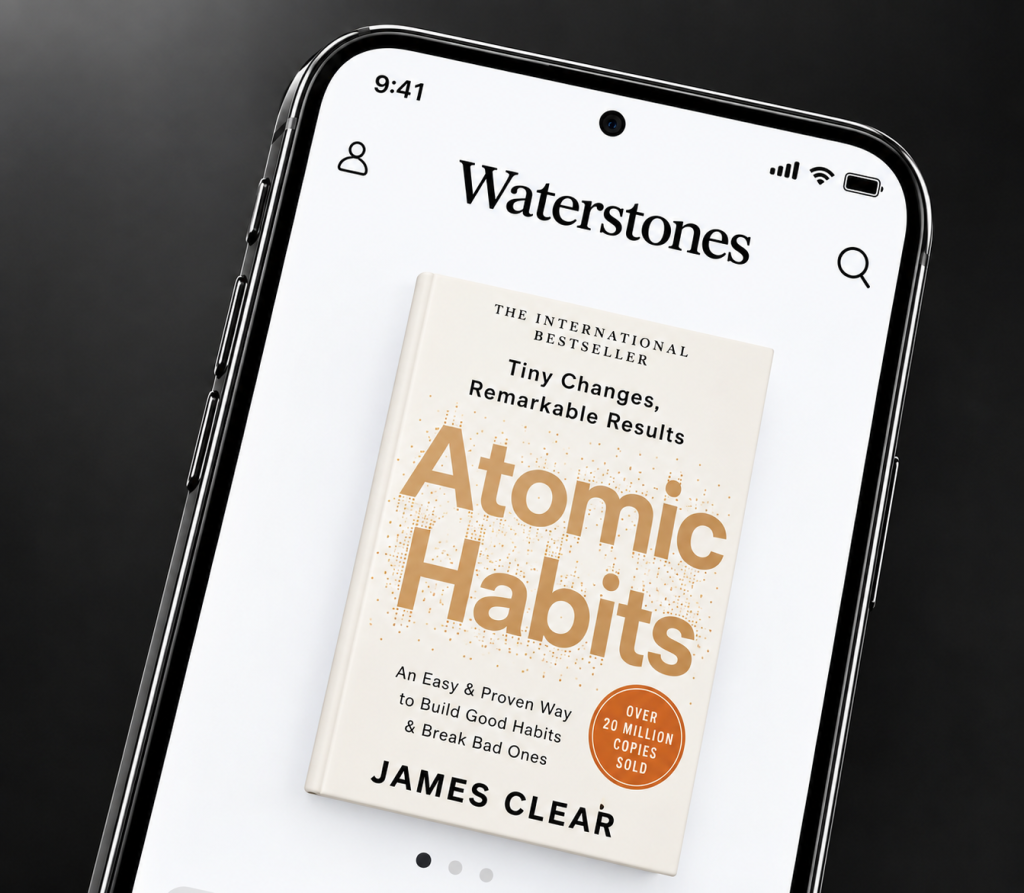
For Waterstones, we developed an iOS app, mobile website and API within a 12-week initial development period. The project began with complete end-to-end mockups and an interactive prototype so the team could validate the experience before development began.

For HMV, we developed its first mobile application, combining a native iPhone application with a mobile-optimised website. The application allowed customers to browse the catalogue, find nearby stores and make purchases.

For Next, we developed an iPhone application with product browsing, checkout, store finding and a custom CMS, alongside a scalable backend architecture designed to support future platform expansion. The application was subsequently extended to iPad, Android and Windows 8 and was used by millions of users.

That experience is useful because successful iOS development is not only about writing the application. It involves understanding the product, designing the experience, building the supporting technology and continuing to evolve the product after launch.

If you are considering an iOS application, you can also explore our previous mobile app development work and case studies to see how we’ve approached different types of digital products.

Start With the Product, Not the Code

The strongest iOS projects usually begin by defining the product before development starts.

Before choosing a technology or requesting a quote, you should be able to answer questions such as:

  • Who is the application for?
  • What problem does it solve?
  • What will users do inside it?
  • Why would they use an app rather than a website?
  • What features are essential for the first release?
  • Does it need an account system?
  • Does it need payments?
  • Does it need a backend?
  • Does it need to connect to existing software?
  • Will an Android version be required later?

Answering these questions early can prevent unnecessary features from being included in the first version and gives the development team a much clearer basis for estimating the project.

If you’re still defining the first version of your product, our guide to how much an MVP costs in the UK can help put the scope and budget into context.

How Much Does iOS App Development Cost in the UK?

The cost of developing an iOS app in the UK can vary significantly depending on what you are building.

A simple application with a relatively small number of screens and limited backend functionality will cost considerably less than a complex financial, e-commerce or enterprise application.

As a general benchmark, a simple app or MVP may start around £15,000 to £30,000, while a medium-complexity application can fall around £30,000 to £70,000. More complex applications can cost £70,000 to £150,000 or more, while large enterprise products can require significantly larger budgets.

These figures are indicative rather than fixed prices. The actual cost depends on the scope and technical requirements of the project.

Our UK mobile app development cost guide provides a more detailed breakdown of typical development costs and the factors that influence them.

What affects the cost of an iOS app?

Several factors can have a major impact on the development budget.

Number and complexity of features

An app with five straightforward screens will generally require less development than one involving complex workflows, real-time data, payments, messaging or other advanced functionality.

Backend development

If the application needs accounts, databases, content management, payments, analytics or business logic, a backend system may need to be developed alongside the iOS application.

Integrations

Connecting an app to existing systems can require additional development.

Examples include:

  • CRM systems
  • ERP systems
  • E-commerce platforms
  • Payment providers
  • Booking systems
  • Inventory systems
  • Customer databases
  • Third-party APIs

Design and UX

A professional application requires more than simply designing individual screens.

User journeys, navigation, interaction patterns, accessibility and responsive layouts all need to be considered.

Security

Applications handling financial, personal or commercially sensitive information require additional attention to authentication, data handling, permissions and infrastructure.

The Information Commissioner’s Office recommends incorporating data protection principles into systems and services from the design stage, rather than treating privacy as something added at the end of development.

Testing

An application needs to be tested across the devices, operating system versions and scenarios relevant to its users.

Testing can include functional testing, performance testing, usability testing, security testing and regression testing.

How Long Does It Take to Build an iOS App?

There is no fixed development timeline for an iOS application.

A relatively focused MVP may take a few months, while a more sophisticated commercial application can take six months or longer.

A typical project may include:

Project stageTypical activities
DiscoveryRequirements, users, product goals and technical planning
UX/UIUser journeys, wireframes, interface design and prototypes
DevelopmentiOS application and supporting backend
IntegrationAPIs, payments and third-party services
TestingFunctional, device, performance and security testing
LaunchApp Store preparation and submission
Post-launchMonitoring, maintenance and improvements

The development timeline depends heavily on the scope.

For example, building a product catalogue and checkout is a very different project from building a financial application with secure authentication, transactions, real-time information and multiple third-party integrations.

This is why a development company should ideally provide a proposed timeline based on your actual requirements rather than promising a generic number of weeks.

The iOS App Development Process

A structured development process helps reduce uncertainty and gives the project team a clear path from the original idea to the finished application.

1. Understand the product

The first step is understanding what the application needs to achieve.

This means looking at:

  • The target users
  • The business problem
  • Existing products
  • Competitors
  • User journeys
  • Required functionality
  • Technical constraints
  • Commercial objectives

The aim is to establish what needs to be built before development begins.

2. Define the first version

It is rarely necessary to build every possible feature in the first release.

A better approach is often to identify the core functionality required to make the product useful and validate the idea with real users.

This is particularly important for startups.

Our MVP development cost guide explains how scope, functionality and development requirements can influence the cost of an initial product.

3. UX and UI design

Once the product requirements are clear, the team can design the user experience.

This can involve:

  • User flows
  • Wireframes
  • Navigation
  • Interface design
  • Prototypes
  • Interaction design
  • Design systems

For a new product, an interactive prototype can be particularly useful because it allows stakeholders to review the experience before significant development work begins.

This was part of our approach for Waterstones, where end-to-end mockups and an interactive prototype were developed before coding began.

4. iOS development

The development team then begins building the application.

Modern iOS development commonly uses Swift alongside Apple’s frameworks and development tools.

The exact architecture depends on the product requirements, but good development should consider maintainability and future expansion from the beginning.

5. Backend and API development

Many iOS applications require a backend.

The backend can handle functions such as:

  • User accounts
  • Authentication
  • Data storage
  • Payments
  • Orders
  • Content
  • Notifications
  • Business logic
  • Analytics
  • Administration

The iOS application communicates with these services through APIs.

For a commercial product, the quality of this underlying infrastructure can be just as important as the application interface itself.

Rounded Labs has extensive experience developing backend systems alongside mobile applications. For example, our work on Next included a scalable backend supporting the mobile commerce experience.

6. Testing

Testing should happen throughout development rather than being left entirely until the end.

Developers need to verify that the application works correctly across supported devices and operating system versions.

Testing can cover:

  • Functionality
  • Navigation
  • Performance
  • Device compatibility
  • Network conditions
  • Authentication
  • Payments
  • Notifications
  • Security
  • Accessibility

Apple’s App Review Guidelines also set requirements that applications need to meet before they can be distributed through the App Store.

7. App Store submission

Once the application is ready, it needs to be prepared for Apple’s App Store review process.

This includes preparing the application metadata, screenshots, description, privacy information and other required information.

Apple reviews applications against its App Review Guidelines, covering areas including safety, performance, business, design and legal requirements.

The development team should understand these requirements before launch rather than discovering them after the application has been completed.

8. Launch and ongoing development

Launching the app isn’t necessarily the end of the project.

After release, you can collect information about:

  • Downloads
  • User behaviour
  • Crashes
  • Reviews
  • Feature usage
  • Conversion
  • Retention

That information can help determine what should be improved or added in subsequent releases.

Swift and SwiftUI for iOS Development

Swift is Apple’s modern programming language for developing applications across its platforms.

Apple introduced Swift as a language designed for performance, safety and modern software development. It is now widely used for iOS development.

SwiftUI is Apple’s framework for creating user interfaces using Swift.

Apple describes SwiftUI as a declarative framework that allows developers to build interfaces across Apple platforms. It can also be used alongside UIKit, which remains an important part of Apple’s development ecosystem. (Apple Developer)

The choice of technologies should ultimately follow the requirements of the application.

A development team should be able to explain why a particular architecture and technology stack is appropriate rather than simply choosing a framework because it is currently popular.

Native iOS vs Cross-Platform Development

One of the first technical decisions for a mobile project is whether to build natively for iOS or use a cross-platform framework.

Native iOS development

Native development means creating the application specifically for Apple’s platform using Apple’s development technologies.

Advantages can include:

  • Strong platform integration
  • Access to Apple’s latest APIs
  • Platform-specific functionality
  • Fine-grained control
  • Native user experience

Native development can be particularly appropriate where the application depends heavily on iOS-specific functionality.

Cross-platform development

Cross-platform frameworks allow a development team to share some code between iOS and Android.

Potential advantages include:

  • Shared development effort
  • Faster development for some projects
  • More consistent behaviour across platforms
  • Potentially lower development costs

However, cross-platform development is not automatically the best option.

The right approach depends on the application’s requirements, the platforms being targeted, the expected lifespan of the product and the functionality required.

If you expect to build an Android version later, it is worth discussing the platform strategy before development begins.

Should You Build an iOS App or an Android App First?

There is no universal answer.

Your target audience should be one of the first considerations.

If your customers are predominantly iPhone users, launching iOS first may make sense. If your target market is heavily Android-based, the opposite could be true.

You should also consider:

  • Target demographics
  • Geographic market
  • Device usage
  • Product requirements
  • Development budget
  • Revenue model
  • Required device functionality
  • Future platform plans

For a product intended for both platforms, the development team can help determine whether native or cross-platform development makes the most sense.

The decision should be based on the users and product rather than simply choosing whichever platform the development team prefers.

iOS App Backend Development

The mobile application is often only one component of a larger technology platform.

For example, an e-commerce iOS app may need to communicate with systems responsible for:

  • Product information
  • Stock
  • Customer accounts
  • Orders
  • Payments
  • Delivery
  • Promotions
  • Analytics

Similarly, a financial application may require secure authentication, transaction processing, account information and integrations with financial systems.

This is why backend development should be considered during the initial planning stage.

A poorly designed backend can create performance, security and scalability problems later, even if the iOS application itself looks excellent.

Rounded Labs has experience building the backend infrastructure supporting mobile products, including APIs used for high-volume commerce.

Integrating an iOS App With Existing Business Systems

You don’t necessarily need to build everything from scratch.

If your business already has a website, e-commerce platform, CRM, ERP, database or other software, an iOS application may be able to connect to those systems.

For example, a retailer could potentially connect its new iOS application to its existing:

  • Product catalogue
  • Customer accounts
  • Inventory
  • Order system
  • Payment infrastructure
  • Loyalty programme

This can make the app part of the existing business rather than creating another disconnected system.

Before development begins, your development partner should review the existing technology and determine what can be reused and what needs to be changed.

How to Choose an iOS App Development Company in the UK

Choosing a development partner is one of the most important decisions you’ll make.

Don’t compare companies purely on their hourly rate or headline project price.

Instead, consider:

Relevant experience

Ask whether they have built applications similar to yours.

Technical capability

Can they handle the backend, APIs, integrations and infrastructure as well as the iOS application?

Design capability

Can they demonstrate a thoughtful UX process rather than simply showing finished screens?

Development approach

Understand how they manage scope, milestones, testing and changes.

Source code ownership

Your agreement should clearly establish who owns the intellectual property and source code.

Post-launch support

Find out what happens after the application goes live.

Portfolio

Look at actual projects and determine whether the company has experience solving problems similar to yours.

A development company’s portfolio can tell you considerably more than a generic list of technologies.

What Should You Ask an iOS App Developer?

Before signing a contract, consider asking:

  • Have you built an app similar to ours?
  • Will you develop the backend as well?
  • Which technologies do you recommend and why?
  • Should we build natively or cross-platform?
  • How will you handle API integrations?
  • Who owns the source code?
  • How will testing be handled?
  • What happens if the app is rejected by Apple?
  • What support is available after launch?
  • How will future iOS updates be handled?
  • How will changes to scope affect the cost?
  • Can you work with our existing systems?

The answers should give you a much clearer picture of what you are actually buying.

Why Choose a UK iOS App Development Company?

Working with a UK development company can offer practical advantages for UK businesses.

These can include:

  • Similar working hours
  • Easier communication
  • Face-to-face meetings
  • Understanding of the UK market
  • Familiarity with UK business requirements
  • Easier collaboration with internal UK teams

However, location shouldn’t be the only deciding factor.

The development team’s experience, technical capability, communication and understanding of your product are ultimately more important than its postcode.

Rounded Labs is based in Birmingham and works with businesses across the UK. You can learn more about the company and its history on our About Us page.

iOS App Testing and Quality Assurance

Testing is one of the most important stages of iOS app development.

An application can work perfectly on the developer’s device and still encounter problems on other devices, operating system versions or network conditions.

A professional testing process should therefore cover the situations that real users are likely to encounter.

Functional testing

Functional testing checks whether the application’s features work as intended.

This can include:

  • Registration
  • Login
  • Password recovery
  • Navigation
  • Search
  • Forms
  • Payments
  • Checkout
  • Account management
  • Notifications
  • Data synchronisation

Device testing

iOS users don’t all have the same device.

An application may need to work across different iPhone models and, where relevant, iPad devices.

The development team should establish which devices and operating system versions need to be supported before development begins.

Performance testing

Performance testing looks at how the application behaves under different conditions.

This can include:

  • Slow internet connections
  • Large amounts of data
  • High numbers of users
  • Background activity
  • Large images or media
  • Heavy API usage

For applications expected to serve a large customer base, the supporting backend infrastructure needs to be tested as well.

Security testing

Security should be considered throughout development rather than treated as a final checklist.

Applications handling personal information, payments or financial data require particularly careful consideration of authentication, authorisation, data storage and communications.

The Information Commissioner’s Office recommends data protection by design and by default under UK data protection law.

For a UK business handling personal information, privacy and data protection should therefore be considered when the product architecture is being designed.

iOS App Security

Security requirements depend on what the application does and what information it handles.

A basic information application may have relatively straightforward requirements, while a banking, healthcare or financial application may need considerably more sophisticated security controls.

Areas that may need to be considered include:

  • Secure authentication
  • Password handling
  • Biometric authentication
  • Access permissions
  • Encryption
  • Secure API communication
  • Session management
  • Data storage
  • Account recovery
  • Fraud prevention
  • Monitoring and logging

The mobile application should also be considered together with the backend.

There is little value in securing the interface if the API or backend infrastructure exposes sensitive information.

This is another reason why choosing a development partner with experience across both mobile applications and backend systems can be important.

Accessibility in iOS App Development

Accessibility should be considered from the beginning of an app project.

An accessible application can make the product easier to use for people with different visual, hearing, motor and cognitive needs.

Apple provides accessibility technologies and guidance for developers, including support for features such as VoiceOver, Dynamic Type and larger text.

The Apple Human Interface Guidelines provide guidance for designing accessible experiences across Apple’s platforms.

Accessibility can involve considerations such as:

  • Text size
  • Colour contrast
  • Touch target sizes
  • Screen reader support
  • Clear navigation
  • Labels for controls
  • Alternative descriptions
  • Motion
  • Forms and error messages

For UK businesses, the exact legal requirements will depend on the nature of the organisation and the service being provided. Public sector organisations, for example, have specific accessibility obligations under UK law and guidance published by GOV.UK.

It is therefore important not to treat accessibility as simply a design preference.

iOS App Store Submission

Getting an application onto the App Store requires more than uploading the finished build.

Apple reviews applications against its App Review Guidelines.

The review process considers areas including safety, performance, business practices, design and legal requirements.

Before submitting an application, the development team should make sure the product has:

  • A production-ready build
  • Accurate app information
  • Appropriate screenshots
  • App Store description
  • Privacy information
  • Appropriate permissions
  • Working functionality
  • Required account information
  • Suitable test credentials where necessary

Applications that require users to log in can require additional consideration during the review process because Apple needs to be able to evaluate the functionality.

What happens if Apple rejects your app?

An App Store rejection doesn’t necessarily mean the project has failed.

Apple provides developers with information about the reason for a rejection, allowing the relevant issue to be addressed before resubmission.

This is why it is useful to involve someone familiar with Apple’s guidelines before the application reaches the submission stage.

A development company should also be able to explain how it handles App Store review feedback and any changes required before launch.

iOS App Maintenance and Updates

An iOS application needs ongoing maintenance after launch.

Apple regularly releases new versions of its operating systems, and the wider technology ecosystem continues to evolve.

Your application may therefore need updates to:

  • Maintain compatibility
  • Fix bugs
  • Improve performance
  • Address security issues
  • Support new devices
  • Update third-party integrations
  • Improve existing features
  • Add new functionality

Maintenance can also be driven by user feedback.

App Store reviews, support requests and analytics can reveal problems that weren’t obvious before launch.

For a commercial application, it can be useful to think about development as an ongoing product cycle rather than a one-off project.

How Much Does It Cost to Maintain an iOS App?

Ongoing costs vary depending on the application.

A simple application may require relatively little maintenance, while a complex app with a large backend, third-party integrations and a substantial user base can require ongoing engineering work.

Potential ongoing costs include:

  • Bug fixing
  • Operating system updates
  • Server infrastructure
  • Security updates
  • API changes
  • Third-party service changes
  • App Store management
  • New features
  • Performance improvements
  • Technical monitoring

When requesting an initial development proposal, ask the development company what ongoing support options are available and what is included in the initial project.

iOS App Development Cost by Complexity

The easiest way to think about iOS development costs is by looking at the complexity of the product rather than simply counting the number of screens.

Simple iOS app

A relatively straightforward app might include:

  • A small number of screens
  • Basic content
  • Simple forms
  • Limited backend functionality
  • No complex integrations

Indicative budget: £15,000 to £30,000

Medium-complexity iOS app

A more sophisticated application could include:

  • User accounts
  • Backend systems
  • APIs
  • Payments
  • Notifications
  • More advanced UX
  • Third-party integrations

Indicative budget: £30,000 to £70,000

Complex iOS app

A complex commercial product could involve:

  • Multiple user types
  • Real-time functionality
  • Advanced backend systems
  • Financial transactions
  • Complex integrations
  • Large amounts of data
  • Sophisticated administration tools

Indicative budget: £70,000 to £150,000+

Enterprise iOS application

Enterprise projects can go significantly beyond these figures.

They may involve:

  • Multiple applications
  • Complex business systems
  • Enterprise authentication
  • Existing infrastructure
  • Advanced security
  • Large-scale integrations
  • Multiple development teams

The budget can therefore be considerably higher than a conventional consumer application.

These figures are indicative UK development benchmarks. For a detailed breakdown, see our mobile app development cost guide.

How to Reduce the Cost of iOS App Development

Reducing the cost of an app doesn’t necessarily mean finding the cheapest developer.

A better approach is to reduce unnecessary complexity.

Start with a focused MVP

Build the features necessary to test the core proposition first.

Additional functionality can be introduced once there is evidence that users want it.

Reuse existing systems

If your business already has APIs, databases, customer accounts or e-commerce infrastructure, investigate whether those systems can be integrated rather than rebuilt.

Define the scope before development

Unclear requirements can lead to changes during development, which can increase both cost and timeline.

Design before coding

Creating UX flows and prototypes before development can identify problems earlier.

The cost of changing a prototype is usually lower than changing a fully developed application.

Choose technology based on the product

Don’t select native or cross-platform development simply because one approach is currently popular.

The technology should support the product requirements and long-term strategy.

Should You Build an iOS App in the UK or Outsource Overseas?

UK businesses have access to development companies across the world.

Overseas development can sometimes offer lower hourly rates, but the headline development rate isn’t the same as the total cost of delivering a successful product.

You should also consider:

  • Communication
  • Time zones
  • Project management
  • Technical oversight
  • Quality assurance
  • Intellectual property
  • Security
  • Support
  • Long-term maintenance

A UK development partner may provide easier communication and closer collaboration, particularly where the project requires regular interaction with business stakeholders.

That doesn’t mean overseas development is inherently unsuitable. The important thing is to evaluate the complete development relationship rather than comparing hourly rates alone.

How to Estimate Your iOS App Development Budget

Before requesting quotes, create a basic project brief.

It should explain:

The problem: What problem does the application solve?

The users: Who will use it?

The core functionality: What must users be able to do?

The platforms: Is the application iPhone only, or will you need iPad and Android as well?

The backend: Does the application need accounts, data storage, payments or other server-side functionality?

The integrations: Does it need to connect to existing business systems?

The launch: Do you need assistance with App Store submission?

The future: What features might be required later?

The more clearly you can describe these requirements, the easier it becomes for a development company to provide a meaningful estimate.

If you’re still at the idea stage, our mobile app development services can provide an overview of the types of products and systems we develop.

Why Choose Rounded Labs for iOS App Development?

Rounded Labs has been developing mobile applications in the UK since 2007.

Our experience includes some of the UK’s best-known retail and financial brands, as well as startups and businesses developing new digital products.

We’ve worked on iOS applications for companies including:

Our work has included e-commerce, product catalogues, mobile purchasing, customer accounts, store finding, loyalty functionality and other complex mobile experiences.

We have also worked on financial technology through MoBank, developing secure mobile banking functionality alongside the backend infrastructure required to support the product.

That experience allows us to look beyond the application itself.

For many businesses, the mobile application is simply the customer-facing part of a much larger system.

The product may also require a backend, APIs, databases, web applications, e-commerce infrastructure or integrations.

Rounded Labs can work across those areas as part of the same digital product.

You can learn more about our team and history on our About Us page.

iOS App Development FAQs

How much does it cost to develop an iOS app in the UK?

A simple iOS application may cost around £15,000 to £30,000, while medium-complexity apps can cost around £30,000 to £70,000. Complex applications can cost £70,000 to £150,000 or more.

The actual price depends on the features, design, backend, integrations, security and complexity of the product.

How long does it take to build an iOS app?

A focused MVP may take a few months to develop. More complex applications can take six months or longer.

The timeline depends on the scope, number of features, integrations, backend requirements and testing requirements.

Should I build an iPhone app or an Android app first?

It depends on your target audience, market and product.

If your initial users are predominantly iPhone users, launching on iOS first can make sense. If your audience is primarily Android-based, Android may be the better starting point.

If you need both platforms, a development team can help determine whether native or cross-platform development is appropriate.

Is Swift used for iOS app development?

Yes. Swift is Apple’s modern programming language and is widely used for iOS development.

It works with Apple’s frameworks, including SwiftUI and UIKit, to build applications for iPhone, iPad and other Apple platforms.

Can an iOS app connect to my existing website?

Yes.

An iOS application can communicate with an existing website’s backend or other systems through APIs.

The exact approach depends on how your existing technology is structured.

Can you build the backend for an iOS application?

Yes. A development partner can build the backend, APIs, databases and other infrastructure required to support the application.

This can be particularly important for applications involving accounts, payments, customer information, orders or other dynamic data.

Do I need both an iOS and Android app?

Not necessarily.

The decision depends on your target audience, budget and product strategy.

Some businesses launch on one platform first and expand later, while others develop both platforms as part of the initial release.

Can you update an existing iOS app?

Yes.

An existing application can be reviewed and updated to fix bugs, improve the UX, support newer iOS versions or add functionality.

The first step should be assessing the existing source code, architecture and backend systems.

What happens after an iOS app launches?

After launch, the application should be monitored and maintained.

This can involve fixing bugs, supporting new iOS releases, monitoring performance, responding to user feedback and developing new features.

Start Your iOS App Project

If you have an iOS app idea, the first step doesn’t need to be writing a specification or committing to a development budget.

Start by defining the problem, the users and the core experience you want to create.

From there, a development partner can help determine the appropriate technology, scope, timeline and budget.

Rounded Labs works with businesses and organisations across the UK to design and develop mobile applications, backend systems and wider digital products.

If you’re considering an iOS application, get in touch with Rounded Labs to discuss what you’re looking to build.

What Happens After Your iOS App Goes Live?

Launching your application is the beginning of the product lifecycle, not the end of development.

Once an app is available to customers, you’ll start learning how people actually use it. Some features may perform better than expected, while others may need improvement. Users may also identify problems that weren’t discovered during development.

A post-launch development plan can include:

  • Bug fixes
  • Performance improvements
  • New features
  • UX improvements
  • iOS compatibility updates
  • Security updates
  • Backend maintenance
  • Third-party API updates
  • Analytics and monitoring
  • App Store updates

For a commercial application, it is worth deciding before launch who will be responsible for maintaining the product.

Keeping Your iOS App Up to Date

Apple’s operating system and development ecosystem continue to evolve, so an application needs to be maintained over time.

Updates may be required when:

  • A new version of iOS is released
  • Apple changes an API
  • A third-party service changes its API
  • A security issue is discovered
  • A new device introduces a compatibility issue
  • Your backend infrastructure changes
  • Users request new functionality

This doesn’t mean every app needs a complete rebuild whenever Apple releases a new version of iOS.

A well-structured application should be designed so that individual components can be updated as requirements change.

Privacy and Data Protection for iOS Apps

Privacy needs to be considered from the beginning of an iOS project, particularly when an application collects personal information.

An app may have access to information such as:

  • Names and email addresses
  • Location
  • Contacts
  • Photos
  • Camera and microphone data
  • Payment information
  • Account information
  • Usage information
  • Health or fitness information

The exact data involved depends on the application.

The UK’s Information Commissioner’s Office recommends considering data protection and privacy from the design stage and throughout the product lifecycle. Its guidance specifically covers digital products and services, including development, launch and post-launch phases.

This means privacy shouldn’t simply be addressed when you’re preparing the App Store listing.

It should influence decisions about what information the application collects, why it needs that information, where it is stored, who can access it and how long it is retained.

Apple’s App Store privacy requirements

Apple’s current App Review Guidelines require apps to provide a privacy policy through App Store Connect and within the app, with information about data collection, use, third parties, retention and deletion. Apps that collect user or usage data also need to handle permissions appropriately.

The exact requirements will depend on what your app does, which is another reason to consider privacy during product design rather than trying to retrofit compliance before launch.

Do iOS Apps Need a Privacy Policy?

For App Store distribution, Apple requires apps to include a privacy policy link in the App Store Connect metadata and within the app in an easily accessible location. The policy needs to explain relevant data collection and usage practices, including applicable third-party sharing and data retention or deletion information.

For UK businesses, the privacy policy is only one part of the wider data protection picture.

If your application processes personal information, your organisation may have obligations under UK data protection law. The ICO’s guidance recommends considering privacy and data protection throughout the design and development lifecycle.

Your legal and compliance requirements will depend on the nature of your business, the information you process and how the application works.

iOS App Analytics

Analytics can help you understand how people use your application after launch.

Depending on the product, you may want to understand:

  • How many people install the app
  • Which features are used most frequently
  • Where users stop during a process
  • Which screens receive the most engagement
  • How frequently users return
  • Which actions lead to conversion
  • Where crashes or technical problems occur

Analytics should have a clear purpose.

If analytics involve personal information or tracking technologies, privacy requirements need to be considered as part of the product design.

The ICO specifically highlights the importance of considering third-party SDKs and information flows in mobile applications because apps can access device sensors and other potentially sensitive information.

Push Notifications in iOS Apps

Push notifications can be useful for keeping users engaged with an application.

They can be used for things such as:

  • Order updates
  • Booking reminders
  • Account notifications
  • New messages
  • Delivery updates
  • Breaking information
  • Personalised offers
  • Important service notifications

However, notifications should provide genuine value.

Sending excessive or irrelevant notifications can encourage users to disable them or stop using the application.

The best approach is to determine what information users actually need and when they need it before deciding how notifications should work.

Payments and In-App Purchases

Payments need to be planned carefully because the appropriate implementation depends on what you’re selling.

An e-commerce application selling physical products may have different payment requirements from an application selling digital content or subscriptions.

The development team should establish:

  • What is being purchased
  • Where the transaction takes place
  • Which payment provider is required
  • Whether Apple payment mechanisms apply
  • How refunds are handled
  • How receipts are managed
  • How transactions connect to your backend

Apple’s App Review Guidelines contain specific requirements around in-app purchases and other payment-related functionality, so payment architecture should be considered early in development rather than added at the end.

Can You Build an iOS App Without Building a New Backend?

Sometimes.

If your business already has a suitable backend, API or web platform, the iOS application may be able to connect to the existing infrastructure.

For example, an existing e-commerce platform may already manage:

  • Products
  • Customers
  • Orders
  • Inventory
  • Payments

The new iOS application could then use APIs to communicate with those systems.

However, an existing backend may not have been designed for mobile applications.

Before development begins, it is worth reviewing the existing architecture to determine whether it can support the new application securely and reliably.

Can You Turn an Existing Website Into an iOS App?

Technically, there are several ways to create an app around an existing web service.

But simply placing a website inside an app isn’t necessarily a good mobile product strategy.

Apple’s App Review Guidelines expect apps to provide a useful experience rather than simply repackage a website.

If your business already has a website, the better question is:

What would an iOS application allow customers to do better or more conveniently than the website?

The answer might involve:

  • Push notifications
  • Personalised accounts
  • Faster repeat purchases
  • Device features
  • Offline functionality
  • Camera access
  • Location
  • Biometrics
  • A more streamlined customer journey

If there isn’t a meaningful advantage, improving the mobile website may be a better investment.

Should You Build iPhone and iPad Apps Separately?

Not necessarily.

Modern Apple development technologies can support applications across multiple Apple platforms, but the user experience may still need to be adapted to different screen sizes and usage patterns.

An application used by a field worker on an iPhone may need a very different interface from an application used by an employee on an iPad.

The development strategy should therefore consider:

  • Screen size
  • User context
  • Navigation
  • Input methods
  • Frequency of use
  • Required functionality
  • Device-specific features

The goal isn’t simply to make the same application appear on every device. It is to create an appropriate experience for each type of user.

When Should You Start Building an iOS App?

The right time to start development depends on how clearly you understand the product.

If you’re still unsure about the problem you’re solving, it can be better to spend time on product discovery and prototyping before committing to a full development project.

If you already understand:

  • Your target users
  • The problem
  • The core proposition
  • The essential features
  • The commercial model
  • The required integrations

then you’re in a much stronger position to begin development.

For startups, this can mean beginning with an MVP rather than attempting to build every planned feature in the first release.

For established businesses, it may mean beginning with an assessment of existing systems before deciding what the mobile product should look like.

How Much Should You Budget for an iOS App?

A useful starting point is to think about your application in terms of complexity.

Type of iOS applicationIndicative UK development budget
Simple app / MVP£15,000 to £30,000
Medium-complexity app£30,000 to £70,000
Complex application£70,000 to £150,000+
Enterprise application£150,000+

These are broad planning figures rather than quotations.

A project involving a sophisticated backend, payments, multiple integrations, complex security requirements or several types of users can require a substantially larger budget.

Our mobile app development cost guide explains the main factors in more detail.

What Should Be Included in an iOS App Development Quote?

When comparing development proposals, look beyond the headline price.

A useful proposal should make it reasonably clear what is included in areas such as:

Product discovery

Does the development company help define the product and requirements?

UX and UI design

Are user flows, wireframes, prototypes and final interface designs included?

iOS development

Which features and devices are included?

Backend development

Is the backend included, or will you need another supplier?

Integrations

Are APIs, payment providers and third-party systems included?

Testing

What types of testing are included?

App Store submission

Will the development team prepare and submit the application?

Post-launch support

How are bugs, updates and maintenance handled?

Source code and intellectual property

Who owns the application and underlying code when the project is complete?

Getting clear answers to these questions makes it much easier to compare proposals on a like-for-like basis.

Why Rounded Labs for iOS App Development?

Rounded Labs has been building mobile applications in the UK since 2007, including iOS products for major retail and financial brands.

Our experience includes:

Next: An iPhone application combining product browsing, checkout, store finding and a custom CMS, later expanded across additional platforms. View the Next case study.

GAME: A mobile commerce application with product browsing, purchasing, store locations, customer accounts, loyalty points and order history. View the GAME case study.

HMV: HMV’s first mobile application, including catalogue browsing, purchases and nearby store functionality. View the HMV case study.

Waterstones: An iOS application, mobile website and API, with the product experience prototyped before development began. View the Waterstones case study.

MoBank: A mobile banking product involving secure authentication, transaction processing, backend infrastructure and third-party integrations. View the MoBank case study.

This range is important because it demonstrates experience across different types of mobile products rather than one particular category.

Rounded Labs also develops web applications, backend systems, SaaS products and AI solutions, allowing an iOS application to be developed as part of a wider digital product when required.

What Makes a Good iOS App Development Partner?

The best development partner isn’t necessarily the company with the lowest quote or the largest portfolio.

Look for a team that can demonstrate:

  • Relevant product experience
  • Strong UX and UI thinking
  • Solid iOS engineering
  • Backend and API capability
  • Security awareness
  • App Store knowledge
  • Clear project management
  • Transparent pricing
  • Source code ownership
  • Post-launch support
  • A realistic approach to scope

Most importantly, they should be able to explain why they recommend a particular approach.

If a development company immediately recommends a specific framework, platform or architecture without first understanding the product, it is worth asking more questions.

iOS App Development UK: Frequently Asked Questions

What is the best iOS app development company in the UK?

There isn’t one company that is universally best for every project. The right choice depends on the type of application, technical requirements, budget and level of support required.

Rounded Labs is an established UK digital product studio with iOS development experience dating back to the early iPhone era and a portfolio spanning retail, e-commerce, financial technology and other digital products.

How much does an iOS app cost in the UK?

A simple iOS app or MVP can start around £15,000 to £30,000. Medium-complexity applications can cost around £30,000 to £70,000, while complex apps can cost £70,000 to £150,000 or more.

The actual budget depends on features, design, backend requirements, integrations, security and complexity.

How long does it take to develop an iOS app?

A focused MVP can potentially take a few months, while more complex applications may take six months or longer.

The development timeline should be based on the actual scope rather than an arbitrary number of weeks.

What programming language is used for iOS development?

Swift is Apple’s modern programming language for iOS development. Development can also involve technologies and frameworks such as SwiftUI and UIKit.

Should I use SwiftUI or UIKit?

The answer depends on the project.

SwiftUI provides Apple’s modern declarative approach to interface development, while UIKit remains an important framework and can be used alongside SwiftUI.

The development team should select the approach based on the application’s requirements, existing codebase and long-term maintenance strategy.

Can an iOS app connect to an existing backend?

Yes. An iOS application can communicate with an existing backend through APIs, provided the infrastructure is capable of supporting the required functionality securely and reliably.

Do I need an Android app as well?

Not necessarily.

You can launch an iOS application first and add Android later, or build both platforms as part of the initial product.

The best approach depends on your target market and product strategy.

Can you take over an existing iOS app?

Yes. An existing application can be assessed before deciding whether it should be maintained, modernised or rebuilt.

The condition of the existing codebase, backend and infrastructure will influence the approach and cost.

How often does an iOS app need updating?

There is no fixed schedule.

Updates may be required for new iOS releases, security issues, third-party changes, bugs, performance improvements or new product functionality.

A commercial application should have an ongoing maintenance strategy.

Can an iOS developer build the backend too?

Yes. Some development companies offer both mobile and backend development.

This can be particularly valuable when the application needs user accounts, payments, databases, APIs, business logic or integrations.

Start Your iOS App Development Project

An iOS application can be a powerful way to create a new digital product, improve an existing customer experience or give employees access to business systems wherever they work.

But the strongest projects begin with the product rather than the technology.

Before you commission development, define the problem, understand your users and establish what the first version actually needs to achieve.

From there, the right development partner can help turn that idea into a realistic product scope, technical plan, timeline and budget.

Rounded Labs has been building mobile products in the UK since 2007, from early iPhone applications for major retailers through to modern mobile, web, backend and AI products.

If you’re planning an iOS application and want to understand what it would take to build it, talk to Rounded Labs about your project.

This website stores cookies on your computer. Cookie Policy