

Building a mobile app can cost anywhere from £15,000 to £150,000+ in the UK, depending on the complexity, features, platforms and technical requirements.
A relatively simple business app with a small number of screens and straightforward functionality may cost significantly less than a sophisticated mobile platform with user accounts, payments, real-time functionality, third-party integrations, artificial intelligence and a supporting backend.
The cost of mobile app development also depends on whether you’re building for iOS, Android or both, whether you choose native or cross-platform development, and how much ongoing support and development your app will require after launch.
At Rounded Labs, we build bespoke mobile applications for businesses that need more than an off-the-shelf solution. In this guide, we’ll break down the typical cost of mobile app development in the UK, the factors that affect the price, how long an app can take to build, which features tend to cost more, and what you should consider when choosing a mobile app development company.
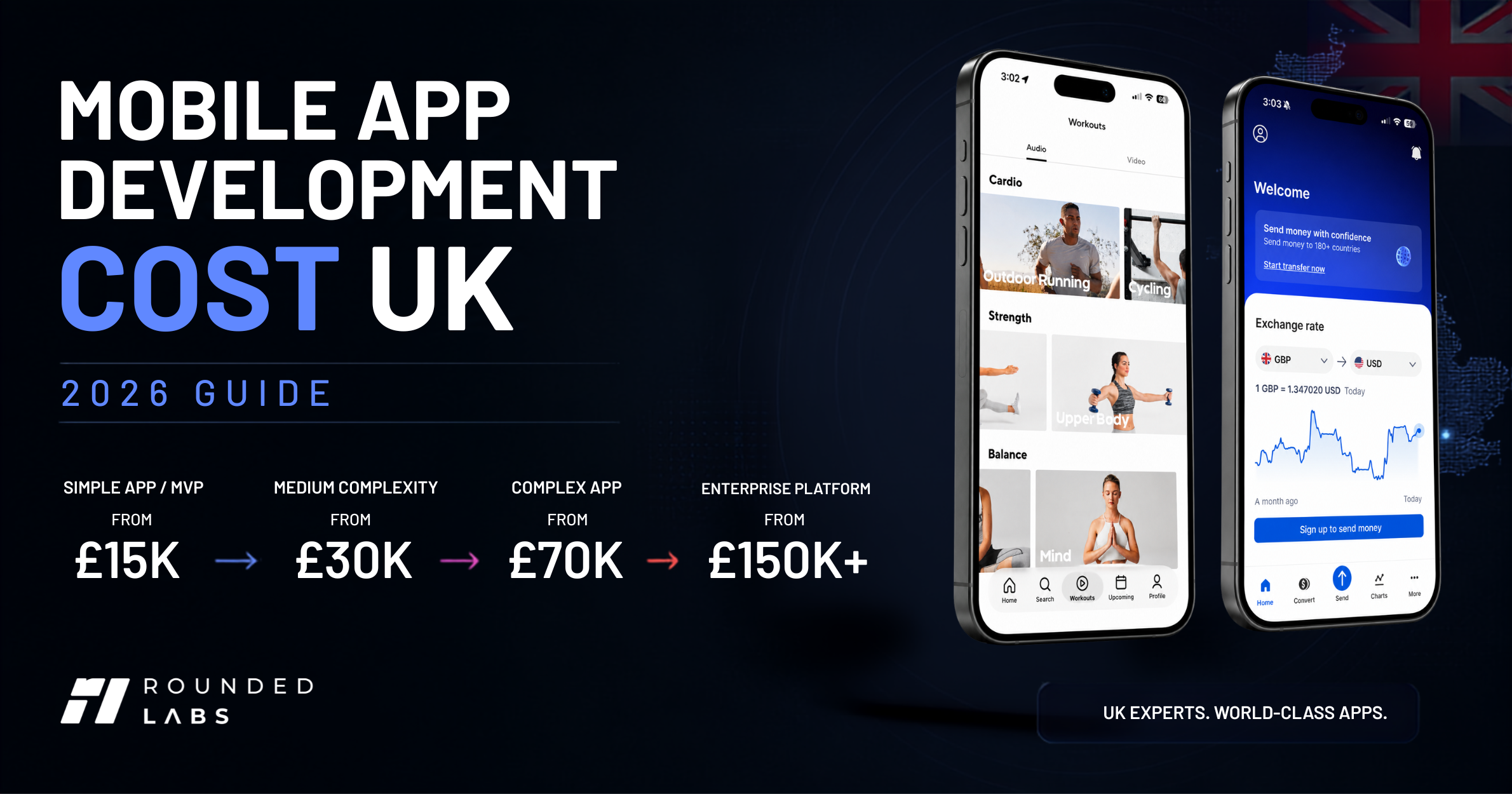
How Much Does Mobile App Development Cost in the UK?
As a general guide, you can expect:
| App type | Typical UK development range | Indicative timeline |
| Simple app / MVP | £15k–£30k | 2–4 months |
| Medium-complexity app | £30k–£70k | 4–6 months |
| Complex app | £70k–£150k+ | 6–12+ months |
| Enterprise / large platform | £150k+ | 9–18+ months |
Last updated: August 2026
These figures are indicative rather than fixed prices. Every mobile app is different, and the actual cost depends on what you need the application to do.
For example, an app with 20 screens could be relatively straightforward to build, while a 10-screen application involving payments, real-time data, complex integrations and multiple user roles could require significantly more development work.
The most important question isn’t simply how many screens your app has. It’s what happens behind those screens.
What We’ll Cover
In this guide, we’ll look at:
- What determines the cost of a mobile app
- How much different types of mobile apps can cost
- Which features tend to increase development costs
- iOS vs Android development
- Native vs cross-platform development
- The cost of backend development
- How long it takes to build a mobile app
- Ongoing app maintenance and development costs
- How to reduce your development budget
- How to choose a mobile app development company in the UK
- Questions you should ask an app developer
- Whether building a bespoke mobile app is worth the investment
- How Rounded Labs approaches mobile app development
1. What Determines the Cost of a Mobile App?
There is no fixed price for building a mobile app.
Two applications can look similar on the surface but have completely different development costs. The difference is often what happens behind the interface: the backend, integrations, databases, security, user permissions, automation and other technical requirements.
When estimating the cost of a mobile app, these are some of the biggest factors to consider.
1.1 The Complexity of Your App
The complexity of your application is one of the biggest factors affecting the overall development cost.
A simple app might contain a handful of screens, basic user accounts and relatively straightforward functionality. A more complex application could involve multiple types of users, real-time information, payments, external integrations, location services, artificial intelligence and a sophisticated backend.
A useful way to think about app complexity is:
Simple
- Basic information and content
- User registration and login
- Simple forms
- Basic notifications
- Limited data
Medium
- User profiles
- Multiple user roles
- Dashboards
- Payments
- Push notifications
- API integrations
- Reporting
- More complex workflows
Complex
- Real-time functionality
- Multiple user types
- Advanced permissions
- Complex integrations
- AI functionality
- Location and GPS services
- Large databases
- Offline functionality
- Advanced automation
- Sophisticated admin systems
The more moving parts your application has, the more development, testing and technical planning it requires.
1.2 Features and Functionality
The features you want inside your app have a major influence on development time and cost.
Some functionality is relatively straightforward to implement. Other features require considerably more backend development, testing and integration work.
Common mobile app features include:
- User registration and login
- User profiles
- Push notifications
- Search
- Messaging
- Payments
- Maps and GPS
- Camera functionality
- Barcode scanning
- Document uploads
- Appointment booking
- Reviews and ratings
- Reporting and analytics
- AI assistants
- Automated workflows
- Real-time data
For example, adding a simple contact form to an application is very different from building a real-time messaging system with conversations, notifications, file sharing, moderation and user permissions.
This is why app development costs should not be estimated purely by counting the number of screens.
1.3 The Number of Users
Who will use your application?
An app designed for 20 employees can have very different technical requirements from a consumer application expected to support hundreds of thousands of users.
You may need to consider:
- Number of users
- Number of organisations
- User roles
- Permissions
- Account management
- Data isolation
- Performance
- Scalability
For a business application, you might have administrators, managers, employees, contractors and customers all using the same application but seeing different information.
Designing these permissions correctly is an important part of the development process.
1.4 User Roles and Permissions
User permissions are often overlooked when estimating the cost of an app.
For example, imagine a property management application.
A landlord might be able to see every property they own.
A property manager might manage maintenance requests.
A tenant might only be able to see their own property and submit maintenance requests.
A contractor might only see jobs assigned to them.
All four users are using the same application, but they need completely different access.
The more complex your user roles and permissions become, the more work is required in both the mobile application and backend.
1.5 iOS, Android or Both?
Another major consideration is which platforms you want to support.
Do you need:
- iOS only?
- Android only?
- Both iOS and Android?
- A mobile application alongside a web application?
Building for both platforms does not necessarily mean building two completely separate applications.
Depending on your requirements, a cross-platform framework such as Flutter or React Native may allow much of the application to be developed from a shared codebase.
However, some applications still benefit from native development or platform-specific functionality.
The right approach depends on what you’re building rather than simply choosing the cheapest option.
We’ll look at native vs cross-platform app development in more detail later in this guide.
1.6 Backend and Database Development
One of the biggest misconceptions about mobile app development is that the app itself is the entire product.
In reality, many applications look more like this:
Mobile application → API → Backend → Database → External services
The mobile application is the part your users interact with.
Behind it, you may need:
- APIs
- Databases
- Authentication
- User management
- Business logic
- File storage
- Notifications
- Payment processing
- Analytics
- Admin tools
- Cloud infrastructure
For example, when someone submits a maintenance request through a property management app, the application needs to send that information to a backend system, store it, assign it to the appropriate person and potentially trigger notifications.
That backend work can represent a significant part of the overall project.
1.7 Third-Party Integrations
Many modern mobile apps need to communicate with other systems.
You might need to integrate with:
- Payment providers
- Accounting software
- CRM systems
- Google services
- Microsoft 365
- Maps
- Shipping providers
- Marketing platforms
- Existing business systems
- AI services
Integrations can increase development costs because each external system has its own API, authentication requirements, data structures, limitations and potential maintenance requirements.
A simple integration may take relatively little development work.
A complex integration with an existing business system can become a significant part of the project.
1.8 Design and User Experience
Good mobile app development isn’t simply about making an application function.
It also needs to be easy and enjoyable to use.
The design process can include:
- User research
- User journeys
- Wireframes
- UX design
- UI design
- Prototyping
- Design systems
- Accessibility
- Device-specific layouts
For a consumer-facing application, the user experience can be particularly important because users can easily abandon an app that feels confusing or difficult to use.
For business applications, good UX can also reduce training requirements and make employees more productive.
1.9 Security and Data Protection
Security becomes increasingly important as an application handles more valuable or sensitive information.
Depending on the application, you may need:
- Secure authentication
- Role-based access
- Encryption
- Secure APIs
- Data protection
- Audit logs
- Secure payments
- Backup systems
- Monitoring
- Security testing
A simple content application and a mobile banking application obviously have very different security requirements.
The security requirements should therefore be considered from the beginning rather than added after development has already started.
1.10 Artificial Intelligence
AI can also affect the cost of developing a mobile application.
However, “adding AI” isn’t a single feature.
An app might use AI for:
- Customer support
- Document analysis
- Recommendations
- Search
- Image recognition
- Data analysis
- Predictive functionality
- Content generation
- Workflow automation
- AI assistants
The complexity depends on what the AI actually needs to do, which models or services are used, how data is processed and how the AI functionality integrates with the rest of the application.
1.11 Offline Functionality
Some applications need to work when users don’t have a reliable internet connection.
This is particularly relevant for applications used in:
- Construction
- Logistics
- Warehousing
- Field services
- Transportation
- Remote locations
Offline functionality can add considerable complexity because the application needs to store information locally, synchronise data when a connection becomes available and handle conflicts between different versions of the data.
1.12 Admin and Management Systems
Your users aren’t necessarily the only people who need an interface.
Many mobile applications also require an administrative system where your business can:
- Manage users
- View activity
- Manage content
- Process requests
- Review transactions
- Manage permissions
- View reports
- Configure settings
- Monitor the application
This might be a web-based admin dashboard rather than another mobile application.
It’s an important part of the overall product and should be included when estimating the development cost.
The Bottom Line
The cost of developing a mobile app isn’t determined by one thing.
It’s the combination of:
Features + users + platforms + backend + integrations + design + security + infrastructure + complexity
That’s why a professional app development company should understand your business requirements before giving you a final development estimate.
At Rounded Labs, the objective isn’t to simply give you a number.
It’s to understand what you’re trying to achieve, what the first version actually needs, and where your development budget will have the greatest impact.
2. How Much Do Different Types of Mobile Apps Cost?
The cost of a mobile app depends heavily on what you’re building.
A simple application with a few screens and limited functionality may be relatively straightforward to develop. A business application with multiple user types, integrations, payments, real-time functionality and a custom backend can require considerably more work.
As a general guide, here are some indicative development ranges for different types of mobile applications in the UK.
Important: These figures are indicative project ranges, not fixed prices. The actual cost of your app will depend on its functionality, design, technical architecture, integrations, platforms and development requirements.
Simple Mobile Apps
Typical range: £15,000–£30,000
A relatively simple mobile app might include:
- A small number of screens
- User registration and login
- Basic profiles
- Simple forms
- Static or relatively simple content
- Basic notifications
- A straightforward backend
These types of applications are often suitable for testing an idea, launching a focused service or building a relatively simple internal business tool.
For example, a basic appointment, information or employee utility app may fall into this category.
However, “simple” doesn’t necessarily mean low quality. A well-designed application can still provide an excellent user experience without requiring hundreds of features.
Business Mobile Apps
Typical range: £25,000–£60,000+
Business applications tend to require more functionality because they are designed around specific workflows.
A business app might include:
- Employee accounts
- Customer accounts
- Multiple user roles
- Approval workflows
- Dashboards
- Notifications
- Document uploads
- Reporting
- API integrations
- An administrative dashboard
For example, a company might want a mobile application that allows employees to submit leave requests, managers to approve them and HR to manage the company’s holiday calendar.
The application may look relatively straightforward to the end user, but the underlying workflows, permissions, database and notifications add development complexity.
Custom Customer Apps
Typical range: £30,000–£80,000+
Some businesses build mobile apps specifically for their customers.
Examples include:
- Customer portals
- Booking applications
- Loyalty apps
- Service management apps
- Membership applications
- Customer communication platforms
These applications often require customer accounts, notifications, payments, integrations and a supporting backend.
The complexity can increase significantly when the application needs to connect to an existing CRM, booking system, payment platform or other business software.
E-commerce Apps
Typical range: £40,000–£100,000+
An e-commerce application can include considerably more than a product catalogue.
A typical e-commerce app might require:
- Product browsing
- Search and filtering
- Customer accounts
- Shopping basket
- Payments
- Order management
- Delivery tracking
- Push notifications
- Promotions
- Customer support
- Reviews
- Integration with inventory or fulfilment systems
Payment processing and integration with existing e-commerce infrastructure can also add complexity.
For a business that already operates an online store, the mobile application may need to communicate with the existing website, inventory system and order management platform rather than operating independently.
Construction Management Apps
Typical range: £40,000–£100,000+
Mobile applications are particularly useful for businesses with employees working away from a desk.
A construction management application might allow teams to:
- Manage projects
- View tasks
- Complete site inspections
- Upload photographs
- Submit reports
- Access documents
- Record issues
- Communicate with project teams
- Track progress
Offline functionality can also become important when employees are working on construction sites where mobile connectivity isn’t always reliable.
The cost therefore depends not only on the number of screens but on the complexity of the workflows, data synchronisation, permissions and supporting systems.
Property Management Apps
Typical range: £40,000–£100,000+
A property management application could provide different experiences for landlords, property managers, tenants and contractors.
For example:
Tenants
- Submit maintenance requests
- View property information
- Receive notifications
- Make payments
- Access documents
Property managers
- Manage properties
- Assign maintenance jobs
- Communicate with tenants
- Schedule inspections
- Manage contractors
Landlords
- View property performance
- Review maintenance
- Access reports
- Monitor activity
Each user type requires different permissions and workflows, which can significantly increase the complexity of the application.
Warehouse and Logistics Apps
Typical range: £40,000–£100,000+
A warehouse application can turn a smartphone into an operational tool for warehouse teams.
Features might include:
- Barcode scanning
- Goods receiving
- Stock management
- Pick and pack
- Stock transfers
- Inventory adjustments
- Delivery management
- Staff accounts
- Reporting
Applications used in warehouses often need to be fast and reliable because employees may be processing hundreds or thousands of items.
Integration with an existing ERP, inventory or warehouse management system can also have a significant impact on the development cost.
On-Demand Apps
Typical range: £60,000–£150,000+
On-demand applications are usually more complex because they often involve multiple types of users interacting with each other.
Think about an application involving:
Customers → Service providers → Platform administrators
The application might need:
- Customer accounts
- Provider accounts
- Profiles
- Search
- Location services
- Booking
- Scheduling
- Payments
- Messaging
- Notifications
- Ratings
- Reviews
- Admin management
The development requirements become even more complex when the application needs real-time availability, location tracking or automated matching.
Social and Community Apps
Typical range: £75,000–£200,000+
Social applications can become technically demanding because of the amount of user-generated content and interaction involved.
Features may include:
- User profiles
- Posts
- Comments
- Likes
- Following
- Messaging
- Media uploads
- Notifications
- Search
- Moderation
- Reporting
- Content management
Performance and scalability also become increasingly important as the number of users grows.
AI-Powered Mobile Apps
Typical range: £50,000–£150,000+
AI can be incorporated into almost any type of mobile application, but the cost depends heavily on what the AI is actually doing.
For example, an application might use AI for:
- Customer support
- Document analysis
- Intelligent search
- Recommendations
- Image analysis
- Personalisation
- Content generation
- Predictive insights
- AI assistants
- Automated workflows
A simple AI API integration may add relatively little development work.
Building a sophisticated AI-powered product around proprietary data, complex workflows, retrieval systems and multiple AI services can be significantly more involved.
The Important Point About App Pricing
These categories are useful for planning a budget, but they shouldn’t be treated as a price list.
A “property management app”, for example, could cost £30,000 or £150,000 depending on what the business actually needs.
The difference might come down to whether the application includes:
- One user type or five
- Basic notifications or real-time messaging
- Simple payments or complex financial workflows
- One integration or ten
- Online-only functionality or offline support
- A basic admin panel or a complete management platform
- Standard authentication or advanced security requirements
This is why a professional development estimate should start with what the business needs the application to achieve, rather than simply choosing an app category from a pricing table.
The best way to think about your budget
Instead of asking:
“How much does an app cost?”
Start with:
“What does the first version of the app actually need to achieve?”
Once the core objective is clear, features can be prioritised into what you need now, what can be added later, and what you probably don’t need at all.
That approach can make a significant difference to the initial development budget without compromising the long-term potential of the product.
3. Which Mobile App Features Cost the Most?
One of the easiest mistakes to make when planning a mobile app is to think that every feature has roughly the same development cost.
It doesn’t.
A login screen might be relatively straightforward. A real-time chat system with file sharing, notifications, moderation and multiple user roles is an entirely different level of development.
The following gives you a general idea of how different features can affect the cost of a mobile application.
| Feature | Typical complexity | Potential cost impact |
| User registration and login | Low | Low |
| User profiles | Low–Medium | Low–Medium |
| Push notifications | Low–Medium | Low–Medium |
| Social login | Low–Medium | Low–Medium |
| Search and filtering | Low–Medium | Low–Medium |
| Payments | Medium | Medium–High |
| Maps and GPS | Medium | Medium–High |
| Camera and image uploads | Medium | Medium |
| Barcode scanning | Medium | Medium |
| Admin dashboard | Medium | Medium–High |
| Analytics and reporting | Medium | Medium |
| Third-party integrations | Medium–High | High |
| Real-time messaging | High | High |
| Video calling | High | High |
| AI functionality | Medium–High | High |
| Offline functionality | High | High |
| Complex automation | High | High |
These aren’t fixed prices for individual features. A feature’s actual cost depends on how it needs to work, what it needs to connect to and how deeply it is integrated into the rest of the application.
User Registration and Authentication
Most applications need some form of authentication.
This could be as simple as:
- Email and password
- Phone number verification
- Password reset
Or it could involve:
- Google or Apple login
- Two-factor authentication
- Single sign-on
- Identity verification
- Role-based access
- Organisation accounts
The more sophisticated the authentication requirements, the more development and security work is involved.
Payments
Payments can add significant complexity to an application.
A simple application might only need to connect to a payment provider such as Stripe.
A more sophisticated platform could require:
- Multiple payment methods
- Subscriptions
- Recurring payments
- Refunds
- Invoices
- Payment history
- Transaction reporting
- Multiple currencies
- Marketplace payments
- Payment notifications
Payments also need to be tested carefully because errors can directly affect customers and revenue.
Maps and Location
Location-based functionality can range from displaying a map to building an entire location-aware service.
For example:
Simple
Display a business location on a map.
More complex
Allow users to search nearby services.
Highly complex
Track drivers in real time, calculate routes, estimate arrival times and continuously update customer and driver locations.
The underlying requirements are very different even though all three could be described as a “map feature”.
Real-Time Messaging
Messaging is another feature that can quickly increase development complexity.
A basic messaging system might allow two users to exchange text messages.
A more advanced system could require:
- Group conversations
- Read receipts
- Typing indicators
- Push notifications
- Images and files
- Voice messages
- Message search
- Message deletion
- Moderation
- Blocking and reporting
- Real-time synchronisation
This requires considerably more backend infrastructure and testing than a simple contact form.
Video and Audio
Video calling, live streaming and audio functionality can require additional infrastructure and specialist development.
Depending on the application, you may need:
- Video conferencing
- One-to-one calls
- Group calls
- Screen sharing
- Recording
- Live streaming
- Background processing
- Real-time communication
Third-party services can sometimes reduce the amount of technology you need to build yourself, but they can introduce ongoing usage costs and dependency on external platforms.
AI Features
AI can add considerable value to a mobile application, but the cost depends on how deeply it is integrated.
A relatively simple implementation might connect your application to an AI API to provide an assistant or generate content.
A more sophisticated application could require:
- AI assistants
- Document analysis
- Intelligent search
- Recommendations
- Image recognition
- Personalisation
- Predictive analysis
- AI-powered automation
- Retrieval from private company data
The development cost isn’t only about connecting an AI model to the application. You also need to consider data handling, prompts, workflows, security, testing, monitoring and the ongoing cost of AI usage.
Offline Functionality
For many consumer apps, an internet connection can be assumed.
For some business applications, it cannot.
Consider a construction worker completing a site inspection, a warehouse employee scanning stock or a field engineer working in an area with poor mobile coverage.
The app may need to:
- Store information locally.
- Allow the user to continue working.
- Detect when connectivity returns.
- Synchronise information with the server.
- Resolve conflicts if data has changed elsewhere.
This is significantly more complicated than an application that requires a constant internet connection.
Third-Party Integrations
Integrations are often one of the biggest variables in a mobile app project.
Your application may need to connect to:
- CRM systems
- Accounting software
- Payment providers
- ERP systems
- Microsoft 365
- Google services
- Booking platforms
- Delivery systems
- Marketing platforms
- AI services
- Internal company systems
A simple API integration might be relatively straightforward.
An older or poorly documented business system can be much more difficult.
You also need to consider what happens when the third-party provider changes its API in the future.
Admin Dashboards
The mobile application isn’t necessarily the entire product.
Many business applications also require an administrative system.
An administrator might need to:
- Create and manage users
- Review activity
- Manage content
- Approve requests
- Manage transactions
- View reports
- Configure settings
- Manage permissions
- Monitor system activity
This is often delivered as a web-based dashboard that connects to the same backend as the mobile application.
For a business application, this administrative side can be just as important as the mobile experience itself.
The Number of Screens Isn’t the Whole Story
A common way of estimating an app is to count the number of screens.
For example:
“We need 30 screens.”
That’s useful, but it doesn’t tell a developer enough to produce an accurate estimate.
One screen might simply display information.
Another might contain:
- Real-time data
- Multiple user permissions
- Payments
- API integrations
- Complex calculations
- Offline functionality
- AI
- File uploads
Both are still technically “one screen”.
That’s why professional app development estimates should be based on functionality and user journeys, rather than screen count alone.
What Usually Makes an App Expensive?
If you are trying to understand where your budget is likely to go, pay particular attention to:
Complex backend logic
Real-time functionality
Payments
Multiple user roles
Third-party integrations
AI
Offline synchronisation
Location tracking
Video and audio
Advanced security
Large-scale data
These are often more significant cost drivers than simply adding another few screens to the app.
A better way to estimate your app
Rather than starting with:
“How many screens do we need?”
Start with:
“What does the user need to be able to accomplish?”
Then map out the journey from beginning to end.
For example:
Customer opens app → searches for service → selects provider → books appointment → pays → receives confirmation → receives notification → attends appointment → leaves review.
That single journey can reveal much more about the development requirements than a list of screens.
At Rounded Labs, this is why we focus on understanding the user journey, business process and technical requirements before turning an idea into a development estimate.
5. What About the Backend and Technology Behind a Mobile App?
When someone thinks about building a mobile app, they often picture the screens on an iPhone or Android device.
But those screens are usually only one part of the product.
For many business applications, the mobile app sits on top of a much larger technical system that handles users, data, authentication, business logic, integrations, notifications and security.
A typical application might look something like this:
Mobile App → API → Backend → Database → Cloud Infrastructure → External Services
The complexity of these systems can have a significant impact on the overall cost of mobile app development.
What Is a Backend?
The backend is the technology working behind the mobile application.
When a user performs an action in your app, the backend is often responsible for processing what happens next.
For example:
A customer submits a booking request.
The app sends the request to the backend.
The backend checks the customer’s account, verifies availability, stores the booking, updates the relevant records and sends notifications to the appropriate people.
The user may only see one button and one confirmation screen.
Behind that simple experience, there can be a considerable amount of technology.
What Does a Mobile App Backend Usually Include?
Depending on the application, your backend could include:
- APIs
- Database
- User authentication
- User permissions
- Business logic
- File storage
- Notifications
- Payment processing
- Search
- Reporting
- Analytics
- Background processes
- Automated workflows
- Third-party integrations
- Cloud infrastructure
- Security and monitoring
Not every app requires all of these components.
But a serious business application often requires considerably more than the mobile interface itself.
APIs
An API allows different parts of your technology ecosystem to communicate with each other.
For example:
Mobile app → API → Customer database
Or:
Mobile app → API → Payment provider
Or:
Mobile app → API → CRM → Customer record
APIs are particularly important when your application needs to communicate with existing business systems.
If your company already uses software such as a CRM, accounting platform, ERP or booking system, the mobile application may need to integrate with it rather than creating a completely separate database.
Databases
Your application needs somewhere to store information.
Depending on the product, this might include:
- User accounts
- Customer records
- Orders
- Bookings
- Messages
- Documents
- Transactions
- Inventory
- Properties
- Projects
- Activity history
The database architecture needs to be designed around how the application will actually use the data.
A small application may have relatively straightforward requirements.
A large platform with thousands or millions of records, multiple organisations and complex reporting can require considerably more planning.
Authentication and Permissions
Authentication answers:
Who are you?
Permissions answer:
What are you allowed to do?
These become particularly important for business applications.
Imagine a construction management app with:
Director
Can view all projects.
Project Manager
Can manage assigned projects.
Site Manager
Can update site information.
Contractor
Can only see assigned tasks.
Each user may be using the same mobile application, but the information and functionality available to them can be completely different.
This access-control logic needs to exist within the backend as well as the user interface.
Cloud Infrastructure
Your application also needs somewhere to run.
Depending on the architecture, this could involve cloud services for:
- Application hosting
- Databases
- File storage
- Caching
- Authentication
- Background processing
- Notifications
- Monitoring
- Backups
The infrastructure needs to be appropriate for the expected usage of the application.
A small internal business app may have modest infrastructure requirements.
A consumer application expecting significant traffic needs to be designed with scalability and reliability in mind.
Admin Systems
The mobile application may also need a separate web-based administration system.
For example, your employees might need to manage:
- Users
- Customers
- Orders
- Bookings
- Content
- Payments
- Reports
- Permissions
- Notifications
An administrator shouldn’t necessarily have to perform these tasks through the same mobile interface as the customer.
A dedicated web dashboard can make managing the application significantly easier.
This means a project described as:
“We need a mobile app.”
could actually involve:
iOS app
Android app
Backend
Database
Admin dashboard
Third-party integrations
That is a much more substantial software product than a collection of mobile screens.
Integrations Can Change the Cost Significantly
One of the first questions we ask when scoping an application should be:
What existing systems does this app need to connect to?
For example, a business might already use:
- Salesforce
- HubSpot
- Microsoft 365
- Xero
- QuickBooks
- Shopify
- Stripe
- Google Maps
- Internal ERP software
The complexity of these integrations can vary considerably.
A well-documented modern API might be relatively straightforward.
An older internal system with limited documentation can require significantly more technical investigation and development.
There can also be ongoing considerations when third-party platforms change their APIs.
Security Is Part of the Architecture
Security shouldn’t be treated as something added at the end of development.
The architecture should consider security from the beginning.
Depending on your application, this could include:
- Secure authentication
- Encryption
- Access control
- Secure API communication
- Data protection
- Audit logging
- Backups
- Monitoring
- Security testing
- Secure payment processing
The requirements will naturally be different for an employee productivity application compared with a financial or healthcare application.
The important point is that security requirements should be understood before development begins.
How Much of Your Budget Goes Into the Backend?
There isn’t a universal percentage.
For a simple application, the backend may represent a relatively small part of the overall project.
For a complex business platform, however, the backend can represent a substantial portion of the development work.
This is why comparing app development companies purely on the number of mobile screens they promise can be misleading.
One company might quote for:
30 mobile screens
while another is quoting for:
30 screens + backend + database + authentication + admin dashboard + integrations + testing + deployment
Those aren’t equivalent projects.
When comparing quotes, make sure you understand what is actually included.
The Mobile App Is Only the Tip of the Iceberg
A successful mobile application is rarely just a collection of beautifully designed screens.
It is a complete product.
User experience
↓
Mobile application
↓
APIs
↓
Backend
↓
Database
↓
Integrations
↓
Cloud infrastructure
↓
Security
↓
Administration
When estimating the cost of developing a mobile application, all of these components should be considered.
At Rounded Labs, we approach mobile app development as end-to-end product development, rather than simply building the interface that users see on their phones.
That means understanding the business process behind the app, designing the right architecture and building the technology required to support the product as it grows.
6. How Long Does It Take to Build a Mobile App in the UK?
The time required to build a mobile app depends on its complexity, the number of platforms, the features involved and how clearly the product requirements have been defined.
As a general planning guide:
| Type of app | Indicative development timeline |
| Simple app | 4–8 weeks |
| Basic business app | 8–12 weeks |
| Medium-complexity app | 12–20 weeks |
| Complex business app | 20–36+ weeks |
| Large-scale platform | 6–12+ months |
These are broad estimates rather than guarantees. A well-defined application with a focused feature set can move considerably faster than a project where requirements change throughout development.
The development process itself usually consists of several stages.
6.1 Discovery and Planning
Typical timeframe: 1–3 weeks
Before writing code, the development team needs to understand what you’re actually building.
This can involve:
- Understanding the business objective
- Identifying the target users
- Defining the core problem
- Mapping user journeys
- Defining functionality
- Prioritising features
- Identifying technical requirements
- Reviewing integrations
- Defining the MVP
- Establishing the initial roadmap
This stage is particularly important for bespoke business applications.
For example, a business might initially say:
“We need an app for our employees.”
After understanding the workflow, the actual requirement might be:
“Employees need to submit requests, managers need to approve them, HR needs to manage the records, and directors need reporting.”
That’s a very different product.
Spending time defining the problem before development begins can prevent expensive changes later.
6.2 UX and UI Design
Typical timeframe: 2–6 weeks
Once the requirements are understood, the application experience can be designed.
This can include:
- User journeys
- Wireframes
- Information architecture
- UX design
- UI design
- Interactive prototypes
- Design systems
- Responsive layouts
- Accessibility considerations
The objective isn’t simply to make the application look good.
The interface needs to make it easy for users to accomplish what they came to do.
For example, a warehouse employee scanning hundreds of products a day needs a very different interface from a customer browsing a luxury retail application.
The design should reflect the environment in which the application will actually be used.
6.3 Development
Typical timeframe: 6–24+ weeks
This is where the application itself is built.
Depending on the project, development can include:
Mobile application
- iOS
- Android
- Cross-platform functionality
Backend
- APIs
- Database
- Authentication
- Business logic
- Permissions
Integrations
- Payments
- CRM
- ERP
- Maps
- AI
- Other third-party systems
Administration
- Web dashboard
- Reporting
- User management
- Configuration
Development time depends heavily on what the product needs to do.
A simple application might have a relatively short development cycle.
A complex business platform can require several months.
6.4 Testing and Quality Assurance
Typical timeframe: 2–6 weeks
Testing should happen throughout development, but a dedicated testing phase is still important before launch.
Testing can include:
- Functional testing
- Device testing
- User-flow testing
- API testing
- Performance testing
- Security testing
- Usability testing
- Integration testing
- Regression testing
Mobile applications also need to be tested across different devices and operating-system versions where appropriate.
Something that works perfectly on one device can behave differently on another.
This is one reason why the development timeline shouldn’t end when the final screen has been coded.
6.5 App Store and Google Play Preparation
Typical timeframe: 1–2 weeks or more
Before users can download your application, it needs to be prepared for distribution.
This can include:
- App Store configuration
- Google Play configuration
- App descriptions
- Screenshots
- App icons
- Privacy information
- Terms and policies
- Age ratings
- Store metadata
- Release configuration
Apple and Google also have their own submission and review processes.
For iOS applications, Apple reviews apps against its App Store Review Guidelines, while Google Play has its own policies and requirements for applications distributed through the platform. (developer.apple.com)
It’s therefore sensible to allow some time for submission, review and any required changes rather than assuming the application is live immediately after development finishes.
A Typical Mobile App Development Timeline
A medium-sized business application might look something like this:
Weeks 1–2
Discovery and requirements
↓
Weeks 3–6
UX/UI design
↓
Weeks 5–16
Mobile and backend development
↓
Weeks 13–18
Testing and refinement
↓
Weeks 18–20
Deployment and launch
Some stages can overlap.
For example, backend development can begin while the final parts of the interface are still being designed.
This is why the total project timeline isn’t simply the sum of every individual stage.
Why Some Apps Take Much Longer
Several factors can extend the development timeline.
Complex integrations
Connecting to an existing ERP, CRM or internal system can require additional technical investigation and development.
Multiple user types
An application supporting customers, employees, managers, administrators and contractors will generally require more work than one designed for a single user type.
Real-time functionality
Messaging, live location, real-time dashboards and other live features can require additional backend architecture.
Offline functionality
Applications that need to work without an internet connection require local data storage and synchronisation.
AI
AI features may require additional integration, data processing, testing and monitoring.
Security
Applications handling sensitive or commercially important information may require additional security controls and testing.
Changing requirements
One of the biggest causes of delays is changing the product while development is already underway.
Adding a feature isn’t always as simple as adding another screen.
It can affect the database, APIs, permissions, design, testing and other parts of the application.
Can You Build an App Faster?
Yes, but speed shouldn’t be the only objective.
There are ways to accelerate development without compromising the product.
Start with an MVP
Build the smallest version that solves the core problem.
Prioritise features
Separate:
Must have
from
Should have
and
Could have later
Use proven technology
Avoid unnecessary technical complexity when existing technologies can solve the problem effectively.
Reuse appropriate components
A well-designed design system and reusable technical components can accelerate development.
Make decisions early
Late changes to architecture or core functionality can create significant delays.
Keep the first release focused
The first version of the app doesn’t need to contain every feature you might eventually want.
Why Rushing App Development Can Become More Expensive
It can be tempting to tell a development company:
“We need the app in four weeks.”
But compressing the timeline without changing the scope can create problems.
The team may have less time for:
- UX research
- Architecture
- Testing
- Security
- Performance optimisation
- User feedback
- Quality assurance
That can result in a product that launches quickly but requires significant rework afterwards.
A better approach is to define:
What must launch now?
What can launch later?
Then build the first version around the most important outcomes.
A Realistic Approach to App Development
For most businesses, the goal shouldn’t be:
Build the app as quickly as possible.
It should be:
Build the right first version as efficiently as possible.
A focused application with clearly defined requirements can often reach the market faster than a much larger project where the scope continues to change.
At Rounded Labs, we believe the development timeline should be driven by the product you actually need to build, rather than an arbitrary deadline.
The aim is to get the right product into users’ hands, learn from real-world usage and continue improving it over time.
7. How Much Does It Cost to Maintain a Mobile App?
Launching your mobile app isn’t the end of the investment.
Like any software product, a mobile application needs to be maintained, monitored and improved after it goes live.
Operating systems change. Devices change. Third-party APIs are updated. Users find bugs. Security requirements evolve. Your business grows and eventually needs new functionality.
As a general planning guideline, businesses often budget around 15–25% of the original development cost per year for ongoing maintenance and improvements.
This isn’t a fixed industry fee, and some applications will require considerably more or less depending on their complexity and how actively they are developed.
For example, a £50,000 application might require an indicative ongoing budget of around £7,500–£12,500 per year, while a larger £150,000 platform could require £22,500–£37,500+ per year.
The important thing is to understand what your ongoing costs actually include.
What Does Mobile App Maintenance Include?
Mobile app maintenance can involve several different areas.
Bug Fixes
No software product is completely immune from bugs.
After launch, real users will interact with your application in ways that aren’t always possible to predict during testing.
Maintenance may therefore include:
- Fixing application errors
- Resolving crashes
- Correcting UI issues
- Fixing API problems
- Resolving device-specific issues
- Addressing data synchronisation problems
The complexity of these fixes can vary significantly.
A visual issue may take minutes to resolve.
A problem involving payments, data synchronisation or backend logic can require much more investigation.
Operating System Updates
Apple and Google regularly update their operating systems and development platforms.
Your application needs to continue working as these environments evolve.
This can involve:
- Updating dependencies
- Updating SDKs
- Testing new operating-system versions
- Resolving compatibility issues
- Updating deprecated functionality
- Adapting to new platform requirements
An app that isn’t maintained can eventually become unreliable or incompatible with newer devices.
Security Updates
Security isn’t something you complete once and forget.
Applications depend on multiple components, including:
- Mobile frameworks
- Backend frameworks
- Libraries
- Databases
- APIs
- Cloud services
- Third-party platforms
These technologies can receive security updates over time.
A maintenance plan should therefore include keeping the application’s technology stack appropriately updated.
Third-Party API Changes
Many applications depend on external services.
For example:
Mobile App → Payment API
Mobile App → CRM API
Mobile App → Maps API
Mobile App → AI API
If an external provider changes its API, authentication method or requirements, your application may need to be updated.
This is one reason why the ongoing cost of an application isn’t simply about fixing bugs.
You’re also maintaining the connections between your product and the wider technology ecosystem.
Cloud Hosting and Infrastructure
Your application may also have recurring infrastructure costs.
Depending on the architecture, this could include:
- Cloud hosting
- Database hosting
- File storage
- Backups
- Monitoring
- Data transfer
- Email services
- Push notification services
- Search infrastructure
- Caching
A small application may have relatively modest infrastructure costs.
A larger platform with significant traffic, storage and data processing requirements can have considerably higher running costs.
The important point is that infrastructure costs generally scale with usage.
Third-Party Services
Your application may also rely on external services that charge separately from development.
Examples include:
- Payment processing
- SMS
- Maps
- Analytics
- AI services
- Video
- Authentication
- Cloud storage
Some services charge per transaction.
Others charge based on users, requests, storage or usage.
This means your operating costs can increase as your application becomes more successful.
That’s not necessarily a bad thing.
If costs increase because your customer base is growing, your revenue should ideally be growing with it.
AI Can Introduce Usage-Based Costs
AI-powered applications deserve particular attention.
If your application sends requests to an AI model, the cost may depend on how frequently users interact with it and how much data is processed.
For example:
100 users
might generate relatively little AI usage.
100,000 users
could generate a completely different infrastructure and AI bill.
When designing an AI-powered application, it’s therefore important to consider not only:
“How much does it cost to build the AI feature?”
but also:
“How much will it cost to operate the AI feature at scale?”
This should be considered during architecture and product planning.
New Features Are Different From Maintenance
One of the most important distinctions for a business owner is the difference between:
Maintenance
and
New development
Maintenance generally means keeping the existing application working properly.
New development means expanding what the product can do.
For example:
Maintenance
- Fix a login bug
- Update an API
- Resolve an iOS compatibility issue
- Patch a security issue
New development
- Add subscriptions
- Introduce a new user role
- Build messaging
- Add an AI assistant
- Create a new reporting system
New functionality should normally be treated as additional product development rather than ordinary maintenance.
How Much Should You Budget Each Year?
There isn’t one number that applies to every app.
A useful way to think about the budget is:
Smaller application
Lower infrastructure and maintenance requirements.
Business application
Regular maintenance plus ongoing improvements.
Complex platform
Dedicated development, infrastructure monitoring, security and continuous product development.
For a business that relies heavily on its application, it can be sensible to treat the app as an ongoing product rather than a one-off project.
Instead of:
Build → Launch → Forget
think:
Build → Launch → Learn → Improve → Scale
The Total Cost of Ownership
When comparing development proposals, don’t only ask:
“How much will it cost to build?”
Also ask:
“How much will it cost to operate and develop over the next three years?”
For example:
| Cost | Initial development | Ongoing |
| UX/UI design | ✓ | Sometimes |
| Mobile development | ✓ | ✓ |
| Backend | ✓ | ✓ |
| Database | ✓ | ✓ |
| Cloud infrastructure | ✓ | ✓ |
| Third-party APIs | Setup | Usage |
| Security | ✓ | ✓ |
| Bug fixes | — | ✓ |
| New features | — | ✓ |
| OS compatibility | — | ✓ |
This gives you a much more realistic view of the investment.
Don’t Choose a Development Company on Price Alone
A low initial development quote isn’t necessarily the cheapest option.
Imagine one company quotes:
£30,000
and another quotes:
£50,000
The £30,000 proposal may initially look attractive.
But if it doesn’t include:
- Proper backend architecture
- Testing
- Documentation
- Deployment
- Security
- Post-launch support
- Source-code ownership
- A maintainable technical foundation
you could spend considerably more later fixing or rebuilding the product.
The cheapest development project isn’t always the lowest-cost product.
What Should Be Included in a Maintenance Agreement?
Before signing a development agreement, ask what happens after launch.
Questions worth asking include:
- How are bugs handled?
- Is there a support period after launch?
- Are operating-system updates included?
- Who manages the cloud infrastructure?
- How are security updates handled?
- What happens if a third-party API changes?
- How quickly are critical issues addressed?
- Is ongoing development available?
- How is maintenance priced?
- Who owns the source code?
Getting clear answers to these questions before development begins can prevent unpleasant surprises later.
Build With the Future in Mind
The best time to think about maintenance is before the first line of code is written.
A well-structured application should be designed so that it can evolve.
That means considering:
- Scalability
- Security
- Maintainability
- Documentation
- Testing
- Monitoring
- Architecture
- Future integrations
- Future features
You may only need five features when you launch.
But if you expect the application to eventually have fifty features, the initial architecture should be capable of supporting that growth.
At Rounded Labs, we think about mobile applications as long-term digital products, not one-off projects.
The objective isn’t simply to get your app into the App Store.
It’s to build a foundation that can continue to support your business as your users, requirements and ambitions grow.
8. How Can You Reduce the Cost of Mobile App Development?
Building a mobile app doesn’t necessarily mean spending hundreds of thousands of pounds.
One of the best ways to control development costs is not to look for the cheapest developer. It’s to make better decisions about what you build, when you build it and how you build it.
A focused application with a clear purpose can often deliver more value than a much larger application filled with features that users don’t need.
Here are some practical ways to reduce the cost of developing a mobile app.
8.1 Start With an MVP
An MVP, or Minimum Viable Product, is the first version of your application that contains enough functionality to solve the core problem for your target users.
It doesn’t mean building a poor-quality application.
It means focusing your initial investment on what matters most.
For example, imagine you’re building a property management application.
Your original feature list might include:
- Tenant portal
- Maintenance requests
- Rent collection
- Property inspections
- Messaging
- Document management
- AI assistant
- Analytics
- Contractor management
- Accounting integration
Instead of building everything immediately, the MVP might focus on:
- Tenant accounts
- Maintenance requests
- Notifications
- Property information
- Basic management dashboard
Once users are using the application, you can decide which additional features should be developed next.
This can significantly reduce the initial development cost while allowing you to validate the product with real users.
8.2 Prioritise Your Features
Not every feature deserves to be in version one.
A useful way to prioritise your requirements is to divide them into three groups:
Must have
Without this functionality, the application cannot achieve its primary purpose.
Should have
Useful functionality that improves the product but isn’t essential for launch.
Could have
Features that may be valuable later but aren’t necessary for the initial release.
This prevents the development budget from being consumed by features that don’t contribute significantly to the initial objective.
8.3 Avoid Building Features “Just in Case”
One common mistake is building functionality because you think users might eventually want it.
For example:
“We might need a loyalty programme in the future.”
“We might add a social feed later.”
“We might eventually need video calls.”
“We might integrate with another CRM.”
If those features aren’t required for the first version, they don’t necessarily need to be built immediately.
Your product roadmap can account for future functionality without forcing you to pay for it today.
8.4 Consider Cross-Platform Development
If you need both iOS and Android, cross-platform development can be worth considering.
Frameworks such as Flutter and React Native allow developers to share much of the application code across platforms.
This can reduce duplicated development work and help maintain a more consistent product across iOS and Android.
However, cross-platform development isn’t automatically the right choice for every application.
The technology should be selected based on:
- Required functionality
- Performance requirements
- Hardware integration
- User experience
- Development team
- Long-term roadmap
The objective isn’t to choose the cheapest technology.
It’s to choose the most appropriate technology for the product.
8.5 Use Existing Services Where Appropriate
You don’t necessarily need to build every technical component from scratch.
Existing services can provide functionality such as:
- Payments
- Maps
- Authentication
- SMS
- Analytics
- Video
- AI
- Cloud storage
For example, integrating an established payment platform can be considerably more practical than attempting to build an entire payment-processing system yourself.
Using proven services can reduce development time and allow your team to focus on the parts of the product that actually differentiate your business.
However, third-party services should still be selected carefully.
You need to consider:
- Pricing
- Reliability
- Security
- API limitations
- Data requirements
- Vendor dependency
- Long-term availability
8.6 Avoid Over-Engineering the First Version
Good software architecture matters.
But there’s a difference between building a strong technical foundation and building unnecessary complexity.
If your first version will have 500 users, you may not need an architecture designed around 50 million users from day one.
At the same time, the application shouldn’t be built in a way that makes future growth impossible.
The objective is to build an architecture that is:
Reliable enough for today.
Flexible enough for tomorrow.
8.7 Get the Requirements Right Before Development
Changes become more expensive once development is underway.
Imagine discovering halfway through the project that:
“Actually, customers need a completely different workflow.”
That change may affect:
- UX
- UI
- Database structure
- APIs
- Backend logic
- User permissions
- Testing
- Documentation
Spending more time defining the product before development begins can therefore save money later.
This is why discovery and product planning are important parts of the development process rather than unnecessary overhead.
8.8 Design Before You Develop
Starting development before the user experience has been properly considered can lead to expensive changes later.
A good UX/UI process allows you to identify problems while they are still relatively inexpensive to fix.
Changing a Figma prototype is considerably different from changing a fully developed application.
Before development begins, you should ideally have a clear understanding of:
- User journeys
- Navigation
- Core screens
- Interactions
- User roles
- Key workflows
You don’t necessarily need to design every possible future feature.
Focus on the experience users need for the first release.
8.9 Build in Phases
Instead of treating your app as one enormous project, you can divide development into phases.
For example:
Phase 1
Core application
Phase 2
Customer features
Phase 3
Advanced workflows
Phase 4
Integrations
Phase 5
AI and automation
This approach allows you to spread development investment over time.
It also gives you the opportunity to use feedback from earlier versions to determine what should be built next.
8.10 Test With Real Users Early
You don’t need to wait until launch to find out whether people understand your product.
A clickable prototype can often be tested with potential users before development begins.
You can discover:
- Where users get confused
- Which features they actually care about
- Which workflows need improvement
- Which features aren’t necessary
- What users expect to happen
Finding these problems during the design stage is usually much cheaper than discovering them after the application has been built.
What You Shouldn’t Cut to Save Money
Reducing the development budget doesn’t mean cutting everything.
There are areas where trying to save money can create much larger costs later.
Be particularly careful about cutting corners on:
Security
Poor security can create serious technical and commercial consequences.
Architecture
A weak technical foundation can make future development slower and more expensive.
Testing
Launching an application that doesn’t work reliably can damage user trust.
User experience
A technically functional app can still fail if users find it difficult to use.
Data protection
Applications handling customer or business data need appropriate safeguards.
Documentation
Clear technical documentation can make future maintenance and development significantly easier.
The objective should be to remove unnecessary work, not necessary quality.
The Cheapest App Isn’t Always the Cheapest Product
It’s tempting to compare development companies by their initial quote.
For example:
Company A: £25,000
Company B: £45,000
Company C: £70,000
At first glance, Company A appears to be the obvious choice.
But price alone doesn’t tell you:
- What’s included
- Who is doing the work
- How the architecture is designed
- How much testing is included
- Whether the backend is included
- Whether the source code belongs to you
- What happens after launch
- How maintainable the application will be
A lower initial quote can become more expensive if the application needs to be rebuilt or heavily refactored later.
The better question is:
Which development approach gives us the best long-term value for the business?
A Simple Formula for Controlling Your App Budget
If you want to keep development costs under control, focus on five things:
1. Define the problem clearly.
2. Build the smallest useful first version.
3. Prioritise features based on business value.
4. Choose technology based on the actual requirements.
5. Design the product so it can evolve.
That’s a much more sustainable approach than simply asking a developer to remove features until the quote reaches a target number.
Build Less. Learn More. Then Build Better.
The strongest mobile products don’t necessarily launch with the most features.
They launch with the right features.
Start with the problem.
Understand the users.
Build the core experience.
Launch.
Learn from real-world usage.
Then improve the product based on evidence.
At Rounded Labs, we believe this approach helps businesses make better use of their development budget while creating a product that has room to grow.
9. How to Choose a Mobile App Development Company in the UK
Choosing a mobile app development company is about more than finding the lowest quote.
The company you choose can influence the quality of the product, the development timeline, the technology behind it and how easy the application will be to maintain in the future.
For a business investing tens of thousands of pounds into a mobile application, the development partner should be treated as a long-term technology partner rather than simply a supplier.
Here are some of the things worth considering when comparing mobile app development companies in the UK.
9.1 Look at Their Previous Work
Start with the company’s portfolio.
Don’t just look at whether the applications look attractive.
Look for evidence that they have built products similar to what you need.
For example:
- Business applications
- Customer-facing applications
- SaaS products
- E-commerce applications
- Internal tools
- Marketplace applications
- Operational applications
- AI-powered applications
More importantly, look at what the company actually delivered.
A screenshot of an app doesn’t tell you much about the technology behind it.
If possible, look for case studies explaining:
- The original problem
- The solution
- The technology used
- The development process
- The outcome
9.2 Check Whether They Understand Your Business
A good development partner shouldn’t immediately start talking about technology.
They should first understand:
What problem are you solving?
Who will use the application?
Why does the application need to exist?
What does success look like?
For example, if you’re building an employee management application, the development team should understand the workflow behind employee requests, approvals, notifications and reporting.
Without understanding the business process, it’s easy to build something technically functional that doesn’t actually solve the right problem.
9.3 Understand What Is Included in the Quote
Never compare app development quotes based on the headline price alone.
Ask each company to clearly explain what is included.
For example:
- UX/UI design
- Mobile development
- iOS
- Android
- Backend development
- Database
- API development
- Admin dashboard
- Integrations
- Testing
- Deployment
- App Store submission
- Documentation
- Post-launch support
A £30,000 quote and a £60,000 quote may not actually be quoting for the same product.
The more detailed the proposal, the easier it is to make a meaningful comparison.
9.4 Ask Who Owns the Source Code
This is an important question that is sometimes overlooked.
Ask:
“Will we own the source code and intellectual property once the project is complete?”
Your contract should clearly define:
- Intellectual property ownership
- Source-code ownership
- Design ownership
- Third-party licences
- Access to repositories
- Access to cloud infrastructure
- Documentation
If the application is strategically important to your business, you should understand exactly what you are buying.
9.5 Understand the Technology Stack
You don’t need to be a developer to ask technical questions.
Ask:
What technology are you recommending and why?
A good development company should be able to explain the decision in business terms.
For example:
“We’re recommending a cross-platform approach because you need iOS and Android, the functionality is well suited to shared development, and it allows us to maintain a consistent product across both platforms.”
That’s more useful than:
“We use Flutter because that’s what our developers use.”
Technology should serve the product.
9.6 Ask About the Backend
Make sure the quote doesn’t only cover the mobile application.
Ask whether it includes:
- Backend
- APIs
- Database
- Authentication
- Permissions
- File storage
- Admin functionality
- Integrations
- Cloud infrastructure
A mobile app without the appropriate backend may not be able to deliver the functionality your business requires.
9.7 Ask How They Handle Testing
Testing should be part of the development process, not something added at the very end.
Ask how the company handles:
- Functional testing
- Device testing
- API testing
- Performance
- Security
- Regression testing
- User acceptance testing
You can also ask:
Who actually tests the application?
If the same person who writes the feature is solely responsible for deciding whether it works, you may want to understand the company’s quality-assurance process in more detail.
9.8 Ask What Happens After Launch
Your relationship with the development company shouldn’t necessarily end when the application reaches the App Store.
Ask:
- Who fixes bugs?
- Who handles operating-system updates?
- Who manages infrastructure?
- Who handles security updates?
- How are new features priced?
- Is there a support agreement?
- How quickly are critical problems addressed?
A mobile application is an ongoing product.
The right development partner should be able to explain how they support it after launch.
9.9 Understand Their Development Process
Ask the company to explain how a typical project works.
A mature process might look something like:
Discovery
↓
Product definition
↓
UX/UI design
↓
Technical architecture
↓
Development
↓
Testing
↓
User acceptance
↓
Deployment
↓
Ongoing development
This gives you visibility into how your project will progress.
Be cautious of companies that want to start coding immediately without properly understanding the requirements.
9.10 Ask How Communication Works
Communication can make or break a development project.
Find out:
- Who is your main contact?
- How often will you receive updates?
- How are decisions documented?
- How are changes handled?
- How will you review progress?
- What happens if the project gets delayed?
You should know who is responsible for keeping the project moving.
9.11 Look Beyond the Hourly Rate
Hourly rates can be useful, but they shouldn’t be the main factor in your decision.
Consider three hypothetical companies:
£40/hour
£70/hour
£100/hour
The first company isn’t automatically the cheapest.
If the £40/hour team takes twice as long, requires more management and produces more rework, the apparent saving can disappear quickly.
A better comparison is:
What will the complete project cost, what will I receive, and what quality of product will I own at the end?
Questions to Ask a Mobile App Development Company
Before signing a contract, consider asking:
- Have you built an application similar to ours?
- What technology would you recommend and why?
- Will you build the backend as well as the mobile app?
- Will we receive the source code?
- Who owns the intellectual property?
- How do you handle security?
- How do you test applications across devices?
- How do you handle third-party integrations?
- What happens after launch?
- How are additional features priced?
- What happens if the project takes longer than expected?
- Who will actually be working on our project?
- How often will we receive progress updates?
- Can we see the application during development?
- What exactly is included in the final quote?
A company that is comfortable answering these questions transparently is generally easier to work with.
Red Flags to Watch For
There are also warning signs worth paying attention to.
Extremely Low Quotes
If a quote is dramatically lower than everyone else, find out why.
It may simply reflect a smaller scope, but it could also mean important work has been excluded.
Vague Proposals
Be cautious if the proposal simply says:
“Build mobile application.”
A good proposal should explain what will actually be delivered.
No Clear Ownership
You should understand who owns the source code, designs and intellectual property.
No Post-Launch Plan
If nobody can explain what happens after launch, ask more questions.
No Portfolio
If a company claims significant experience but cannot demonstrate relevant work, investigate further.
Promises That Sound Too Good
Be cautious of claims such as:
“Any app in two weeks.”
“Unlimited revisions.”
“Guaranteed success.”
“We’ll build everything for £5,000.”
Complex software development rarely works that simply.
The Right Development Partner Is More Than a Developer
The best mobile app development relationship is not simply:
Client → Developer → Code
It is:
Business problem → Product strategy → UX → Technology → Development → Launch → Improvement
Your development partner should be able to understand the connection between all of these areas.
They don’t necessarily need to make every business decision for you.
But they should be able to challenge assumptions, identify technical risks and explain the trade-offs behind their recommendations.
Why This Matters at Rounded Labs
At Rounded Labs, we don’t believe the first conversation should start with:
“How many screens do you need?”
It should start with:
“What are you trying to achieve?”
From there, we can work backwards to understand the users, workflows, features, technology and development approach required to build the right product.
Whether you’re starting with an idea, replacing a manual process or turning an existing business system into a mobile experience, the objective is the same:
Build something useful, scalable and genuinely valuable to the business.
10. Is a Bespoke Mobile App Worth the Investment?
For many businesses, the answer isn’t simply whether they can afford to build a mobile app.
The more important question is:
Will a mobile application create enough value for the business to justify the investment?
A bespoke mobile app can be a significant investment. But if it solves an expensive operational problem, improves customer experience, creates a new revenue stream or gives employees a better way to work, the return can be considerably greater than the initial development cost.
The key is understanding what the app is actually supposed to achieve.
When Does a Bespoke Mobile App Make Sense?
A custom mobile application can make sense when existing software doesn’t properly fit the way your business operates.
For example, your business may currently rely on:
- Spreadsheets
- Paper forms
- Multiple disconnected systems
- Manual data entry
- Shared documents
- Legacy software
- Generic SaaS platforms
These tools can work for a while.
But as a business grows, disconnected processes can create inefficiencies.
Imagine a company where:
Employee submits a request by email
↓
Manager approves it
↓
HR updates a spreadsheet
↓
Finance receives another email
↓
Someone manually updates another system
A bespoke application could potentially turn that entire process into a structured digital workflow.
Employee submits request
↓
Manager receives notification
↓
Manager approves
↓
HR record updates automatically
↓
Relevant teams are notified
The value isn’t really the app itself.
The value is the business process the app improves.
When You Probably Don’t Need a Custom App
A bespoke application isn’t always the right answer.
If an existing product already solves your problem effectively, buying that software may be significantly more sensible than building your own.
For example, if you simply need:
- Basic project management
- Standard CRM functionality
- Generic accounting
- Simple file storage
- Basic team communication
there may already be excellent products available.
Building custom software only makes sense when the benefits of owning a tailored solution outweigh the cost and responsibility of developing and maintaining it.
Custom Software vs Off-the-Shelf Software
The decision often comes down to a trade-off.
| Off-the-shelf software | Bespoke mobile app | |
| Initial cost | Usually lower | Usually higher |
| Time to launch | Faster | Longer |
| Customisation | Limited | Extensive |
| Business workflows | Generic | Designed around your processes |
| Integrations | Depends on provider | Built around your requirements |
| Ownership | Subscription/licence | Your product |
| Scalability | Provider-dependent | Designed around your needs |
| Competitive differentiation | Limited | Potentially significant |
| Ongoing development | Provider controls roadmap | You control roadmap |
Neither option is automatically better.
The right choice depends on the business problem.
A Bespoke App Can Create Value in Several Ways
1. Reduce Administrative Work
If employees spend hours every week manually entering information, chasing approvals or moving data between systems, automation can create measurable savings.
For example:
50 employees
× 1 hour saved per week
× £25 effective hourly cost
= £1,250 of potential productivity value per week
That’s more than £65,000 per year in theoretical labour capacity.
The actual financial benefit will depend on how the recovered time is used, but the example illustrates why the business case shouldn’t be based solely on the development price.
2. Improve Customer Experience
A mobile application can give customers direct access to services that previously required:
- Phone calls
- Emails
- Website forms
- Manual support
- Office visits
For example, a property management company could allow tenants to submit maintenance requests, upload photographs and track progress directly through an app.
A customer doesn’t necessarily care that the company has built sophisticated backend technology.
They care that:
“I can report the problem in 30 seconds and see what’s happening.”
That experience can influence satisfaction, retention and loyalty.
3. Create New Revenue
A mobile application can also become a new commercial channel.
For example:
- Subscriptions
- Premium features
- In-app purchases
- Booking fees
- Transaction fees
- Memberships
- Marketplace commissions
- Digital services
In these cases, the application isn’t simply an operational tool.
It becomes part of the company’s revenue model.
4. Improve Data and Visibility
Many businesses make decisions using information scattered across spreadsheets, emails and different systems.
A properly designed application can bring information into a centralised system.
Management could potentially see:
- Current activity
- Sales
- Operations
- Staff performance
- Customer activity
- Inventory
- Requests
- Issues
- Financial information
Instead of asking:
“Can someone send me the latest spreadsheet?”
the information can potentially be available through a live dashboard.
5. Give Employees Better Tools
Mobile applications can be particularly valuable for employees who don’t spend their day at a desk.
This includes:
- Construction teams
- Engineers
- Warehouse staff
- Delivery teams
- Property managers
- Sales representatives
- Healthcare workers
- Field service teams
Instead of relying on paper forms or returning to an office to update information, employees can complete tasks directly from their phones.
The ROI Question
Before investing in a bespoke application, try to quantify the problem you’re solving.
Consider:
Time
How many hours are currently spent on the process?
People
How many employees are involved?
Errors
How much does manual processing cost when something goes wrong?
Revenue
Could the application generate additional sales?
Customers
Could a better experience improve retention?
Speed
Could the business respond faster?
Scale
Could the company handle more customers without increasing headcount at the same rate?
These questions help turn:
“We want an app.”
into:
“We want to solve a £X business problem.”
That’s a much stronger basis for investment.
Example: Turning a Manual Process Into Software
Imagine a UK business managing hundreds of properties.
The current process might involve:
Tenant email
↓
Property manager reads email
↓
Information entered into spreadsheet
↓
Contractor contacted
↓
Contractor schedules visit
↓
Property manager updates tenant
↓
Invoice processed manually
The business decides to build a mobile application.
The new workflow could become:
Tenant submits request
↓
System categorises request
↓
Property manager receives notification
↓
Contractor assigned
↓
Contractor updates job through mobile app
↓
Tenant receives status updates
↓
Job completed
↓
Records automatically updated
The application has now become more than a mobile interface.
It has become an operational system for the business.
That’s where bespoke software can become particularly valuable.
When Should You Build Instead of Buy?
A simple rule of thumb is:
Buy software when:
- Your requirements are fairly standard.
- An existing product solves the problem well.
- You don’t need significant customisation.
- The software doesn’t provide a competitive advantage.
Consider building when:
- Your workflows are highly specific.
- Existing software forces you to change how you work.
- Multiple systems need to be connected.
- Manual processes are expensive.
- The application could create a new revenue stream.
- The customer experience is strategically important.
- The software itself could become a competitive advantage.
Don’t Build Software Just Because You Can
This is perhaps the most important point.
Having a custom application isn’t automatically an advantage.
If the application doesn’t solve a meaningful problem, it can become an expensive piece of technology that nobody uses.
The best reason to build bespoke software isn’t:
“We want our own app.”
It’s:
“There is a valuable problem that existing software doesn’t solve well enough.”
Start with the problem.
Then determine whether software is the right solution.
Then determine whether a mobile application is the right interface.
Only then should you decide how the product should be built.
A Bespoke App Should Have a Business Case
Before investing in development, you should be able to answer:
What problem are we solving?
Who has the problem?
How much does the problem currently cost us?
What will improve if we solve it?
How will we measure success?
What does the first version need to do?
What can wait until later?
If you can answer these questions, you have the foundation for a much stronger mobile app project.
At Rounded Labs, we believe technology should follow the business problem, not the other way around.
A mobile application is worthwhile when it creates measurable value for the people using it and the business operating it.
Don’t build an app because you need an app. Build one because it solves a problem worth solving.
11. How Rounded Labs Builds Mobile Apps
Building a successful mobile application isn’t simply about writing code.
The strongest products usually come from combining business understanding, product strategy, user experience, technical architecture and disciplined development.
At Rounded Labs, we approach mobile app development as an end-to-end product development process.
Our role isn’t simply to take a list of features and turn them into screens.
We work with businesses to understand what they’re trying to achieve, determine what the product needs to do and then build the technology around those requirements.
1. Discovery
Every project starts with understanding the problem.
We look at:
- What the business is trying to achieve
- Who will use the application
- Current business processes
- Existing software
- User journeys
- Pain points
- Required integrations
- Technical requirements
- Commercial objectives
The purpose is to establish what the application actually needs to accomplish before development begins.
Sometimes this process also reveals that an application doesn’t need to be as complicated as originally expected.
That’s a good outcome.
The goal isn’t to build more software.
The goal is to build the right software.
2. Product Definition
Once we understand the problem, we turn it into a product.
This involves identifying:
- Core functionality
- User roles
- User journeys
- MVP requirements
- Future functionality
- Technical dependencies
- Integration requirements
We separate the features required for the first release from features that can be introduced later.
This allows businesses to make better use of their initial development budget while creating a clear roadmap for the future.
3. UX and UI Design
Before development begins, we design the experience.
This can include:
- Wireframes
- User flows
- Information architecture
- Interactive prototypes
- UI design
- Design systems
- Mobile layouts
- User states and interactions
The objective isn’t simply to make an application look good.
It needs to be intuitive.
A customer-facing application, for example, should make it easy for customers to complete their tasks.
A warehouse application may need to prioritise speed.
A construction application may need large controls that work well on site.
The environment in which the application is used should influence the design.
4. Technical Architecture
Once the product requirements are clear, we determine how the technology should work behind the scenes.
This can include:
- Mobile architecture
- Backend architecture
- APIs
- Database design
- Authentication
- Permissions
- Cloud infrastructure
- Integrations
- Notifications
- Security
- Analytics
The architecture should support the application you are building today while leaving room for future development.
This is particularly important for bespoke software.
A product may begin with a relatively small number of users and eventually become an important operational system for the business.
The technical foundation needs to account for that possibility.
5. Mobile App Development
Once the product and technical foundation are defined, development begins.
For applications that need to support both iOS and Android, we may use Flutter where it is the appropriate technical choice.
A cross-platform approach can allow much of the application logic and interface to be shared between platforms while still delivering applications for both iOS and Android.
However, we don’t believe technology should be selected simply because it is familiar.
The technology should be appropriate for the product.
Depending on the requirements, different technical approaches may make more sense.
6. Backend Development
The mobile application is only one part of the system.
Depending on the project, we can also develop:
- APIs
- Databases
- Authentication
- User permissions
- Business logic
- File storage
- Notifications
- Reporting
- Automated workflows
- Integrations
- Administrative systems
This allows the mobile application to become part of a complete software platform rather than an isolated interface.
For a business application, this can be particularly important.
The people using the mobile application may only see one part of the system.
Behind it, managers, administrators and other teams may need entirely different tools.
7. Integrations
Many businesses already have technology in place.
The new mobile application may therefore need to connect with existing systems.
Depending on the project, this could include:
- CRM systems
- ERP platforms
- Accounting software
- Payment systems
- Booking platforms
- Maps
- Communication tools
- AI services
- Internal business systems
The objective is to make the new application work within the wider technology ecosystem rather than creating another disconnected system.
8. Quality Assurance
Before launch, the application needs to be tested.
Testing can cover:
- Core functionality
- User journeys
- Different devices
- Different screen sizes
- API behaviour
- Integrations
- Performance
- Security
- Error handling
- Data synchronisation
We also test the application against real-world scenarios rather than simply checking whether individual screens load correctly.
A user doesn’t experience an application as a collection of screens.
They experience it as a sequence of actions.
That entire journey needs to work.
9. Deployment
Once the application is ready, it can be prepared for distribution.
This includes the relevant deployment processes for:
- Apple App Store
- Google Play
- Backend infrastructure
- Databases
- Cloud services
- Production environments
The application also needs to be configured correctly for its production environment.
Launching software is not simply a case of pressing a button.
There are technical and operational considerations that need to be handled before users receive access.
10. Launch and Feedback
The first release shouldn’t be treated as the end of the project.
It’s the beginning of the product’s real-world life.
Once users begin interacting with the application, you can learn:
- Which features are being used
- Where users experience friction
- Which workflows need improvement
- Which features should be expanded
- Which features aren’t necessary
Real users provide information that no amount of theoretical planning can completely replace.
This feedback can then inform future development.
11. Ongoing Development
Successful software products evolve.
After launch, businesses may want to introduce:
- New functionality
- New integrations
- AI capabilities
- Additional user roles
- Advanced reporting
- Automation
- New markets
- New customer experiences
A good technical foundation makes those changes easier to implement.
Instead of rebuilding the product every time the business changes, the application can evolve with it.
Our Approach to Mobile App Development
We believe a good mobile app development process should balance three things:
Business
The application needs to solve a real business problem.
Users
The experience needs to be intuitive and useful.
Technology
The technical foundation needs to be reliable, secure and capable of evolving.
If one of these is ignored, the product can suffer.
A technically impressive application that nobody wants to use isn’t successful.
A beautiful application with a weak backend isn’t successful.
And a useful business idea built on an architecture that can’t evolve can become expensive to maintain.
The three need to work together.
From Idea to Working Product
Our process can therefore be summarised as:
Discover
Understand the business and the problem.
↓
Define
Turn the problem into a clear product specification.
↓
Design
Create the user experience and interface.
↓
Architect
Design the technology behind the application.
↓
Build
Develop the mobile application, backend and required integrations.
↓
Test
Validate the product across real user journeys and devices.
↓
Launch
Deploy the application and supporting infrastructure.
↓
Improve
Use real-world feedback to continue developing the product.
This approach gives businesses a structured path from an initial idea to a working mobile product.
Building More Than an App
At Rounded Labs, our focus is on building bespoke mobile software around the way a business actually works.
That could mean creating a customer-facing application, digitising an internal workflow, connecting existing business systems or turning an idea into a completely new digital product.
The technology is important.
But the reason for building it is even more important.
We don’t start with the app.
We start with the problem the app needs to solve.
12. Why Choose Rounded Labs for Mobile App Development?
Choosing a mobile app development company is ultimately about trust.
You’re giving another company responsibility for an important part of your business, potentially investing tens or hundreds of thousands of pounds and expecting the technology to work for years after launch.
Experience therefore matters.
But experience should mean more than simply saying:
“We’ve been building apps for a long time.”
It should be demonstrated through the products, businesses and technical challenges a development team has worked with.
Nearly Two Decades of Mobile Experience
Rounded Labs was founded in the UK in 2007 and has been building digital products for nearly two decades. Over that time, we’ve worked across mobile applications, SaaS platforms, backend systems, e-commerce, AI and other digital products.
We’ve worked on projects ranging from consumer mobile applications to complex business systems and large-scale backend infrastructure.
That experience matters because mobile development has changed considerably over the years.
The devices have changed.
The platforms have changed.
The frameworks have changed.
The infrastructure has changed.
The way people use applications has changed.
What hasn’t changed is the need to understand the product you’re actually building.
We Developed the UK’s First Mobile Banking App
One of the most significant projects in Rounded Labs’ history was developing the UK’s first mobile banking app in 2008.
We supported MoBank from its early stage through to its IPO in 2012.
Building a banking application requires much more than creating a polished mobile interface.
It involves thinking about:
- Security
- Authentication
- Transactions
- Backend architecture
- Reliability
- Data
- User experience
- Scalability
That experience gave the team exposure to the challenges involved in building mobile products where reliability and technical architecture are critical.
It also happened at a time when smartphones and mobile banking were still relatively new concepts.
We Were Building Mobile Products Before the App Market Looked Like It Does Today
Rounded Labs’ mobile experience predates today’s familiar app-development ecosystem.
We’ve worked with device manufacturers on pre-launch hardware and developed applications across multiple generations of mobile platforms.
We’ve also delivered products for major UK brands.
Our historical projects include work involving:
- Next
- Waterstones
- HMV
- Sony
- Palm
- MoBank
For example, Rounded Labs developed the Next iPhone application, including a product catalogue, checkout, store finder and custom CMS. The application was subsequently expanded across multiple platforms and was used by millions of users.
That kind of experience is useful because it goes beyond simply knowing how to build a mobile interface.
It involves understanding what happens when an application becomes a real product used by real customers at scale.
Mobile Development Is Only One Part of What We Do
A mobile application rarely exists in isolation.
Modern business applications often need:
Mobile app
Backend
Database
APIs
Cloud infrastructure
Integrations
Administration
Analytics
Rounded Labs works across these areas rather than focusing only on the visible mobile interface.
Our current capabilities include mobile app development for iOS, Android, fintech and business applications, alongside web applications, backend APIs, AI product development and other software systems.
This is particularly useful when a business needs to build a complete product rather than simply a standalone mobile application.
We Build Around the Business Problem
Every business has different processes.
A construction company doesn’t work like a property management company.
A warehouse doesn’t work like a financial services business.
A customer marketplace doesn’t work like an internal employee application.
The software therefore shouldn’t be designed around a generic template.
It should reflect the way the business actually operates.
That means understanding:
- Users
- Roles
- Workflows
- Approvals
- Data
- Integrations
- Business rules
- Reporting
- Commercial objectives
The technology should then be designed around those requirements.
We Don’t Believe Every App Needs the Same Technology
There is no single technology that is right for every application.
Depending on the requirements, a project may benefit from:
- Cross-platform mobile development
- Native development
- Custom backend APIs
- Cloud infrastructure
- AI services
- Third-party integrations
- Custom databases
- Existing business systems
For applications that need both iOS and Android, cross-platform development can be an effective approach when the requirements are suitable.
The important thing is to choose the technology based on the product rather than forcing every project into the same technical solution.
We Can Work With You From the Idea Stage
You don’t necessarily need a completed technical specification before approaching Rounded Labs.
Many projects start with something much simpler:
“We have an idea.”
Or:
“Our current process is a mess.”
Or:
“Our customers need a better way to do this.”
From there, we can help turn the initial concept into something more concrete.
That can include:
Idea
↓
Requirements
↓
User journeys
↓
Prototype
↓
Product design
↓
Technical architecture
↓
Development
↓
Launch
The earlier technical and product decisions are made properly, the easier it becomes to control scope, cost and development risk.
Experience Across Different Industries
One of the advantages of having worked across many different products is the ability to approach a new problem from multiple perspectives.
Rounded Labs has experience across areas including:
- Financial technology
- Retail
- E-commerce
- Business software
- SaaS
- AI
- Enterprise systems
- Data and analytics
- Consumer applications
This doesn’t mean every project needs to follow something we’ve built before.
In fact, bespoke development is often about solving problems that don’t have an obvious template.
Previous experience simply gives us more technical and product context to draw from.
Building for Today Without Ignoring Tomorrow
A mobile application may start as a relatively small project.
But if it succeeds, the requirements can change quickly.
You might eventually need:
- More users
- More functionality
- Additional integrations
- New markets
- New user roles
- Advanced reporting
- AI
- Automation
- Additional platforms
The initial architecture should therefore be designed with a sensible path for growth.
That doesn’t mean over-engineering an MVP.
It means avoiding decisions that unnecessarily limit what the product can become.
A Long-Term Technology Partner
For some businesses, the relationship with a development company ends when the app reaches the App Store.
For others, that’s when the real product journey begins.
After launch, you may want to:
- Add features
- Improve workflows
- Analyse user behaviour
- Integrate additional systems
- Improve performance
- Introduce AI
- Expand into new markets
- Build additional products
Rounded Labs can continue working with businesses beyond the initial launch as the product evolves.
The objective is not simply to deliver a project.
It’s to help create software that remains useful as the business grows.
Why Businesses Work With Rounded Labs
Ultimately, our approach comes down to a few simple principles.
Experience
Nearly two decades of building digital products.
Product thinking
We look at the problem before deciding what to build.
Technical depth
Mobile applications, backend systems, APIs, cloud infrastructure and AI can all form part of the solution.
Bespoke development
We build around your requirements rather than forcing your business into a generic template.
Long-term thinking
The software should be capable of evolving as your business changes.
Real-world experience
We’ve built products that have been used by millions of people and worked with recognised organisations across multiple industries.
Looking for a Mobile App Development Company in the UK?
If you’re considering building a mobile application for your business, the first step doesn’t need to be a technical specification.
It can simply be a conversation.
Tell us:
What are you trying to achieve?
Who will use the application?
What problem are you trying to solve?
What does your current process look like?
From there, we can help you understand what needs to be built, which technology makes sense and what the development journey could look like.
Rounded Labs
UK-based digital product studio.
Mobile apps. Software. AI. Digital products.
Let’s build something that matters.
13. Mobile App Development Case Studies
The best way to understand a mobile app development company’s capabilities is to look at what it has actually built.
Over the years, Rounded Labs has worked on mobile products across financial services, retail, e-commerce, social commerce and business software.
Some of these projects began before the modern app ecosystem even existed.
Here are several examples.
MoBank — Building the UK’s First Mobile Banking App
In 2008, Rounded Labs worked with MoBank to develop what we identify as the UK’s first mobile banking app.
At the time, mobile banking was still an emerging concept. Smartphones as we know them today didn’t yet exist.
The challenge went far beyond designing a mobile interface.
The project required a secure and scalable backend capable of handling functionality including:
- Encrypted login
- Transaction processing
- Secure communications
- Third-party commerce integrations
- Mobile banking functionality
The product was later transitioned into a native iOS application when the iPhone App Store launched.
Rounded Labs continued working with MoBank through its growth from an early-stage venture through to its IPO.
Why this project matters
Mobile banking requires a high level of attention to:
Security
Backend architecture
Reliability
Data
User experience
The experience of working on a financial product helped establish a foundation for building mobile applications where the technology behind the interface is just as important as the interface itself.
Next — A Mobile Commerce Platform Used by Millions
Rounded Labs was approached by Next in 2009 to develop its first iPhone application.
The application included:
- Product catalogue
- Product browsing
- Checkout
- Store finder
- Location-based search
- Customer account functionality
- Custom content management
The project also required a scalable backend architecture capable of supporting future expansion across additional platforms.
One interesting technical challenge involved the checkout experience.
Rather than relying entirely on a conventional app-based checkout, Rounded Labs developed a hybrid native/web approach that allowed parts of the checkout experience to be updated through the backend without requiring a new App Store submission for every change.
The application reached the UK App Store Top 10 and was subsequently expanded across multiple platforms, including iPad, Android and Windows 8. Rounded Labs says the application was ultimately used by millions of users.
Why this project matters
The Next project demonstrates that mobile app development can involve considerably more than the application installed on a customer’s phone.
It required:
Mobile development
E-commerce
Location services
Backend architecture
Content management
Multi-platform development
This is representative of the type of complexity that can sit behind a seemingly straightforward retail application.
Waterstones — Mobile Commerce, APIs and Multiple Platforms
Rounded Labs began working with Waterstones in 2010.
The initial project included an iOS application, a dedicated mobile website and an API supporting a future eBooks initiative, all delivered against a tight 12-week deadline.
Rather than immediately moving into development, the team created complete end-to-end designs and an interactive prototype.
This allowed the Waterstones team to understand how the product would work before significant development had taken place.
The approach also helped identify UX issues early, when changes were considerably easier to make.
Following the initial launch, the relationship continued for several years.
Additional products included:
- Android eBooks reader
- iPad application
- Windows Phone application
- Palm OS application
- API enhancements
The applications were continuously improved based on customer feedback and changing requirements.
Why this project matters
The Waterstones project illustrates the importance of designing before developing.
It also demonstrates how a mobile app can become part of a wider digital ecosystem involving:
- APIs
- Mobile websites
- Content
- E-commerce
- Multiple platforms
- Ongoing product development
GAME — Mobile Commerce and Barcode Scanning
Rounded Labs also worked with GAME on an early mobile commerce application.
The app allowed customers to:
- Browse products
- Purchase products
- Find nearby stores
- Access their account
- View loyalty points
- Review order history
The application was launched in 2009, during the early development of mobile commerce on the UK App Store.
A companion application was subsequently developed for Gamestation.
Why this project matters
The project combined several features that remain common in modern mobile commerce applications:
Catalogue
Accounts
Payments
Location
Store finder
Customer data
The difference today is that modern applications can be considerably more sophisticated in how these systems interact.
HMV — Mobile Apps With Barcode Scanning
In 2011, Rounded Labs worked with HMV on multi-platform mobile applications incorporating barcode scanning. Rounded Labs’ portfolio describes the product as allowing users to scan products and access information directly.
Barcode scanning may seem straightforward today.
At the time, however, smartphones and mobile commerce were still developing rapidly.
The project demonstrates an important principle of mobile product development:
The best mobile applications often connect the physical world with digital information.
Today, similar principles can be applied to:
- Warehouse management
- Inventory
- Retail
- Asset tracking
- Field services
- Logistics
- Product authentication
Dabbl — Making Investment More Accessible
Rounded Labs worked with Dabbl on a stock trading application designed to make investing more approachable.
The concept used a less traditional interface for viewing stocks and ETFs, including sentiment information and image-based interactions.
Users could, for example, photograph a brand logo and access related stock information.
The product was designed around the idea of making financial information easier for ordinary users to understand.
Dabbl subsequently launched a Seedrs crowdfunding campaign and raised more than £1.2 million.
Why this project matters
This project highlights another important part of mobile development:
Technology doesn’t need to determine the user experience.
Instead, technology should support the experience the product is trying to create.
DRSR — Turning an Idea Into a Working Mobile Prototype
Not every mobile project begins with an established company and an existing customer base.
Some begin with an idea.
Rounded Labs worked with DRSR to transform a concept for a social commerce platform into a functioning mobile prototype.
The product allowed users to:
- Share fashion content
- Tag products
- Discover products
- Potentially earn commissions from purchases
The initial objective was to create something real enough for early users to interact with and provide feedback on.
This is an important distinction.
An early-stage founder doesn’t necessarily need to build the final version of a product immediately.
A prototype or MVP can be used to:
- Test the concept
- Validate user behaviour
- Gather feedback
- Identify problems
- Refine the product
- Prepare for a larger launch
Superdry — Rethinking Mobile Commerce Architecture
Rounded Labs also worked on modernising Superdry’s iOS application.
The project involved rethinking the existing architecture and, in particular, the checkout experience.
The team developed a native checkout approach that could be dynamically configured from the backend, allowing changes to checkout flows and layouts without requiring a new App Store submission for every change.
Why this project matters
This illustrates how mobile architecture can directly affect a company’s ability to operate.
If a business needs to change its checkout frequently, the technical architecture needs to support that operational requirement.
The best architecture isn’t necessarily the most technically fashionable.
It’s the architecture that allows the business to move effectively.
What These Projects Have in Common
Although these applications were built for very different businesses, several common principles appear throughout the projects.
The mobile app is only part of the product
The applications required backend systems, APIs, databases, integrations and infrastructure.
User experience matters
Interactive prototypes and user-focused design were used to validate experiences before significant development.
Architecture matters
High-traffic commerce applications and financial products require technical foundations capable of supporting real-world usage.
Products evolve
Several projects continued to develop after their initial launch as user needs and business requirements changed.
Technology should serve the business
The technical solution was shaped around the requirements of the product rather than the other way around.
From Early Mobile Apps to Modern Business Software
The mobile industry has changed dramatically since Rounded Labs began developing applications.
The technology available today is vastly more powerful.
Modern applications can incorporate:
- AI
- Cloud infrastructure
- Real-time communication
- Advanced analytics
- Location services
- Automated workflows
- Computer vision
- Secure payments
- Complex APIs
- Cross-platform development
But the fundamental challenge remains the same:
Build technology that solves a real problem for real people.
That is the principle that continues to guide our approach to mobile app development.
Have a Mobile App Idea?
Your project doesn’t need to look like Next, Waterstones or MoBank.
It may be something much smaller.
It could be:
- An internal business application
- A customer portal
- A field service app
- A warehouse application
- A property management platform
- A construction management system
- A marketplace
- A SaaS product
- An AI-powered mobile application
What matters is understanding the problem and determining what the product needs to do.
If you have an idea for a mobile application, Rounded Labs can help you work through the requirements, technology and development approach before deciding what should actually be built.
14. Frequently Asked Questions About Mobile App Development in the UK
If you’re considering building a mobile application, you probably have questions about cost, development time, technology and what is involved in getting the product to market.
Here are some of the most common questions businesses ask about mobile app development in the UK.
How much does it cost to develop a mobile app in the UK?
There is no single price for mobile app development.
A simple MVP with limited functionality may cost considerably less than a complex business platform with a custom backend, multiple integrations, real-time functionality, payments or AI.
Current UK development guides commonly place projects anywhere from roughly £15,000 to £150,000+, with significantly more complex applications potentially costing several hundred thousand pounds.
The most useful way to estimate your project is to define:
- What the app needs to do
- Who will use it
- Which platforms are required
- Whether a backend is required
- Which integrations are needed
- How complex the workflows are
- What level of design and testing is required
A development company should be able to provide a more meaningful estimate once these requirements are understood.
How much does it cost to build an iOS app in the UK?
An iOS application can vary considerably in cost depending on its complexity.
A basic application with a small number of screens and limited functionality will require significantly less development than a sophisticated platform involving payments, real-time data, APIs and a custom backend.
You should also consider the cost of UX/UI design, testing, deployment and ongoing maintenance rather than looking only at the development itself.
How much does it cost to build an Android app in the UK?
Android development costs depend on essentially the same factors as iOS development.
The number of screens isn’t the only consideration.
The complexity of the application, backend, integrations, authentication, data requirements and device functionality can all influence the final cost.
If you require both Android and iOS, a cross-platform approach may be worth considering where the technical requirements are suitable.
Is it cheaper to build one app for both iOS and Android?
It can be.
Cross-platform technologies such as Flutter and React Native allow developers to share significant portions of code between iOS and Android.
This can reduce duplicated development work compared with building two completely separate native applications.
However, cross-platform development isn’t automatically cheaper or better for every project.
The right approach depends on:
- Performance requirements
- Hardware functionality
- Platform-specific features
- User experience
- Development requirements
- Long-term product strategy
The goal should be to select the right architecture rather than simply the cheapest option.
How long does it take to develop a mobile app?
A mobile application can take anywhere from several weeks to many months to develop.
A simple MVP may be relatively quick.
A complex business application involving a custom backend, integrations, multiple user types and sophisticated workflows can take considerably longer.
The development timeline usually depends on:
Scope + complexity + design + technology + integrations + testing
Trying to predict a development timeline before understanding the requirements can therefore be misleading.
A good development partner should be able to provide a more realistic timeline after the product has been properly defined.
Can I build a mobile app for less than £10,000?
It is possible to create a very simple prototype or basic application for a relatively small budget.
However, businesses should be cautious about assuming that a complete production-ready application can always be built for less than £10,000.
A professional mobile product can require:
- Product planning
- UX/UI design
- Mobile development
- Backend development
- Database work
- Testing
- Deployment
- Infrastructure
- Ongoing maintenance
The question shouldn’t simply be:
“What’s the cheapest way to build an app?”
It should be:
“What’s the smallest investment required to build something useful and reliable?”
How much does an MVP app cost in the UK?
An MVP can be considerably cheaper than building the complete product from day one.
The exact cost depends on what the MVP needs to prove.
For example, an MVP may focus on:
- User registration
- A core workflow
- Basic profiles
- One key transaction
- Essential notifications
- A simple administration system
The objective is to build enough functionality to test the product with real users.
An MVP shouldn’t simply be a badly built version of the final product.
It should be a focused version of the product.
What is included in mobile app development?
A professional mobile app project can include considerably more than coding.
Depending on the project, the scope may include:
- Discovery
- Product strategy
- UX/UI design
- Prototyping
- Mobile development
- Backend development
- API development
- Database
- Authentication
- Integrations
- Testing
- Cloud infrastructure
- App Store deployment
- Documentation
- Ongoing maintenance
Always ask a development company exactly what is included in its proposal.
Do I need a backend for my mobile app?
Not necessarily.
A very simple application may be able to operate without a custom backend.
However, many business applications require one.
A backend may be responsible for:
- User accounts
- Authentication
- Business logic
- Data
- Payments
- Permissions
- Notifications
- APIs
- Integrations
- Reporting
If your application needs to store user information or connect with other systems, backend development is likely to be an important part of the project.
Should I build a native app or use Flutter?
There is no universal answer.
Native development can make sense when an application requires extensive platform-specific functionality or very specialised performance characteristics.
Flutter can be an effective option when you want to support both iOS and Android while sharing much of the application code.
The right decision depends on the specific requirements of the product.
A good development company should explain the trade-offs rather than simply recommending the technology it happens to use.
How much does it cost to maintain a mobile app?
Maintenance costs vary depending on the complexity and usage of the application.
You may need to budget for:
- Bug fixes
- Operating system updates
- Security updates
- Backend maintenance
- Cloud infrastructure
- Third-party services
- API changes
- Performance improvements
- New features
As a broad planning guideline, some businesses budget around 15–25% of the original development cost per year for maintenance and ongoing improvements.
This is not a fixed industry rate, and your actual costs can vary significantly.
How much does it cost to publish an app on the App Store?
The development cost and app-store costs are separate.
Publishing an application also involves setting up the appropriate developer accounts and meeting the relevant platform requirements.
However, the store account itself is usually a relatively small part of the overall investment.
The bigger costs are normally associated with designing, developing, testing, operating and maintaining the application.
Can a mobile app connect to existing business software?
Yes.
This is one of the most common requirements for business applications.
A mobile application can potentially connect with:
- CRM systems
- ERP software
- Accounting platforms
- Payment providers
- Booking systems
- Inventory systems
- HR platforms
- Marketing platforms
- AI services
- Internal databases
These integrations are generally handled through APIs or other integration mechanisms.
The complexity and cost depend on the systems involved and what information needs to move between them.
Can you add AI to a mobile app?
Yes.
AI can be incorporated into mobile applications in many different ways.
For example:
- AI assistants
- Document analysis
- Image recognition
- Recommendations
- Search
- Content generation
- Voice interfaces
- Automated classification
- Predictive analytics
However, AI should have a clear purpose.
Adding an AI chatbot simply because it is fashionable doesn’t necessarily improve an application.
The better question is:
“What problem could AI solve for our users or our business?”
Can you build an app for my business idea?
Yes.
A mobile application can be developed for a wide range of business models and industries.
Examples include:
- Property management
- Construction
- Logistics
- Retail
- Healthcare
- Finance
- Education
- Hospitality
- Professional services
- Field services
- SaaS
The important first step is understanding the problem and determining whether a mobile application is the right solution.
How do I choose a mobile app development company in the UK?
Look beyond the headline price.
Consider:
- Relevant experience
- Previous projects
- Technical expertise
- UX/UI capability
- Backend development
- Testing processes
- Communication
- Source-code ownership
- Intellectual property
- Post-launch support
- Long-term development capability
You should also ask the company to explain why it is recommending a particular technology and development approach.
The cheapest proposal isn’t necessarily the lowest-cost solution over the lifetime of the product.
Can Rounded Labs help develop my mobile app?
Yes.
Rounded Labs is a UK-based digital product studio founded in 2007, with experience across mobile app development, backend systems, SaaS, AI and other digital products.
The team developed what it identifies as the UK’s first mobile banking app in 2008 and has worked on mobile products across financial services, retail, e-commerce and other sectors.
If you have an existing specification, we can work from it.
If you only have an idea, we can start by understanding the problem, users and desired outcome and work from there.
What should I prepare before contacting a mobile app development company?
You don’t need a complete technical specification.
It is helpful to have an understanding of:
- What the application should do
- Who will use it
- The problem you’re solving
- Your preferred platforms
- Any existing systems
- Important integrations
- Your approximate budget
- Your desired launch timeframe
Even a simple description of the idea can be enough to start the conversation.
Is bespoke mobile app development worth it?
It can be, particularly when the application solves a meaningful business problem that existing software doesn’t address effectively.
A bespoke application can potentially:
- Reduce manual work
- Improve operational efficiency
- Improve customer experience
- Connect disconnected systems
- Create new revenue
- Give employees better tools
- Provide greater control over business processes
But custom development isn’t always the right answer.
If an existing product already solves the problem effectively, buying that software may be the better business decision.
The objective isn’t to build custom software for the sake of it.
It’s to build software when the business value justifies the investment.
15. Ready to Build Your Mobile App?
Building a mobile application is a significant investment.
The right approach isn’t to start by asking:
“How quickly can we build it?”
Start by asking:
“What problem are we trying to solve, and what should the product achieve?”
Once that is clear, the decisions around features, UX, technology, development approach and budget become much easier.
Whether you’re:
- Turning a new idea into an app
- Replacing a manual business process
- Building a customer-facing mobile application
- Developing an internal business tool
- Creating a SaaS product
- Connecting existing business systems
- Adding AI to a mobile application
- Rebuilding an outdated application
Rounded Labs can help you work through the journey from idea to working product.
We’ve been building digital products in the UK since 2007, including mobile applications for financial services, retail, e-commerce and other industries.
The first step doesn’t need to be a detailed technical specification.
Tell us what you’re trying to achieve.
We’ll help you understand what needs to be built, what technology makes sense and how the project could be approached.
Talk to Rounded Labs About Your Mobile App
Have an idea? Let’s explore it.